
Quick Summary
- A JWT decoder reveals token contents instantly: Paste a JWT into a decoder to view its readable header, payload, and claims, making it easier to inspect stored information without manually parsing the encoded token.
- Decoding does not mean verification: A JWT can be decoded without a secret key, but only signature verification confirms whether the token is authentic, unchanged, and issued by a trusted source.
- JWT claims explain what the token contains: Important fields like exp, iss, sub, and aud help identify expiration time, issuer, user information, and the intended application using the token.
- Most JWT issues can be identified after decoding: Checking token structure, expiration claims, malformed payloads, and missing sections can help diagnose common problems before deeper authentication debugging.
- JWT tokens are usually encoded, not encrypted: Anyone with access to a token may decode its readable data, so avoid sharing sensitive production tokens and use trusted tools when inspecting them.
A JWT decoder is one of the fastest ways to inspect an authentication token during debugging. Instead of staring at a long Base64URL string, you can see the header, payload, and claims in readable JSON—then decide whether signature verification is still needed.
If you want to try it now, use the free JWT decoder on LiveTechHacks. It runs in your browser and shows header, payload, and claim details without uploading your token to a server.
How Does a JWT Decoder Work?
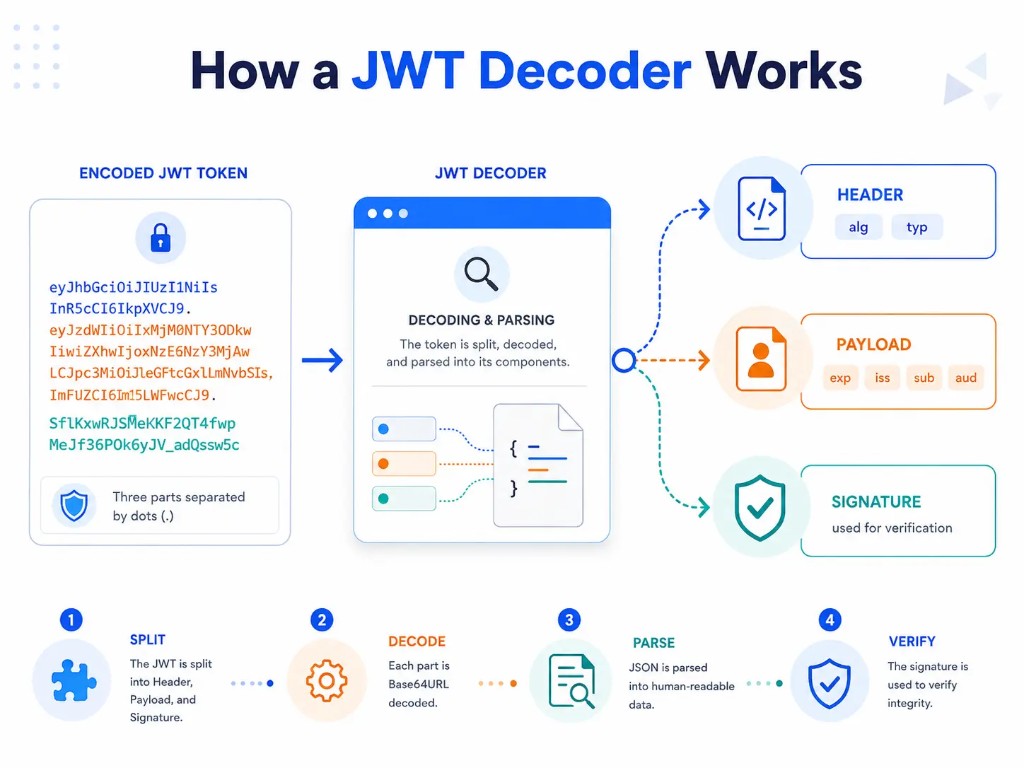
A JWT is usually written as three Base64URL-encoded parts separated by dots:
header.payload.signatureAn online JWT decoder splits that string on each dot, Base64URL-decodes the first two parts, and parses them as JSON. The signature is shown for inspection, but decoding alone does not prove the signature is valid.
In practice, the workflow looks like this:
- The token is split into header, payload, and signature.
- Each encoded section is Base64URL decoded.
- JSON is parsed into readable fields such as alg, exp, iss, and sub.
- The signature remains available if you later verify the token with a key.
That is why decoding is useful for inspection, while verification is a separate trust step.
How to Decode a JWT Token Online
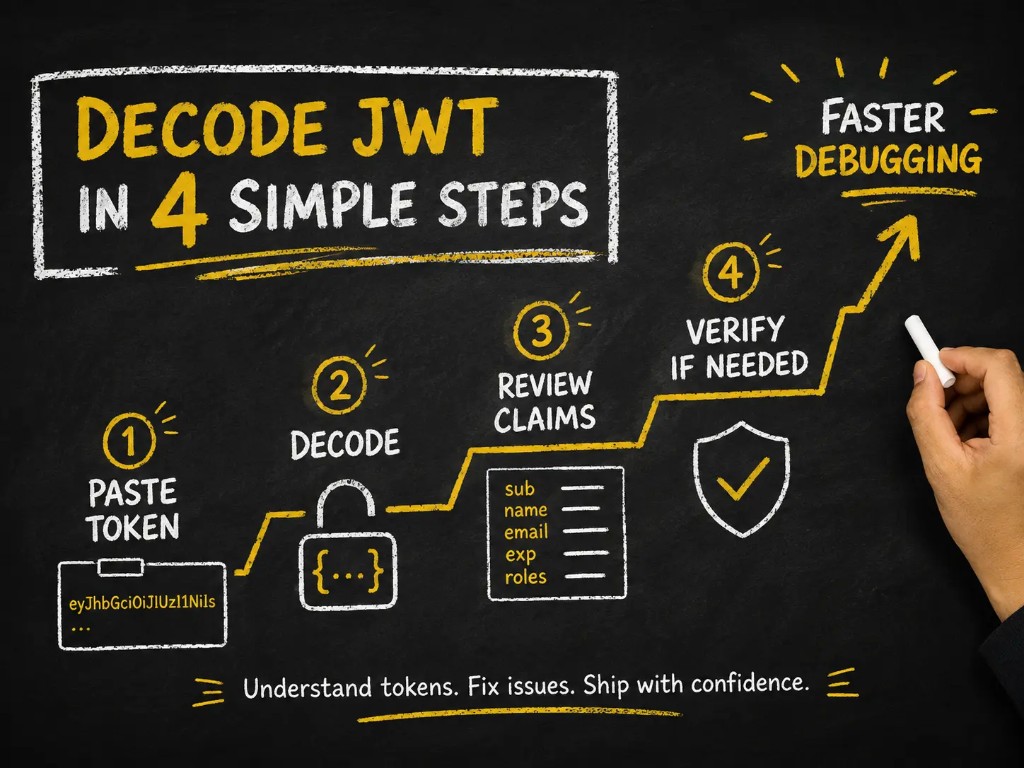
To decode a JWT token:
- Copy your JWT token.
- Paste it into the JWT decoder.
- Run the decoding process.
- Review the decoded header, payload, and claims.
A decoder reads the encoded sections and converts them into a human-readable JSON format.
Example
Encoded JWT
xxxxx.yyyyy.zzzzzDecoded result
{
  "header": {
    "alg": "HS256",
    "typ": "JWT"
  },
  "payload": {
    "sub": "12345",
    "role": "user",
    "exp": 1750000000
  }
}
What Information Does a JWT Decoder Show?
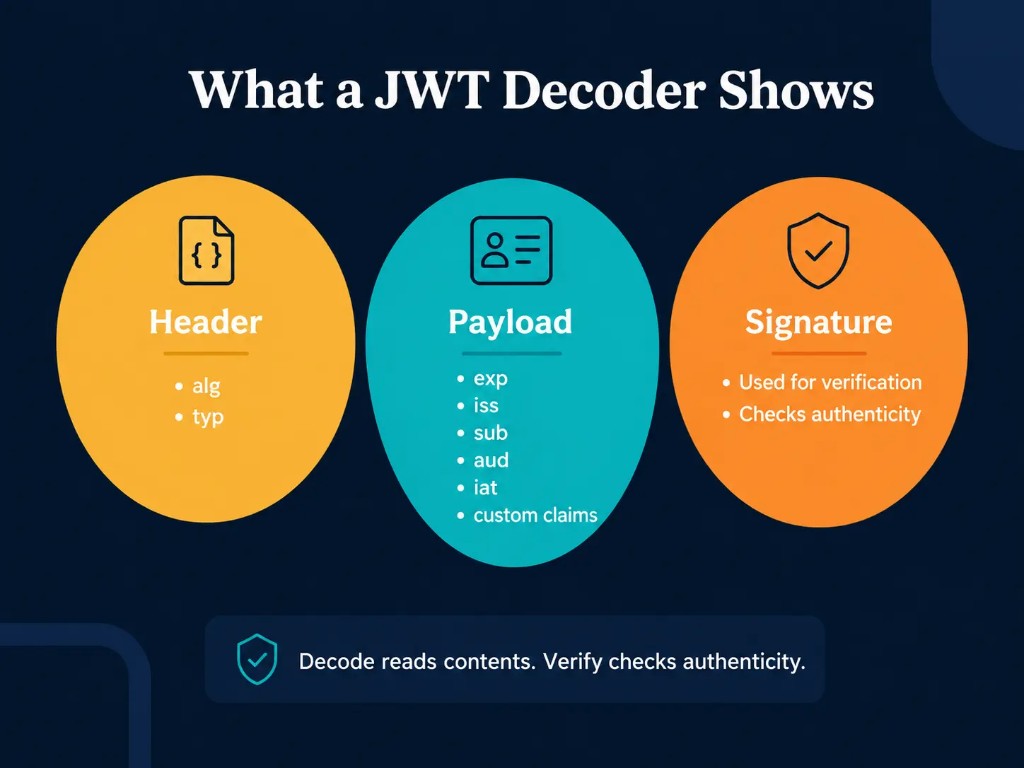
A JWT decoder typically displays three main parts:
- JWT header
- JWT payload
- JWT signature information
Each part has a different purpose.
JWT Header Explained
The JWT header contains metadata about the token.
Common header fields include:
| Field | Meaning |
|---|---|
| alg | Algorithm used to sign the token |
| typ | Token type |
Example
{
  "alg": "RS256",
  "typ": "JWT"
}
Algorithm (alg)
The alg field tells you which signing algorithm is associated with the token.
Common examples:
- HS256
- HS384
- HS512
- RS256
The algorithm helps systems know how the signature should be verified.
Token Type (typ)
The typ field usually identifies the object as a JWT:
{
  "typ": "JWT"
}
JWT Payload Explained
The payload contains the actual data stored inside the token.
This data is stored as claims.
Example
{
  "sub": "user123",
  "name": "John",
  "role": "admin",
  "exp": 1750000000
}
The payload may contain:
- user identifiers
- permissions
- application information
- timestamps
- custom data
The exact fields depend on the system that created the JWT.
Common JWT Claims Explained
A JWT decoder often displays claims like these:
| Claim | Purpose |
|---|---|
| iss | Identifies the token issuer |
| sub | Identifies the subject/user |
| aud | Defines the intended audience |
| exp | Shows when the token expires |
| iat | Shows when the token was issued |
Expiration Time (exp)
The exp claim is one of the most commonly checked values.
Example
{
  "exp": 1750000000
}
If the current time is after this value, the token may no longer be accepted.
Issuer (iss)
The issuer identifies who created the token.
Example
{
  "iss": "authentication-service"
}
This helps applications confirm that the token came from the expected source.
Subject (sub)
The subject usually represents the user or entity associated with the token.
Example
{
  "sub": "user_12345"
}
JWT Decoder vs JWT Verification: What's the Difference?
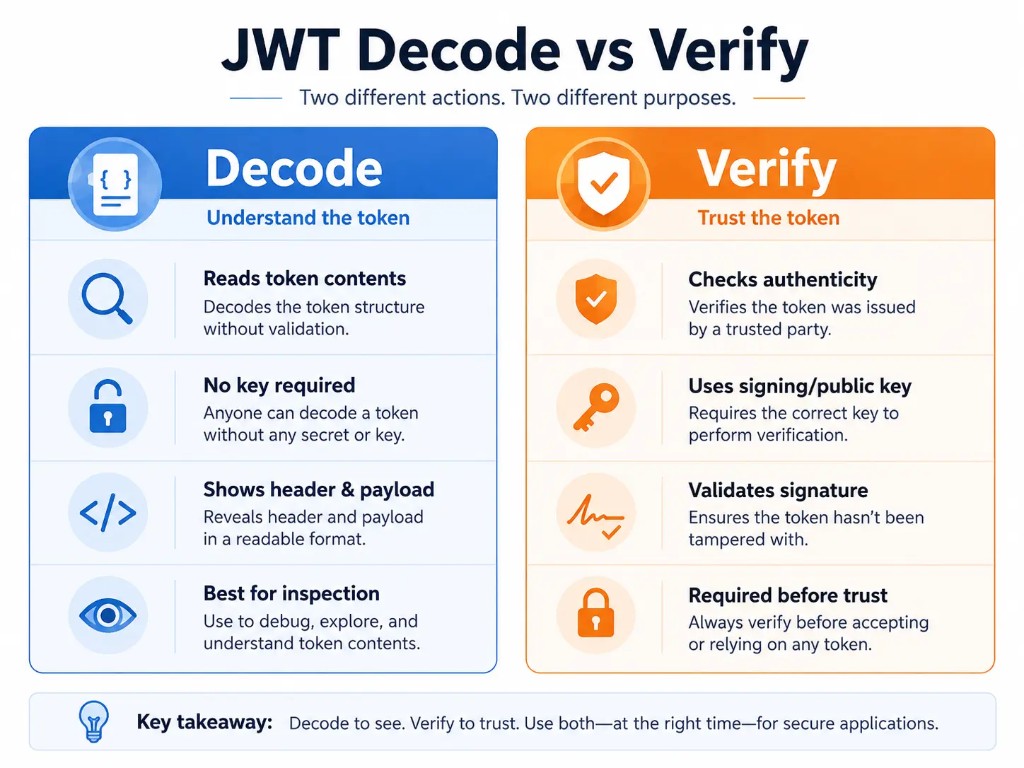
One of the most common JWT misunderstandings is confusing decoding with verification.
They are different processes.
| JWT Decode | JWT Verify |
|---|---|
| Reads token contents | Checks token authenticity |
| Does not require a secret key | Requires a signing key |
| Shows header and payload | Confirms signature validity |
| Anyone with the token can do it | Usually performed by trusted systems |
A JWT decoder can show you what information exists inside a token, but it cannot prove that the token was created by a trusted source.
Can You Decode a JWT Without a Secret Key?
Yes.
You can decode the header and payload of a JWT without knowing the secret key.
This is because JWT data is usually encoded, not encrypted.
However, you need the correct key to verify the signature and confirm that the token has not been modified.
Example
You can decode:
{
  "user": "123",
  "role": "admin"
}
But you cannot confirm whether that information is trustworthy without signature verification.
Common JWT Decoder Errors
Sometimes a JWT decoder may fail to process a token.
Common problems include:
Invalid JWT Format
A JWT should normally contain three sections:
- header.payload.signature
- If parts are missing, the decoder may return an error.
Malformed Payload
The payload must contain valid encoded JSON.
Problems can happen if:
- the token was copied incorrectly
- characters were changed
- the payload is damaged
Expired Token
A token may decode correctly but still be unusable.
Check the exp claim to see whether it has expired.
Verification Failure
A token may fail verification because:
- the signing key is incorrect
- the signature changed
- the algorithm does not match
Remember:
A token can decode successfully and still fail verification.
Is It Safe to Use an Online JWT Decoder?
A JWT decoder can be useful for debugging, but you should be careful with sensitive tokens.
Before pasting a token into any online tool:
- avoid using production authentication tokens
- do not share tokens containing sensitive information
- remove confidential data when possible
- use local tools for highly sensitive environments
A JWT payload is usually readable by anyone who has access to the token.
What Should You Check After Decoding a JWT?
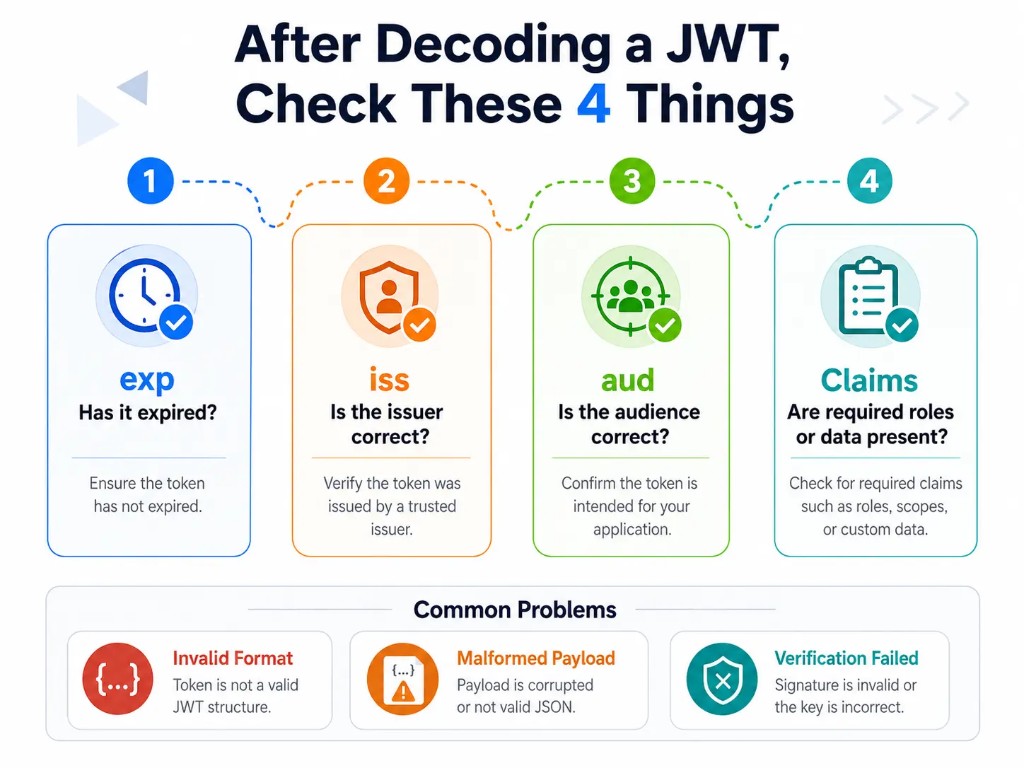
After decoding a JWT token, check:
1. Expiration
Look at exp. Has the token expired?
2. Issuer
Check iss. Was the token created by the expected service?
3. Audience
Check aud. Is the token intended for the correct application?
4. Claims
Confirm that required information exists.
Examples:
- user ID
- permissions
- roles
- application data
Frequently Asked Questions
Can you decode a JWT without a secret key?
Yes, you can decode a JWT without a secret key because JWT data is usually encoded, not encrypted. A decoder can show the header and payload, but you need the correct signing key to verify that the token is authentic.
Does decoding a JWT mean it is valid?
No, decoding only reveals the contents of a JWT token. Validation requires checking the signature, algorithm, and signing key to confirm that the token was created by a trusted source and has not been modified.
Is JWT encrypted or just encoded?
Most JWTs are encoded rather than encrypted, which means anyone with the token can decode and view its payload. Sensitive information should not be stored in JWT claims unless proper protection measures are used.
Why is my JWT token not decoding?
A JWT may fail to decode because it has an incorrect format, missing sections, invalid characters, or a damaged payload. Check that the token contains three dot-separated parts: header, payload, and signature.
What information can a JWT decoder show?
A JWT decoder displays the token header, payload, and related claims. Common details include the signing algorithm, issuer (iss), subject (sub), audience (aud), issue time (iat), and expiration time (exp).
Are online JWT decoder tools safe to use?
Online JWT decoders are useful for testing and debugging, but avoid pasting sensitive production tokens into third-party tools. Use local decoding options or remove confidential information when working with private authentication data.