
Quick Summary
- A CRM database is the data layer behind a CRM system: It stores structured customer, prospect, company, sales, and interaction records that operational CRM and analytical CRM tools use for workflows, reporting, automation, and relationship management.
- Useful CRM data is organized through fields, records, objects, and relationships: Contacts can connect to companies, deals, activities, and service history, giving teams context that a simple flat contact list cannot provide.
- CRM data management goes beyond occasional database cleanup: It includes defining data standards, validating incoming information, preventing duplicates, assigning ownership, controlling access, maintaining records, and monitoring data quality over time.
- Preventing bad data is more effective than repeatedly fixing it: Required fields, controlled values, validation rules, duplicate checks, and consistent standards across forms, imports, and integrations help stop inaccurate or inconsistent records from entering the CRM.
- CRM database health should be measured, not assumed: Tracking duplicate rates, missing critical fields, stale records, unowned records, invalid contact details, and synchronization errors helps teams identify problems early and keep CRM data reliable.
What Data Does a CRM Database Store?
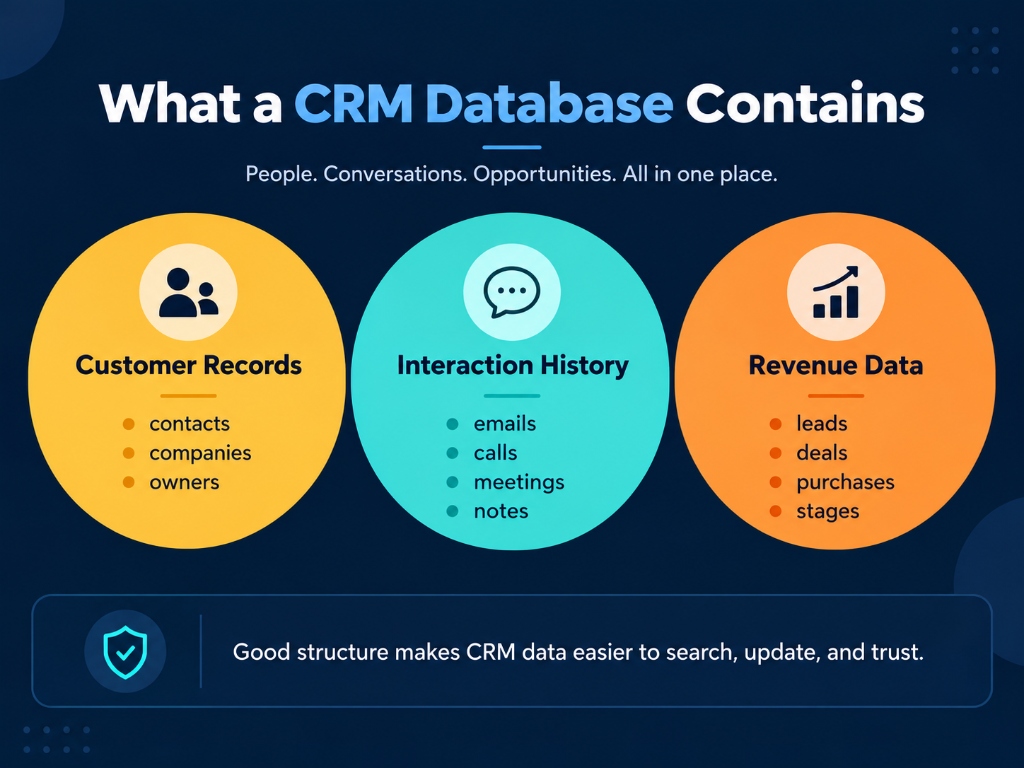
A CRM database usually combines several types of information around a customer or prospect.
| Record type | Typical data |
|---|---|
| Contact data | Name, email, phone number, job title and communication details |
| Account data | Company, organization, industry, location and account ownership |
| Lead data | Lead source, status, qualification information and assigned representative |
| Sales data | Opportunities, deal value, stage, products and purchase history |
| Interaction data | Calls, emails, meetings, notes, form submissions and other activities |
| Service data | Support requests, cases, complaints and service history |
| Preference data | Communication preferences, consent and relevant customer choices |
| Custom data | Business-specific properties needed for segmentation or workflows |
The exact fields should depend on what the organization actually needs. For inside sales teams, capturing accurate lead details and pipeline stages ensures opportunities progress smoothly without administrative friction. Collecting more information does not automatically make the database more useful.
For personal data governed by GDPR, for example, data minimization requires organizations to collect only information that is necessary for the stated purpose. The same framework also emphasizes accuracy and limiting how long personal data is retained.
That makes a useful principle for CRM design even outside a specific regulatory context:
Store enough data to support the customer relationship and required business processes, but do not create fields simply because the CRM allows you to.
How Is CRM Data Structured?
A CRM database is more than a list of contacts. Its usefulness comes from both the individual records and the relationships among them. In a [survey of about 300 organizations](https://consensus.app/papers/designing-a-data-quality-management-framework-for-crm-albrecht-overbeek/799d014f8c6b510499029fbca67c6980/), 44% estimated revenue losses from poor CRM data quality at 5% to 20% of total revenue.
At a basic level, CRM data consists of four building blocks:
- Fields or properties hold individual values such as an email address, company name, deal stage or lead source.
- Records combine those fields into one identifiable item, such as a contact, company or opportunity.
- Objects or tables group records of the same type. A CRM may have separate objects for contacts, companies, opportunities, activities and support cases.
- Relationships connect those records.
For example:
Contact → Account → Opportunity → Activities
A contact called Sarah may work for Acme Ltd. Acme may have an open sales opportunity, and that opportunity may have several meetings and emails attached to it.
Instead of reading isolated rows, the CRM can therefore reconstruct the context of the relationship.
Microsoft's Dataverse documentation similarly defines relationships between table rows, including one-to-many and many-to-many associations.
This connected structure is one of the major differences between a useful CRM database, a dedicated client management system, and an ordinary contact spreadsheet.
What Is CRM Data Management?
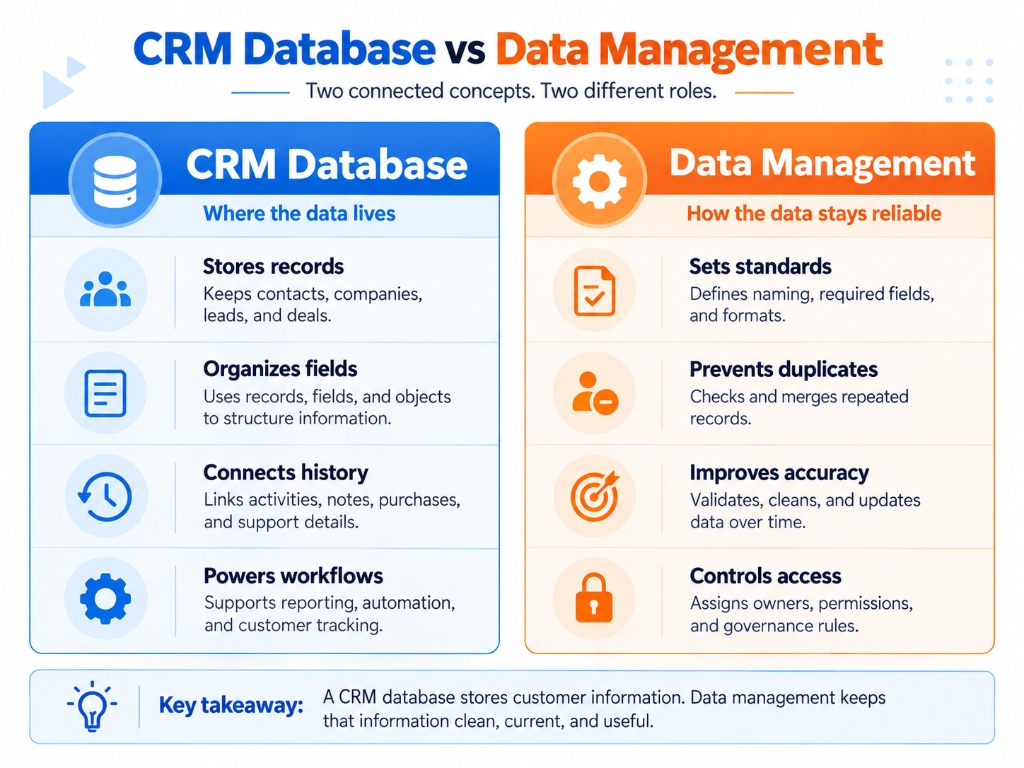
CRM data management is the ongoing process of defining, collecting, organizing, validating, protecting, maintaining and monitoring the customer data used by a CRM.
Data hygiene is part of that process, but the terms are not identical.
Data hygiene primarily concerns fixing issues such as duplicates, incorrect values, formatting problems and outdated records.
Data management also includes:
- deciding which records and fields should exist;
- defining ownership;
- controlling how information enters the system;
- setting validation standards;
- managing permissions;
- synchronizing connected systems;
- handling stale information;
- monitoring database quality.
Current CRM data-management guidance increasingly treats quality problems as lifecycle problems rather than isolated cleanup exercises. Integrate, for example, emphasizes schema, validation, ownership and problems introduced upstream before information ever reaches the CRM.
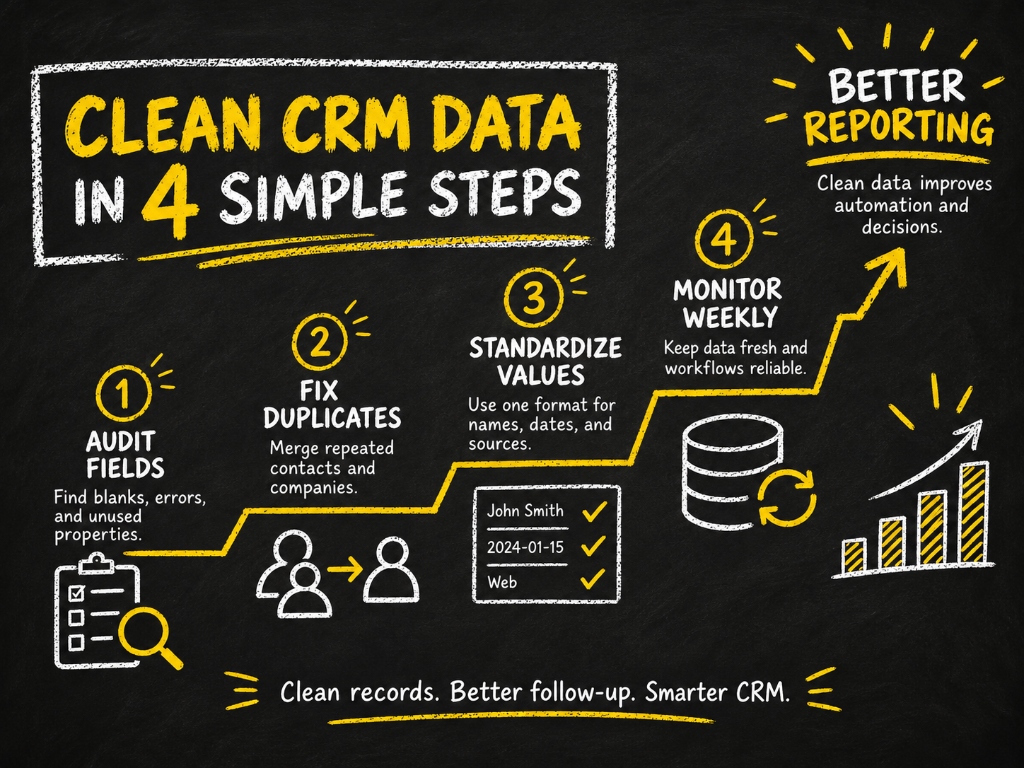
A practical CRM data-management process can therefore be reduced to five stages:
Define → Prevent → Reconcile → Maintain → Measure
1. Define What the CRM Should Contain
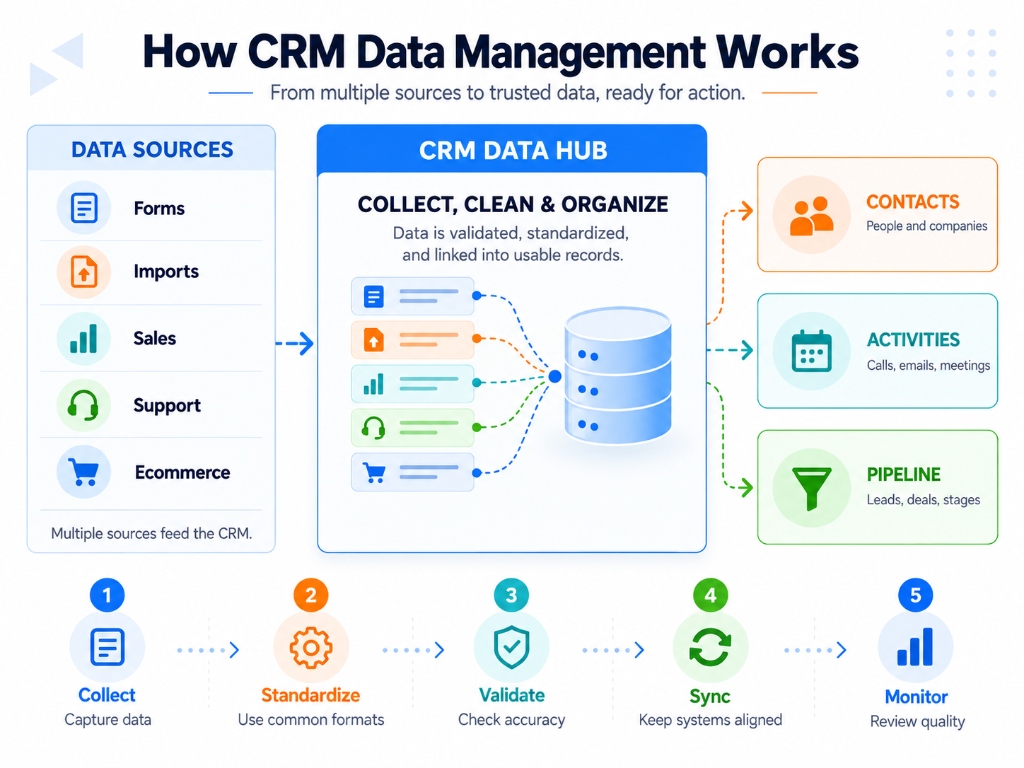
Start with the minimum data model necessary for the processes the CRM needs to support.
For each important field, determine:
- what it represents;
- which object it belongs to;
- whether it is actually required;
- its permitted format or values;
- where the value originates;
- who owns its quality.
For example, if a CRM has five different fields that effectively mean “lead source,” employees and integrations will eventually populate them differently. Reporting becomes unreliable even when every individual value is technically valid.
One defined field with an agreed meaning is generally better than several overlapping fields.
Ownership matters for the same reason. A rule without an accountable owner tends to deteriorate as new users, imports and integrations are introduced.
2. Prevent Bad Data Before It Enters the CRM
Cleaning bad information after it enters the CRM is necessary, but prevention is more efficient. Poor data quality negatively influences user adoption and CRM system proficiency, with 44% of organizations in [one survey](https://consensus.app/papers/designing-a-data-quality-management-framework-for-crm-albrecht-overbeek/799d014f8c6b510499029fbca67c6980/) estimating revenue losses of 5–20% attributable to low-quality CRM data.
Common preventive controls include:
- Required fields. Require information that is genuinely necessary to complete a process, rather than making every possible field mandatory.
- Controlled values. Use dropdowns, picklists or defined formats where consistency matters. For example, allowing users to type “United States,” “USA,” “US” and “U.S.” into the same country field makes segmentation unnecessarily difficult.
- Validation rules. Reject or flag impossible or incorrectly formatted values before they become permanent records.
- Duplicate controls. Check incoming records against existing contacts or companies before automatically creating another record.
- Source standards. Apply the same field definitions to forms, imports, enrichment providers and integrated applications.
This last control is particularly important. A CRM can be clean today and messy again next month if an upstream form, CSV import or integration continuously introduces inconsistent records.
The goal should therefore be to stop creating the problem while fixing the existing problem.
3. Reconcile Duplicates and Inconsistent Records
Duplicate management is more complicated than searching for two identical email addresses. [Simplifying database architecture](https://consensus.app/papers/data-quality-in-customer-relationship-management-crm-petrovi%C4%87/d22656ae758f5d74a79db425f96a2645/) makes data quality support easier and more cost-effective, and SQL-based constraints can achieve 100% accurate data through profiling, cleaning, refining, and auditing.
Potential duplicates can differ because of:
- alternate email addresses;
- abbreviations;
- changed company names;
- spelling differences;
- personal versus work details;
- different values supplied by separate systems.
Matching rules can help identify records that are likely to describe the same person or organization. Salesforce, for example, separates matching logic used to identify possible duplicates from duplicate rules that determine how the system should respond.
But detection should not automatically mean deletion.
Before merging two records, check whether each record has:
- activities;
- opportunities;
- support history;
- ownership;
- subscriptions or consent;
- workflow dependencies;
- external system references.
- CRM users frequently report that aggressive cleanup can become risky when seemingly duplicate records have different relationships or workflow consequences.
For uncertain cases, review, quarantine or archive can be safer than immediate destructive deletion.
4. Keep CRM Data Current
CRM data starts aging as soon as circumstances change.
People:
- change roles;
- leave companies;
- change email addresses;
- become customers;
- become inactive;
- withdraw communication preferences.
Companies merge, opportunities close and account ownership changes.
Maintenance should therefore be continuous rather than treated as an annual cleanup event.
Useful controls include:
- synchronizing authoritative systems;
- correcting sync failures;
- verifying important contact information;
- enriching missing information when justified;
- reviewing stale records;
- closing obsolete opportunities;
- archiving information no longer needed;
- periodically reviewing permissions and ownership.
A “single source of truth” does not necessarily mean every piece of customer information must physically live in one CRM table. Modern environments often connect several systems. What matters is knowing which source is authoritative for each important value and how changes are synchronized.
5. Measure CRM Database Health
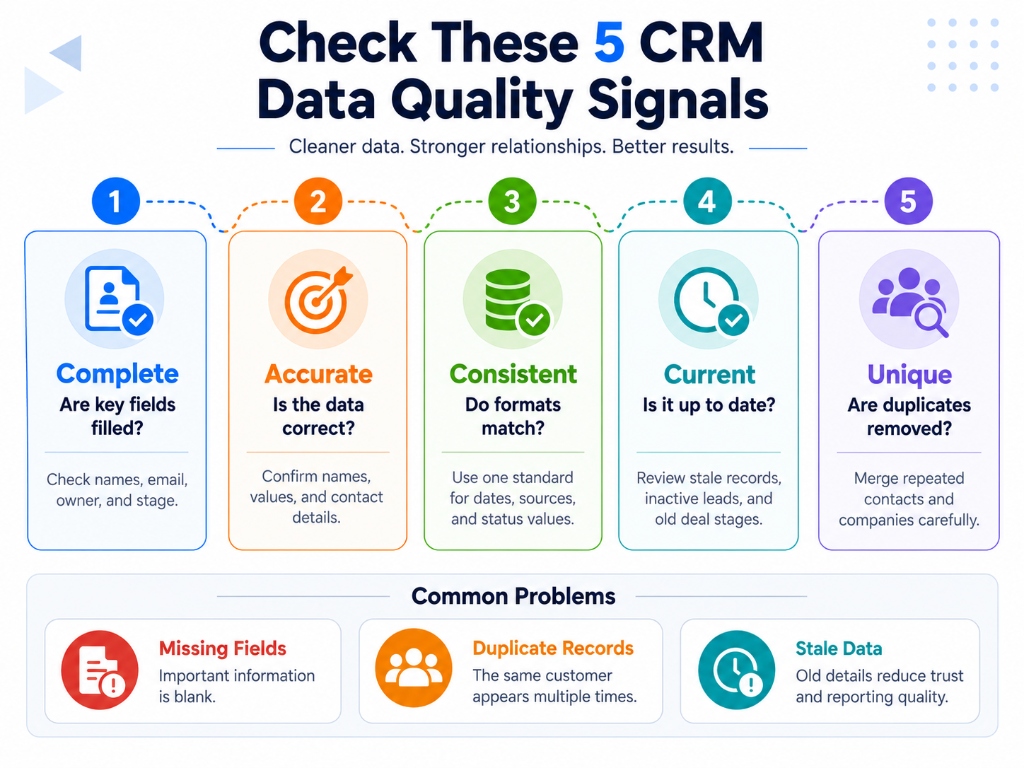
“Keep the CRM clean” is difficult to manage because it has no measurable definition.
A better approach is to monitor a small set of database-health indicators.
| Health measure | What it tells you |
|---|---|
| Duplicate rate | How often multiple records appear to represent the same entity |
| Required-field completeness | Whether business-critical properties are populated |
| Invalid contact rate | How much contact information is unusable |
| Stale-record rate | How much active data has not been verified or updated within an appropriate period |
| Unowned-record rate | How many records lack responsible ownership |
| Sync-error count/rate | Whether connected systems are failing to exchange data correctly |
| Exception backlog | How many suspected duplicates or quality issues remain unresolved |
There is no universal acceptable percentage for each measure. A missing field that blocks billing may matter far more than a missing optional demographic property.
Measure the fields and records that affect real processes, then track whether quality is improving or deteriorating.
Common CRM Data Problems and the Best Control for Each
| Problem | Typical cause | Better control |
|---|---|---|
| Duplicate contacts | Forms, imports or integrations create records independently | Matching + duplicate rules |
| Inconsistent values | Free-text entry | Controlled values + normalization |
| Missing important fields | Weak intake rules | Selective required fields + validation |
| Stale records | No maintenance lifecycle | Review, verification and archiving |
| Conflicting values | Multiple source systems | Define authoritative source + sync rules |
| Too many unused fields | Uncontrolled schema growth | Field governance and periodic cleanup |
| Unclear ownership | Nobody accountable for quality | Assign owner/steward |
| Large cleanup backlog | Problems treated after creation | Move controls upstream |
| Risky mass deletion | Cleanup performed without relationship review | Review dependencies before merge/delete |
The general pattern is important:
Most recurring CRM data problems require a process control, not another one-time cleanup project.
CRM Database vs Spreadsheet
A spreadsheet can store customer information, but storing contacts in rows does not automatically create a CRM database or dedicated client management software.
| Spreadsheet | CRM database |
|---|---|
| Mostly flat rows and columns | Connected business records |
| Relationships usually managed manually | Contacts, companies, deals and activities can be linked |
| Limited workflow context | Interaction history can be attached to records |
| Duplicate control is largely manual | Matching and duplicate controls may be automated |
| Permissions are often coarse | Record/object access can be controlled more precisely |
| Suitable for simple datasets | Better suited to ongoing customer relationships and multi-user workflows |
A spreadsheet can be perfectly adequate for a very small static list. The advantage of a CRM database appears when information needs to remain connected, continuously updated and usable by multiple processes or teams.
What Good CRM Data Looks Like?
A reliable CRM database does not need to contain the most data. It needs to contain the right data in a dependable form.
Good CRM data is:
- accurate — it reflects reality;
- complete enough — required information is available;
- consistent — equivalent values follow the same rules;
- current — important information is updated when circumstances change;
- unique where appropriate — unintended duplicates are controlled;
- relevant — fields serve a real purpose;
- appropriately accessible — users can access what they need without unnecessary exposure.
CRM data management succeeds when those qualities are maintained by the system and its processes—not when employees periodically repair thousands of records after quality has already failed.
Frequently Asked Questions (FAQs)
Where is CRM data actually stored?
CRM data is stored in the underlying databases and storage infrastructure that power the CRM platform. With cloud CRM software, that infrastructure is managed by the provider; connected customer information may also remain in systems such as billing, support, or ERP platforms and synchronize with the CRM.
How often should CRM data be cleaned or reviewed?
CRM data quality should be maintained continuously rather than waiting for a large annual cleanup. Validation and duplicate prevention can run continuously, while stale records, missing fields, ownership issues, and exceptions should be reviewed on a regular cadence appropriate to how quickly the database changes.
Who should be responsible for CRM data quality?
CRM data quality should have a clearly accountable owner, while users remain responsible for the records they create and update. In practice, operations or CRM administrators often maintain standards and controls, managers enforce them, and record owners keep customer information current.
Should old CRM records be deleted or archived?
Not automatically. An old record may still contain useful customer history, so inactive records are often better archived or segmented unless there is a business, retention, or privacy reason to delete them. Age alone does not mean the information has no value.
Can duplicate CRM records be merged automatically?
Yes, but automatic merging is safest when matching rules identify duplicates with high confidence. Ambiguous matches should usually be reviewed because separate records can contain different activities, relationships, field values, or ownership information that could be lost or reassigned incorrectly.
Can a CRM be the single source of truth if customer data also exists in other systems?
Yes. A CRM can be authoritative for customer, contact, account, or sales information without storing every piece of business data itself; another specialized platform (such as an automotive dealer management system, billing engine, or ERP) may remain authoritative for fulfillment and financial records. The important part is defining which system owns each type of information and how updates are synchronized between them.