
Quick Summary
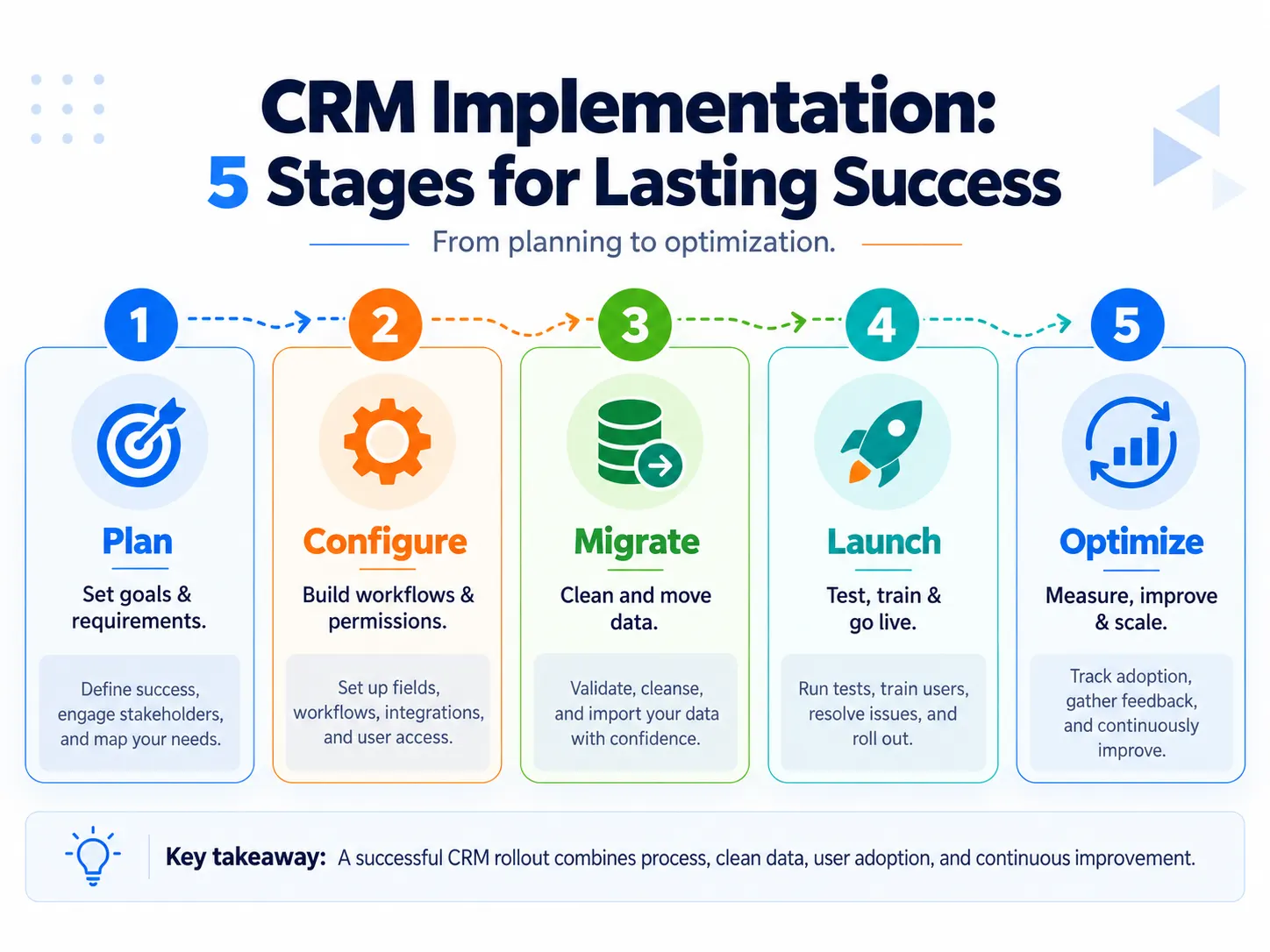
- CRM implementation is more than software setup: A successful implementation turns a CRM into a working business system by defining requirements, configuring workflows, migrating data, integrating tools, testing processes, training users, and supporting adoption after launch. A well-designed CRM database and disciplined CRM data management ensure operational CRM processes stay reliable and feed accurate data into analytical CRM reporting.
- Clear requirements should come before configuration: Define business goals, workflows, data needs, integrations, permissions, user needs, and success measures before building the CRM. Whether evaluating off-the-shelf software or investing in custom CRM development, requirements should be specific and testable so the implementation team can verify that the system actually works as intended.
- Data quality, workflow design, and testing directly affect success: Clean and validate existing data before migration, avoid recreating inefficient legacy processes, and test important workflows, permissions, automations, and integrations before full deployment.
- User adoption depends on usability as much as training: Employees are more likely to use a CRM when it reduces manual work, avoids unnecessary fields and clicks, supports their daily tasks, and gives them useful information or automation in return for the data they enter.
- CRM implementation continues after go-live: Measure system performance, data quality, workflow usage, user proficiency, and relevant business outcomes after launch. Use feedback and observed problems to improve the CRM instead of adding unnecessary features or customization.
CRM implementation is the end-to-end process of turning customer relationship management software into an active, dependable operational system. Whether you are transitioning from a basic client management system or rolling out an enterprise-grade platform, successful rollouts align software capabilities with real-world sales and service workflows.
CRM Implementation Requirements to Define Before You Configure Anything
Good CRM requirements describe what the business and its users need the system to accomplish. They should come from actual processes and problems rather than a wish list of software features.
Ascendix groups implementation requirements into functional, data, UI and technical areas, while Itransition distinguishes functional requirements from non-functional needs such as performance and security.
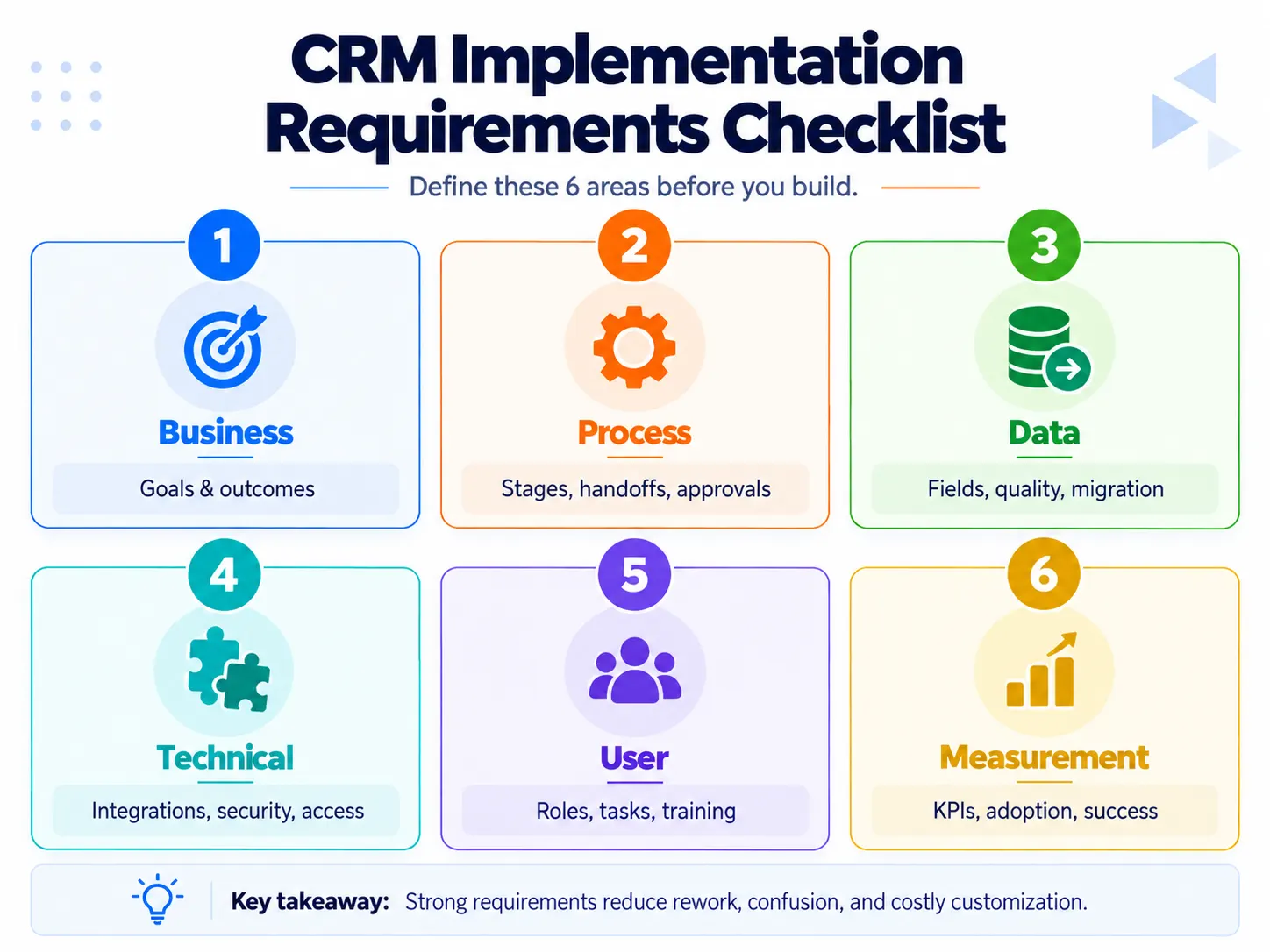
A practical CRM implementation can organize its requirements into six groups.
| Requirement area | What to define | Example |
|---|---|---|
| Business | Outcomes the CRM should improve | Reduce unworked leads and improve pipeline visibility |
| Process | Stages, ownership, approvals and handoffs | Define exactly when an opportunity moves from qualified to proposal |
| Data | Records, fields, sources, quality rules and migration | Decide which contacts, activities and historical deals must move |
| Technical | Integrations, permissions, reliability and security | Connect email and ERP while restricting sensitive records by role |
| User | Tasks each role needs to complete efficiently | Sales reps can log calls and update opportunities without unnecessary steps |
| Measurement | How implementation success will be evaluated | Data completeness, workflow usage and time to proficiency |
The important step is making requirements testable.
“Automate lead routing” is vague.
A better requirement is:
When a qualified website lead enters the CRM, automatically assign it according to territory and product line, preserve its source, notify the owner and flag any record that cannot be assigned.
The implementation team can now create test leads and verify whether the requirement actually works.
That simple change—from feature requests to testable business requirements—also reduces unnecessary customization.
CRM Implementation Process
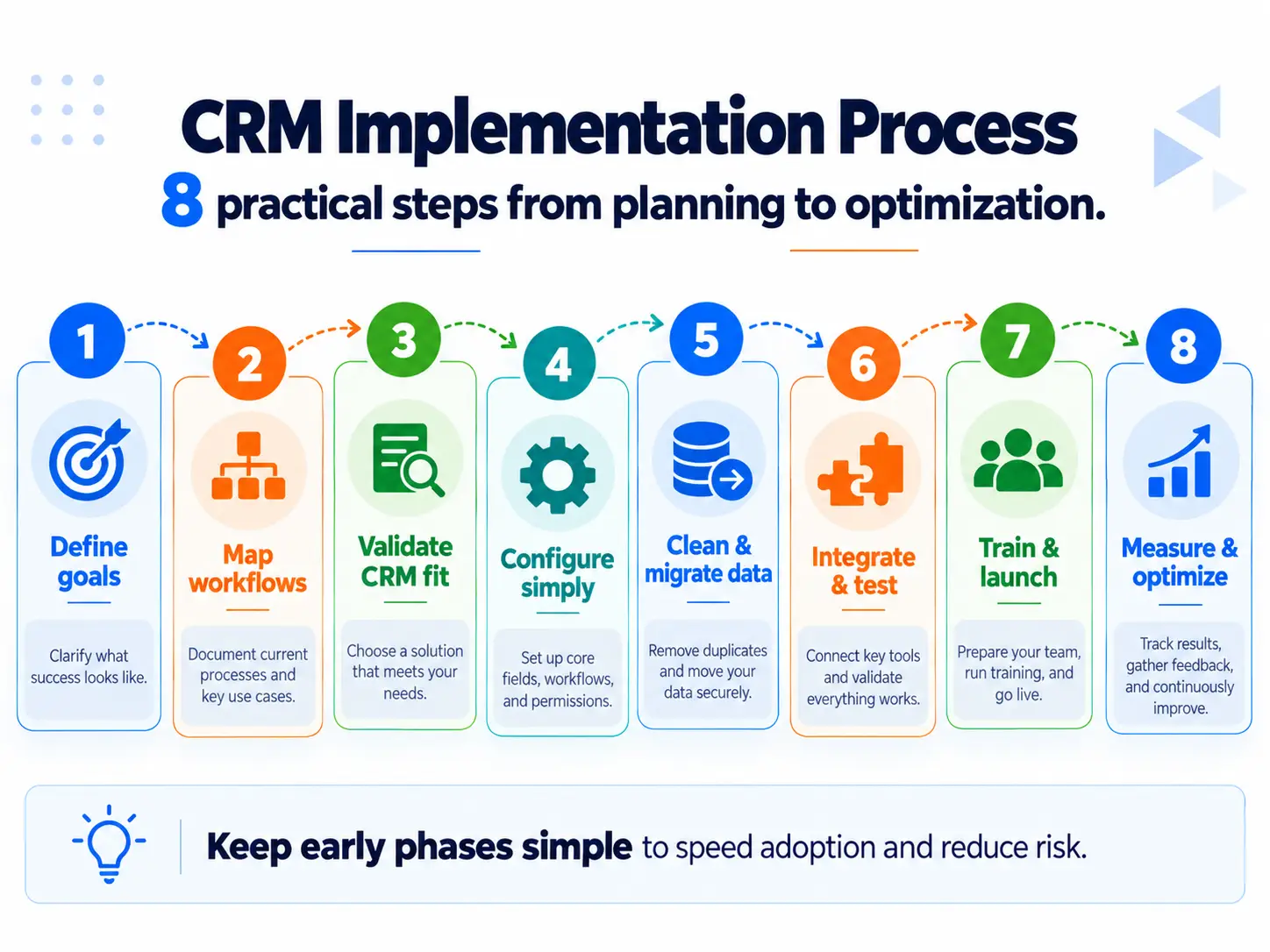
Different vendors divide CRM implementation into different numbers of steps, but the underlying lifecycle is remarkably consistent: define needs, design the system, prepare data, build and integrate it, test it, deploy it, train users and improve it after launch.
1. Define the outcome, scope and owner
Start with the business problem rather than the CRM.
Define a small set of outcomes the implementation should support. Examples could include reducing lead-response delays, making opportunity ownership unambiguous or giving management a reliable view of active pipeline.
Then define scope:
- which teams are included;
- which processes are included;
- which data will move;
- which systems must integrate;
- what will wait for a later phase.
Assign an internal owner as well. Consultants and software vendors can configure the platform, but somebody inside the business needs continuing responsibility for decisions, adoption, data standards and post-launch changes.
Oracle recommends shared business and IT responsibility while keeping business needs in the driver's seat, and Business News Daily similarly recommends a defined implementation team rather than treating the rollout as a purely technical task.
2. Map the real workflow before building it in the CRM
Document how work happens today and decide how it should happen after implementation.
For a sales workflow, that can include:
- how a lead enters the business;
- who owns it;
- what qualifies it;
- what each pipeline stage means;
- what must happen before the stage changes;
- when another employee or department becomes responsible;
- what information needs to be captured;
- what happens when the deal is won or lost.
In high-velocity inside sales environments, maintaining a streamlined sales pipeline requires clear stage advancement criteria, rapid qualification steps, and automated activity logging.
HubSpot specifically emphasizes sales-process definition, deal stages, custom fields and clear lead ownership before relying on the CRM to manage the process.
Do not automatically rebuild every legacy rule.
A 2026 Reddit discussion about starting over with a CRM described exactly this problem: the company realized its inconsistent legacy processes were not worth reproducing in the new system. That is anecdotal evidence, but the lesson is useful—migration is an opportunity to remove unnecessary work rather than digitize it.
3. Validate the CRM against the requirements
If the platform has not already been selected, evaluate CRM options against the requirements from the previous steps.
If it has already been purchased, run the same exercise anyway.
For every important requirement, determine whether the CRM supports it through:
- native functionality;
- configuration;
- integration;
- customization;
- or not at all.
- Prefer the simplest method that satisfies the business requirement.
Oracle specifically warns that unnecessary customization can increase complexity, cost and implementation time and recommends using native capabilities where they meet the requirement. When platform limitations force convoluted workarounds, evaluating specialized CRM development or vertical tools like an automotive dealer management system may be necessary.
Detailed CRM features, demos and vendor comparisons deserve separate evaluation rather than turning the implementation project into a feature-shopping exercise.
4. Design the CRM around essential workflows
Now translate the approved requirements into CRM architecture.
Depending on the implementation, this may include:
- objects or record types;
- fields;
- pipeline stages;
- ownership rules;
- required-field rules;
- permissions;
- automations;
- notifications;
- dashboards;
- integrations.
The test for every configuration decision should be simple:
- What business or user requirement does this support?
- If a required field has no clear use, reconsider it.
If an automation creates activity nobody needs, reconsider it.
If a dashboard is not used to make a decision, reconsider it.
This matters because configuration complexity directly affects adoption. One recent community report described users abandoning a CRM after basic updates required excessive fields and clicks; another described sales representatives maintaining Excel files because the CRM workflow had become too cumbersome. These are individual experiences rather than representative studies, but they illustrate a recurring implementation risk.
5. Clean and migrate the data
Do not treat migration as “export everything, then import everything.”
First decide what needs to survive the move.
Review:
- duplicate contacts and companies;
- obsolete records;
- unused fields;
- inconsistent values;
- incomplete records;
- record relationships;
- source-system identifiers;
- ownership;
- historical activities that actually need to be retained.
- HubSpot recommends cleaning data before import and moving data in sections so unexpected behavior is easier to identify. Business News Daily similarly recommends reviewing data for accuracy and completeness and testing a sample migration before loading everything into production.
A new CRM containing unreliable migrated data quickly loses user trust.
Maintain a validated source backup, document how old fields map to new fields and verify record counts and relationships after migration.
For a much deeper treatment of CRM data structure and governance, refer to our comprehensive guide on CRM database and data management practices.
6. Integrate and test the system
CRM integrations may connect email, calendars, ERP systems, marketing tools, accounting platforms, customer-service applications or other business software.
The implementation should define:
- which system owns each important data element;
- what information moves between systems;
- when synchronization occurs;
- how duplicates are handled;
- what happens when an integration fails;
- who has permission to see or modify the information.
Then test real scenarios.
Salesforce recommends testing permissions, automations and migration before go-live, while Itransition includes end-to-end testing and user acceptance testing within the implementation lifecycle.
Testing should map directly to the requirements.
If the requirement says leads must route by territory, test every territory and important exception.
If a user must not be able to view a restricted account, test that permission.
If a deal marked “won” must create a handoff, test the full handoff rather than checking only that the button works.
7. Run user acceptance testing with the people who perform the work
Technical testing asks:
Does the feature function?
User acceptance testing asks:
- Can an employee complete the real business task correctly?
- Those are different questions.
Use representative users to perform common scenarios before full launch. Pay attention not only to defects but also to friction:
- unnecessary clicks;
- confusing field names;
- unclear stages;
- duplicate entry;
- missing information;
- poor mobile usability;
- workflows that make sense to the implementation team but not to the user.
Oracle recommends actively involving users in system design and adjusting the solution based on their feedback rather than waiting until launch to discover usability problems.
8. Train users on workflows and launch in controlled phases
CRM training should teach people how to perform their job in the new process, not simply demonstrate menus and features. Developing complete CRM system proficiency across teams ensures high data hygiene and continuous workflow adherence.
For example, a salesperson needs to understand:
- where new leads appear;
- what information must be recorded;
- how ownership works;
- what each stage means;
- when the opportunity should advance;
- how follow-ups are managed;
- what the CRM does automatically.
Oracle similarly recommends training around the business processes enabled by CRM rather than treating training as a software-feature demonstration.
For more complex implementations, a pilot or phased rollout can reduce risk. Oracle notes that phased deployment allows organizations to learn from earlier stages before expanding the implementation.
CRM Go-Live Readiness Checklist
A CRM should not go live merely because the scheduled launch date arrived.
Before full rollout, verify that:
- priority requirements have passed acceptance testing;
- critical workflows work end to end;
- permissions have been tested;
- integrations are stable enough for production;
- migrated data has been validated;
- duplicate and obsolete records have been addressed;
- pilot users can complete essential tasks;
- role-specific training is ready;
- support ownership is clear;
- the old process has an agreed retirement or read-only plan;
- baseline metrics have been recorded;
- known issues have owners and acceptable workarounds.
Minor improvements can remain in the backlog.
Failures in core workflows, permissions or data integrity should not.
How to Improve CRM User Adoption?
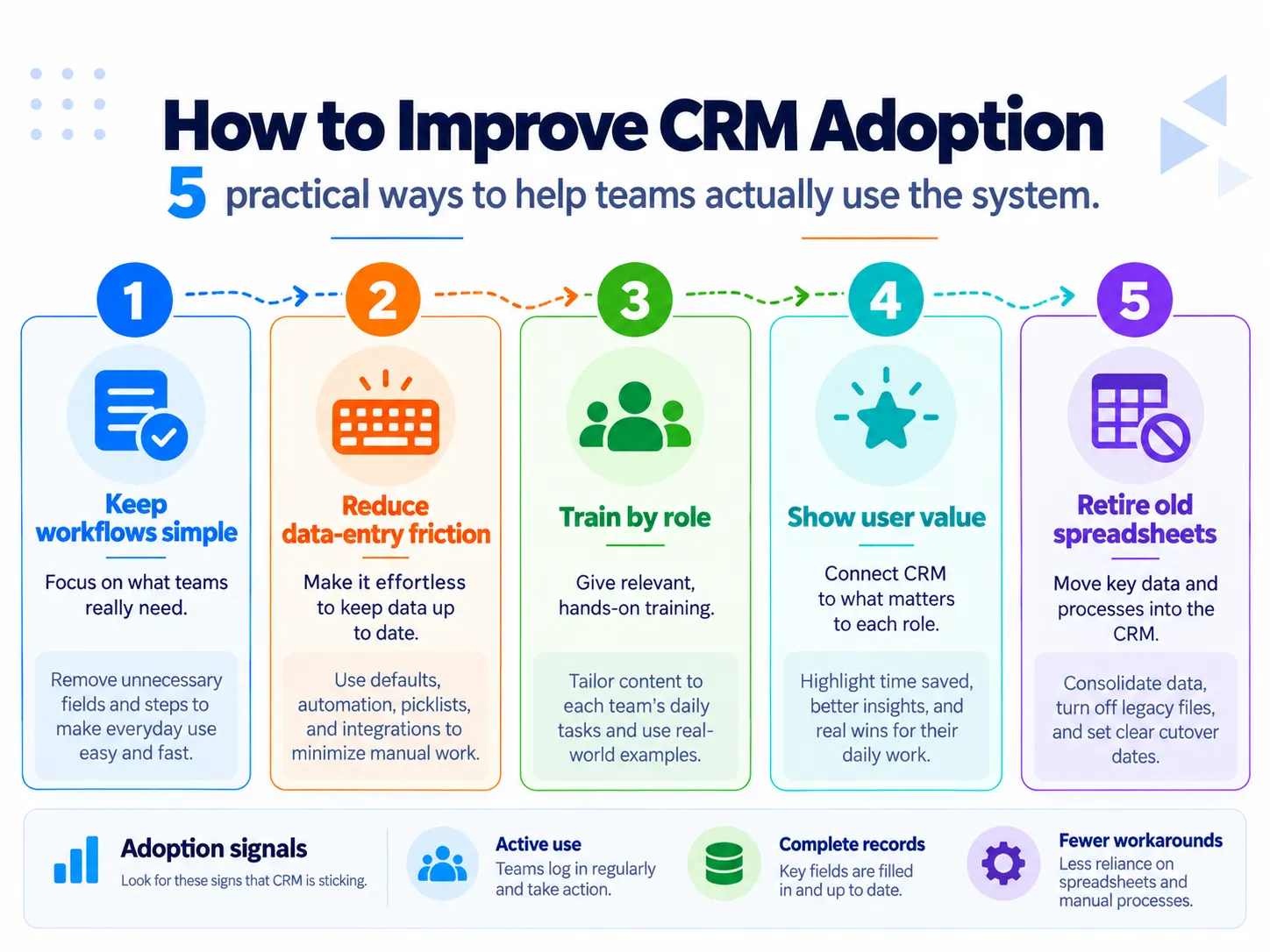
Adoption is not something that begins after configuration. It is affected by decisions made throughout the implementation.
Keep the CRM easier than the workaround
If updating a deal takes substantially longer in the CRM than in a spreadsheet, employees have a reason to avoid the CRM.
Minimize required fields at each step. Automate information the system can capture reliably. Ask employees to enter information because somebody or something uses it—not merely because the CRM can store it.
Give users something back
Data entry is easier to justify when the user receives useful value in return.
That might be:
- automatic reminders;
- complete interaction history;
- fewer manual handoffs;
- useful account context;
- automated follow-up tasks;
- less duplicate reporting.
Train by role
A sales representative, service agent, manager and CRM administrator do not need identical training.
Teach each group the workflows they perform frequently.
Make managers use the CRM too
If managers request pipeline information through spreadsheets, messages and separate documents, employees learn that the CRM is optional.
Operational reviews should rely on the system wherever the data is expected to live there.
Remove the old default
Once the replacement is stable, define what happens to legacy spreadsheets and systems.
Leaving two unrestricted systems running indefinitely makes it unclear which one is authoritative.
Measure real use, not just logins
A login does not necessarily mean the CRM has been adopted.
More useful adoption signals can include:
- completion of core workflow actions;
- required record completeness;
- timely opportunity-stage updates;
- activity capture where required;
- stale records;
- time to proficiency;
- user-reported friction.
Itransition similarly suggests looking at metrics such as active users, time to proficiency and user satisfaction alongside broader business KPIs.
How to Measure CRM Implementation Success?
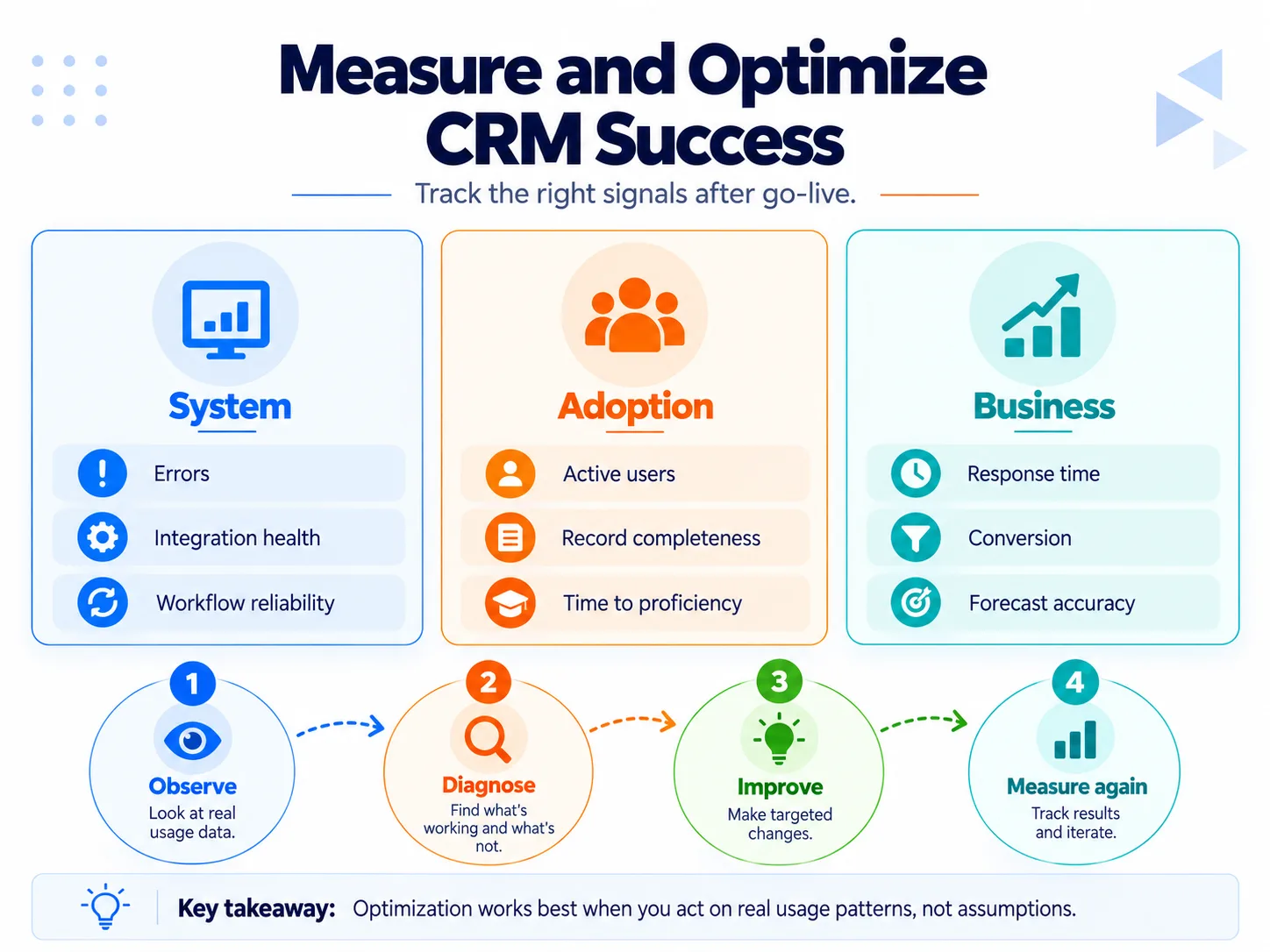
Do not judge implementation using a single number.
Tracking core CRM metrics and CRM analytics across pipeline performance, lead response time, and user adoption provides a balanced view of progress.
Use three layers.
| Measurement layer | What it tells you | Examples |
|---|---|---|
| System | Does the solution technically work? | Errors, integration failures, uptime, workflow failures |
| Adoption/data | Are people using it correctly? | Active use, record completeness, stale deals, proficiency |
| Business | Is the intended process improving? | Response time, conversion, cycle time, forecasting reliability |
Capture relevant baselines before implementation whenever possible.
Otherwise, a team may know that a metric changed but have no reliable way to determine whether the CRM improved it.
CRM Optimization After Go-Live
Post-launch optimization should be based on observed problems and outcomes rather than adding features because they are available.
Salesforce includes evaluation and iteration as the final implementation stage, while HubSpot recommends continuing to evaluate CRM processes and data cleanliness as the organization evolves.
A practical optimization loop is:
Observe → diagnose → prioritize → change → test → measure again.
For example:
Observation: Representatives leave one field blank.
Bad response: Make five additional fields mandatory.
Diagnosis: The existing field is not available when the record is first created.
Better response: Move the requirement to the point in the process where the information becomes known.
Optimize when evidence shows:
- users repeatedly bypass a workflow;
- data quality deteriorates;
- an automation produces errors;
- a process changes;
- a report cannot be trusted;
- users repeatedly request the same workaround;
- a step consumes effort without producing useful information.
Do not optimize merely by increasing the amount of configuration.
Common CRM Implementation Mistakes
| Mistake | Why it creates problems | Better approach |
|---|---|---|
| Starting configuration before understanding the process | The CRM encodes an unclear workflow | Map the future process first |
| Migrating everything | Old errors and clutter enter the new system | Migrate necessary, validated information |
| Recreating every legacy process | Existing inefficiencies become permanent | Challenge unnecessary steps before rebuilding them |
| Over-customizing | Complexity, cost and maintenance grow | Prefer native/configurable capabilities where practical |
| Too many required fields | Users bypass the CRM | Require only information needed at that point |
| Training once at launch | Real questions appear after people start working | Combine launch training with ongoing support |
| No internal owner | Decisions and data standards deteriorate | Assign continuing ownership |
| Measuring logins only | Activity can look healthy while workflows remain incomplete | Measure actual process usage and data quality |
| No post-launch review | Friction accumulates unnoticed | Maintain a prioritized optimization backlog |
The repeated lesson across current implementation guidance is that CRM implementation combines technology with process and behavior. Oracle emphasizes that business goals should drive functionality; HubSpot emphasizes mapping the CRM to actual working processes; and Salesforce and Itransition both carry implementation beyond setup into training, deployment and ongoing iteration.
How Long Does CRM Implementation Take?
There is no useful universal implementation timeline.
A simple implementation with a small user group, clean data and few integrations may take weeks. A multi-department rollout involving legacy data, complex integrations, custom logic and extensive testing can take months.
Salesforce likewise describes implementation duration as dependent on business size, workflow complexity and customization requirements rather than giving a single universal duration.
Estimate the timeline from the work required for:
- discovery + design + configuration + migration + integration + testing + training + rollout + early support
- rather than selecting a launch date first and forcing the scope into it.
How Much Does CRM Implementation Cost?
CRM implementation cost is broader than the CRM subscription itself.
Budget for whichever of these apply:
- software licenses;
- discovery and process design;
- data cleanup and migration;
- configuration;
- integrations;
- customization;
- testing;
- training;
- consulting or implementation partners;
- post-launch support.
A generic average is usually less useful than pricing the actual scope because a nearly out-of-the-box deployment and a multi-system enterprise migration are fundamentally different projects.
The best way to control implementation cost is therefore not to chase the cheapest hourly rate. It is to define requirements clearly, prioritize the initial scope, limit unnecessary customization and discover data or integration problems before they become late-stage rework.
Frequently Asked Questions
How long does CRM implementation take?
CRM implementation can take a few weeks for a simple rollout to several months for a complex, multi-team deployment. The biggest timeline drivers are usually data quality, integrations, customization, internal decision-making, testing, and user adoption—not simply configuring the software.
How much does CRM implementation cost?
CRM implementation cost depends on the number of users, data migration, integrations, customization, training, consulting, and post-launch support required. Budget separately for the CRM subscription and the work required to make the system operational; a lightly configured CRM and a complex enterprise migration can have completely different implementation costs.
Should a CRM be rolled out in phases or launched all at once?
A phased or pilot rollout is usually safer when the implementation involves multiple teams, complex workflows, integrations, or significant data migration. It lets you test the configuration with a smaller group, fix problems, improve training, and then expand; a big-bang launch is more appropriate when the setup is simple and the operational risk is low.
What should I do if employees keep using spreadsheets instead of the CRM?
Treat continued spreadsheet use as an adoption and workflow warning, not automatically as a training problem. Check whether the CRM requires unnecessary fields, duplicate data entry, excessive clicks, or workflows that are harder than the previous process; recurring user discussions show these frictions frequently push teams back to spreadsheets.
Can a failed CRM implementation be recovered without replacing the CRM?
Yes, many struggling implementations can be recovered if the platform can still meet the business's core requirements. Diagnose whether the main problem is the process, data, integrations, configuration, governance, or user adoption, then fix and retest the highest-priority workflows before expanding the rollout; replacing the CRM makes more sense when the platform itself cannot support essential requirements.