
Quick Summary
- CRM for call centers connects customer data with live call workflows: Agents can access customer profiles, interaction history, open cases, notes, and account details while handling inbound or outbound calls.
- The CRM does not always replace the phone system: Many call centers connect a CRM with VoIP, dialers, or contact-center software through CTI, native integrations, or APIs to enable screen pops, click-to-call, and automatic call logging.
- Call-specific features matter more than generic CRM features: Strong call-center CRM setups support accurate caller matching, call dispositions, case management, callbacks, workflow automation, recordings, transcripts, and relevant reporting.
- Different call centers need different CRM workflows: Inbound support teams may prioritize cases, routing context, and customer history, while outbound teams need dialer integration, lead context, dispositions, and follow-up automation.
- Test the real call workflow before choosing a CRM: Confirm that customer records appear correctly, calls are logged automatically, data stays synchronized, and follow-up actions work with your existing phone system rather than relying only on an advertised “CRM integration.”
What Is a CRM for Call Centers?
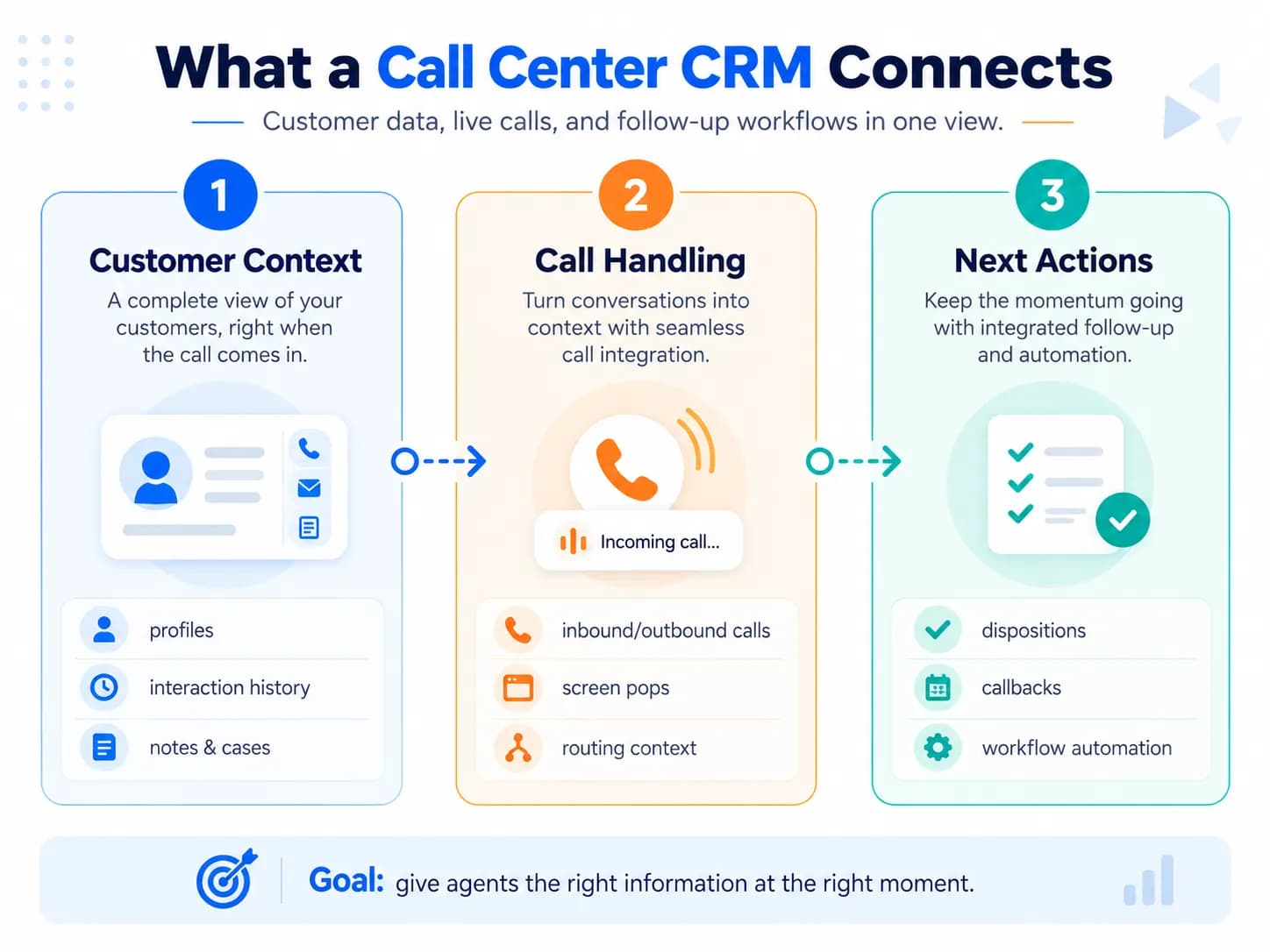
A call-center CRM is a customer relationship management system configured or integrated to support phone-based customer interactions. While a basic client management system suffices for small service appointments, high-volume call centers demand robust CTI and automatic logging.
It normally gives agents access to customer profiles, interaction history, open cases, notes and relevant account information while they handle calls. Creatio, Genesys and Pega all describe this unified customer context as a central function of call-center CRM.
A call center primarily handles voice interactions. A contact center can also manage channels such as email, chat, SMS and social messaging. If phone calls are only one part of your service operation, the system is often described as a contact-center CRM instead.
The important question is not the label. It is whether the CRM gives agents the information and controls they need during the interaction.
How Does a Call-Center CRM Work?
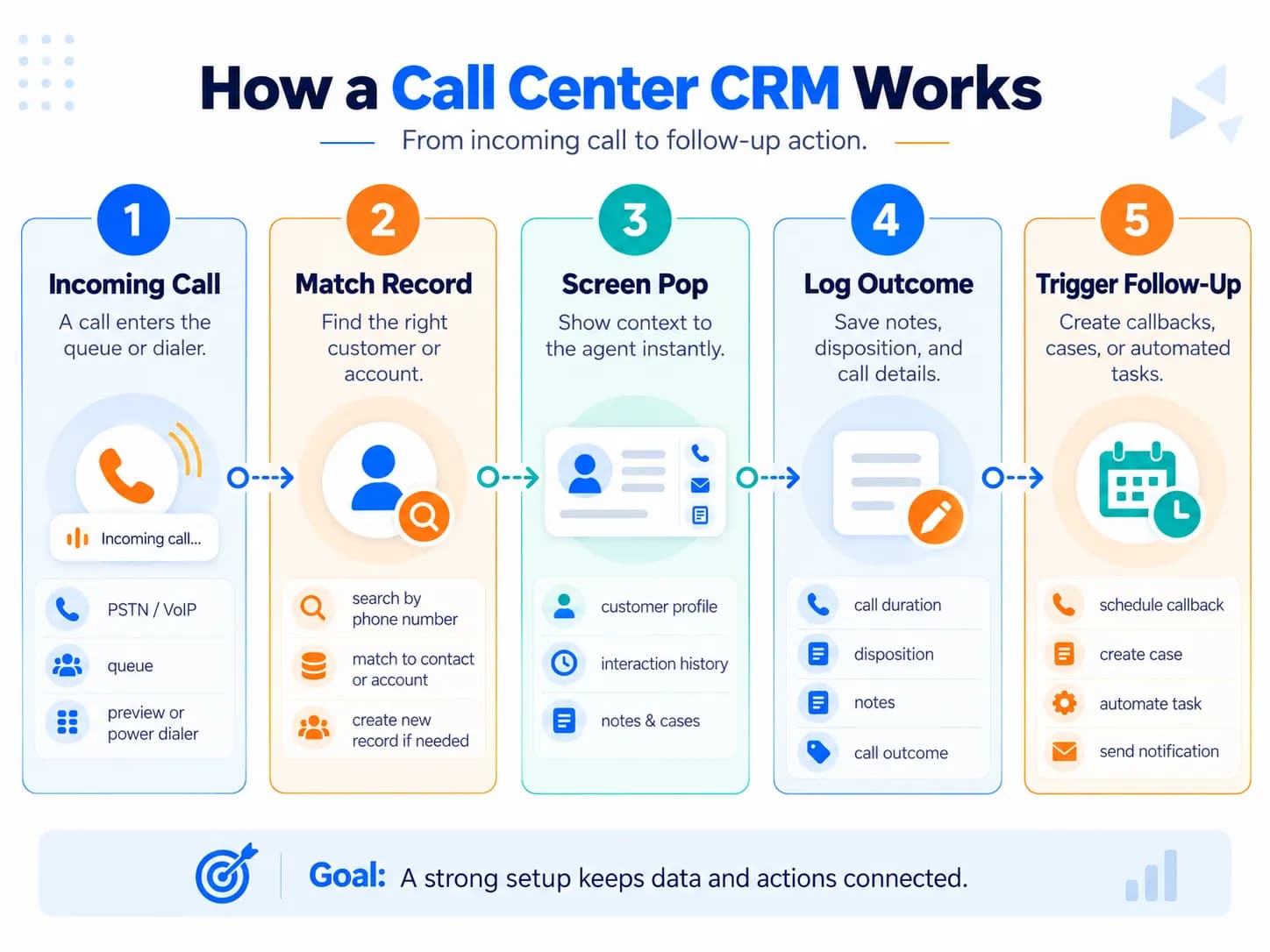
A well-integrated CRM connects the call lifecycle with the customer record.
1. The call enters the phone or contact-center system
Your VoIP, PBX, dialer or contact-center platform receives the call. An IVR or automatic call distribution system may collect information and decide which queue or agent should receive it.
Some of these functions belong to the telephony/contact-center layer rather than to the CRM itself.
2. The system determines which record is relevant
The integration can use the caller's phone number or other call data to search the CRM.
If a matching contact exists, the system can retrieve the customer profile before or as the agent accepts the call. Webex describes this as a screen pop: the calling number is used to locate the CRM record and present customer information to the agent.
Matching should not always rely on the caller's number alone. Accurate caller recognition depends on structured CRM data management to deduplicate phone records and keep the central CRM database sanitized.
For example, an answering service may handle calls for hundreds of client businesses. In that environment, agents may need the CRM to recognize which business number the customer dialed and display that business's scripts, policies or local information.
This issue appeared independently in call-center CRM discussions in both 2023 and 2026.
That means a useful vendor test is not merely:
“Does your CRM support screen pops?”
It is:
“Which call attributes can trigger the record lookup?”
3. The agent receives the relevant context
The agent should be able to see what is required to handle the call without searching several systems. For example, in ecommerce support or omnichannel retail CRM setups, seeing recent physical store visits and online shipping updates allows the representative to resolve order inquiries instantly.
Depending on the operation, that might include:
- contact and account details;
- previous calls;
- open support cases;
- recent purchases or orders;
- previous agent notes;
- scheduled callbacks;
- account status;
- relevant knowledge articles.
Salesforce describes a similar workflow in which previous contact information, billing details and purchased products can appear directly in the agent's workspace.
4. The agent handles the interaction
With CTI or a comparable integration, agents may also be able to answer, transfer or initiate calls without leaving the CRM.
For outbound operations, click-to-call lets the agent initiate a call from the CRM record rather than manually copying the number into a separate dialer.
The objective is not simply convenience. It is to prevent the agent from switching between disconnected systems while simultaneously speaking with the customer.
5. The interaction is recorded against the CRM record
When the call ends, the system should associate the interaction with the correct contact, account, lead or case.
Depending on the setup, it may capture:
- call time and duration;
- agent;
- queue;
- call direction;
- disposition or outcome;
- notes;
- recording;
- transcript;
- follow-up task.
Automatic logging is particularly valuable when call volume makes manual CRM entry unreliable.
6. The call outcome triggers the next workflow
A CRM should do more than preserve a call log.
A disposition such as resolved, callback requested, escalate, or payment promised can trigger another action.
That action could create a task, update a case, schedule a callback, send a confirmation, notify another team or start an escalation workflow.
This is where CRM adds value beyond basic call-management software.
7. Supervisors can connect call activity with customer outcomes
Managers can then analyze call activity alongside CRM information. Call center operations represent the live bridge between frontline operational CRM (screen pops and automatic dialers) and backend analytical CRM.
Relevant measures might include average handle time, first-contact resolution, customer satisfaction, callback completion, case resolution, call outcomes or conversions.
The full reporting strategy belongs in a broader CRM metrics and analytics framework; for a call center, connecting phone activity with customer retention is paramount.
Essential CRM Features for Call Centers
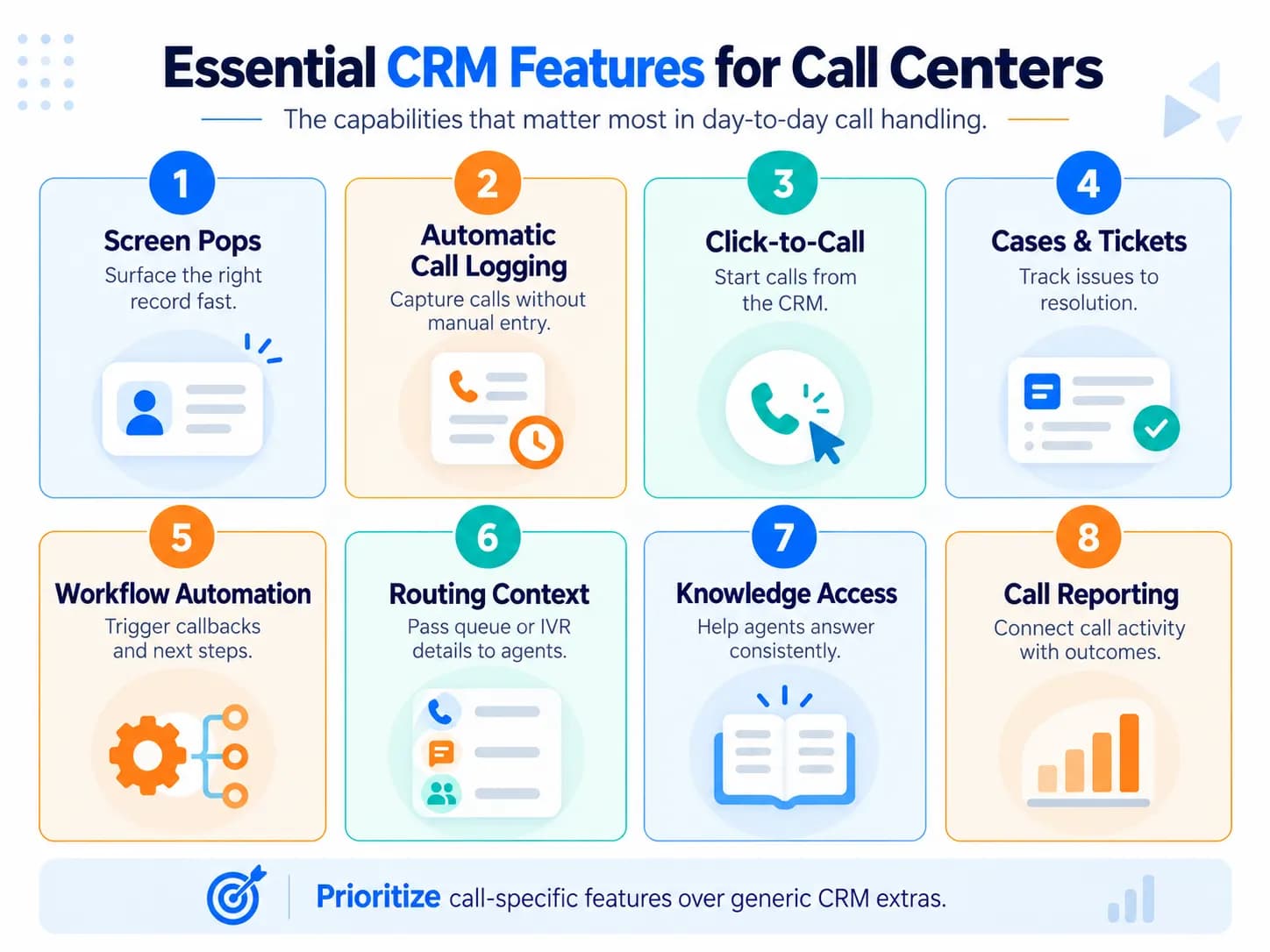
Not every generic CRM feature deserves equal weight in a call-center evaluation.
| Capability | Why it matters in a call center |
|---|---|
| Customer profile and interaction history | Gives agents immediate context |
| Telephony/CTI integration | Connects calls with CRM workflows |
| Screen pop and record matching | Surfaces the right information when a call arrives |
| Automatic call logging | Reduces manual entry and missing activity |
| Click-to-call | Simplifies outbound calling |
| Cases or tickets | Tracks issues from contact through resolution |
| Call dispositions | Records what happened and drives next actions |
| Workflow automation | Handles callbacks, escalations and follow-ups |
| Routing context | Carries IVR/queue information into the agent workflow |
| Knowledge access | Helps agents answer consistently |
| Call recordings/transcripts | Supports review, quality processes and context where appropriate |
| Call-center reporting | Connects call activity with service or sales outcomes |
| Permissions and auditability | Controls access to customer and interaction data |
AI can strengthen several of these capabilities through transcription, call summaries, suggested responses or post-call automation. It should be evaluated as an enhancement to the workflow rather than a substitute for reliable CRM and telephony integration.
CRM With Calling vs CRM Integrated With Call-Center Software
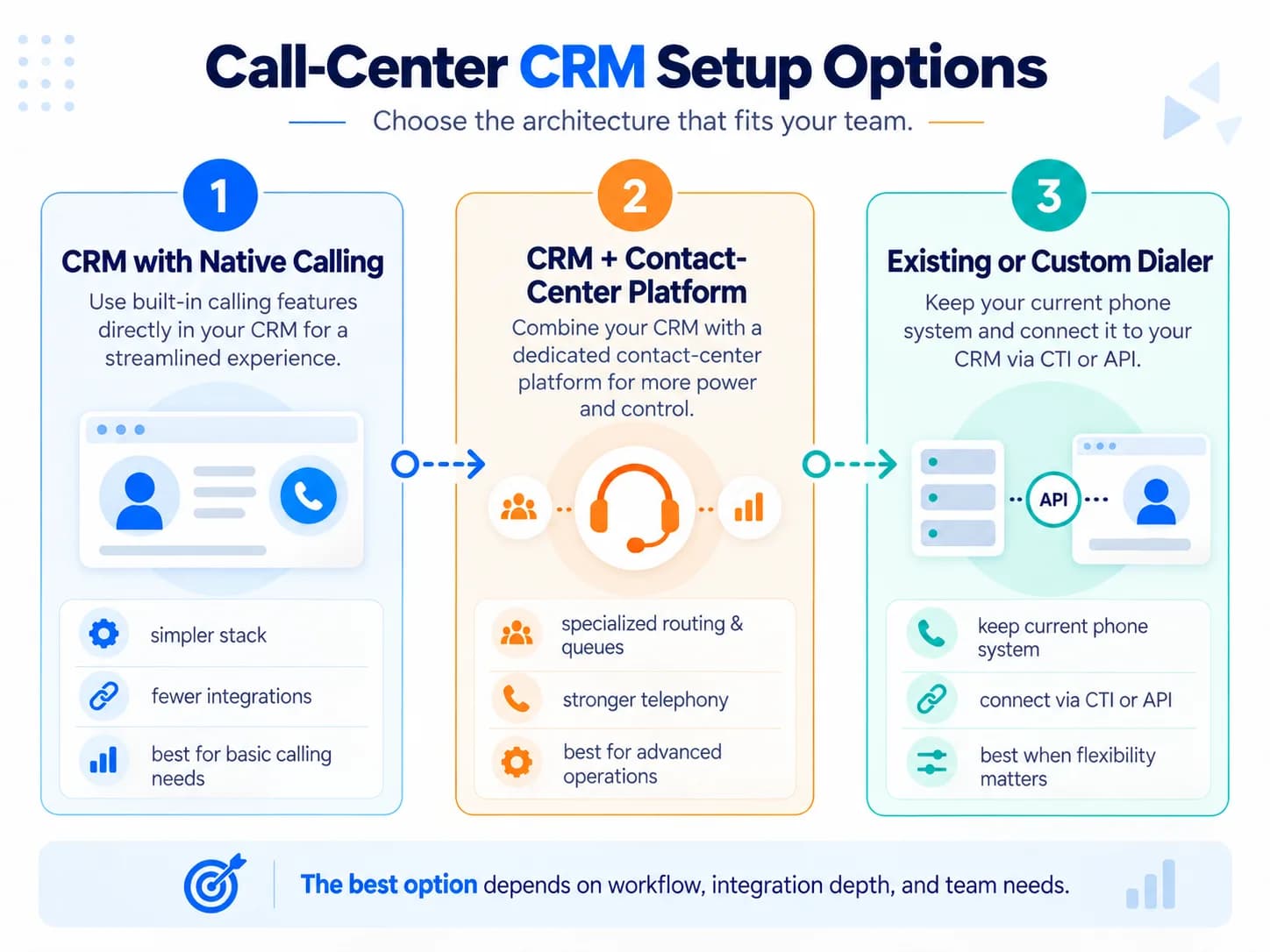
“Call-center CRM” can describe several different architectures.
1. CRM with native calling
Some CRM platforms provide calling features directly or through their own tightly integrated communications products.
Best fit: Teams that want a relatively simple stack and whose calling requirements are covered by the CRM ecosystem.
Advantage: Fewer integrations and a more unified interface.
Watch for: The built-in phone capability may be less specialized than a dedicated contact-center platform.
2. CRM integrated with a contact-center or dialer platform
The CRM remains the customer system of record while a dedicated platform handles voice, routing, queues, IVR and other contact-center functions.
The two systems exchange customer and interaction data.
Talkdesk describes this model as enabling the CRM to remain the main agent workspace while contact-center functionality operates through the integration.
Best fit: Call centers with more demanding routing, queue, monitoring or omnichannel requirements.
Advantage: You can choose stronger specialist tools for each job.
Watch for: Poor synchronization can create duplicate records, missing call logs or fragmented agent workflows.
3. Existing or custom dialer connected through CTI or APIs
A business may want to retain its current PBX, VoIP system or proprietary dialer and integrate it with a CRM. Organizations with specialized call routing rules or in-house PBX infrastructure often turn to custom CRM development to engineer secure CTI connectors and bespoke agent consoles.
This can provide more flexibility, but compatibility should be tested rather than assumed.
Community discussions show that this is a practical concern: some teams specifically reject a CRM's preferred phone provider because they want to keep an existing dialer or custom telephony environment.
The correct question for vendors is therefore not:
“Do you integrate with phone systems?”
Ask:
“Exactly what actions and data synchronize between my phone system and the CRM?”
Different Call Centers Need Different CRM Workflows
There is no single ideal call-center CRM configuration.
| Operation | CRM requirements that matter most |
|---|---|
| Inbound customer service | Screen pop, customer history, cases, routing context, knowledge, escalations and resolution tracking |
| Outbound sales/calling | Click-to-call or dialer integration, call queues, dispositions, callbacks, lead context, and alignment with inside sales reps managing an active sales pipeline |
| Blended call center | Both inbound service context and outbound workflow support |
| Multi-client answering service/BPO | Called-line or client-based screen pops, client-specific scripts, knowledge, permissions, and specialized integrations like connecting dealership service desks to a dealer management system |
| Omnichannel contact center | Unified customer history across voice, email, chat, SMS and other channels |
This is why choosing software from a generic “best CRM” list can fail. The product may be capable in general while still being poorly matched to the actual call flow.
What Are the Benefits of Using CRM in a Call Center?
The useful benefits are operational rather than abstract.
Agents spend less time looking for information. Customer history and open issues can appear when the interaction begins.
Customers do not have to repeat as much information. Previous interactions remain available to the next agent.
Less activity depends on manual data entry. Calls and outcomes can be logged automatically.
Follow-up becomes easier to control. Call outcomes can trigger tasks, cases, callbacks and escalations.
Supervisors gain better context. Call activity can be connected with service or sales results rather than remaining isolated inside the phone system.
How to Choose CRM for a Call Center?
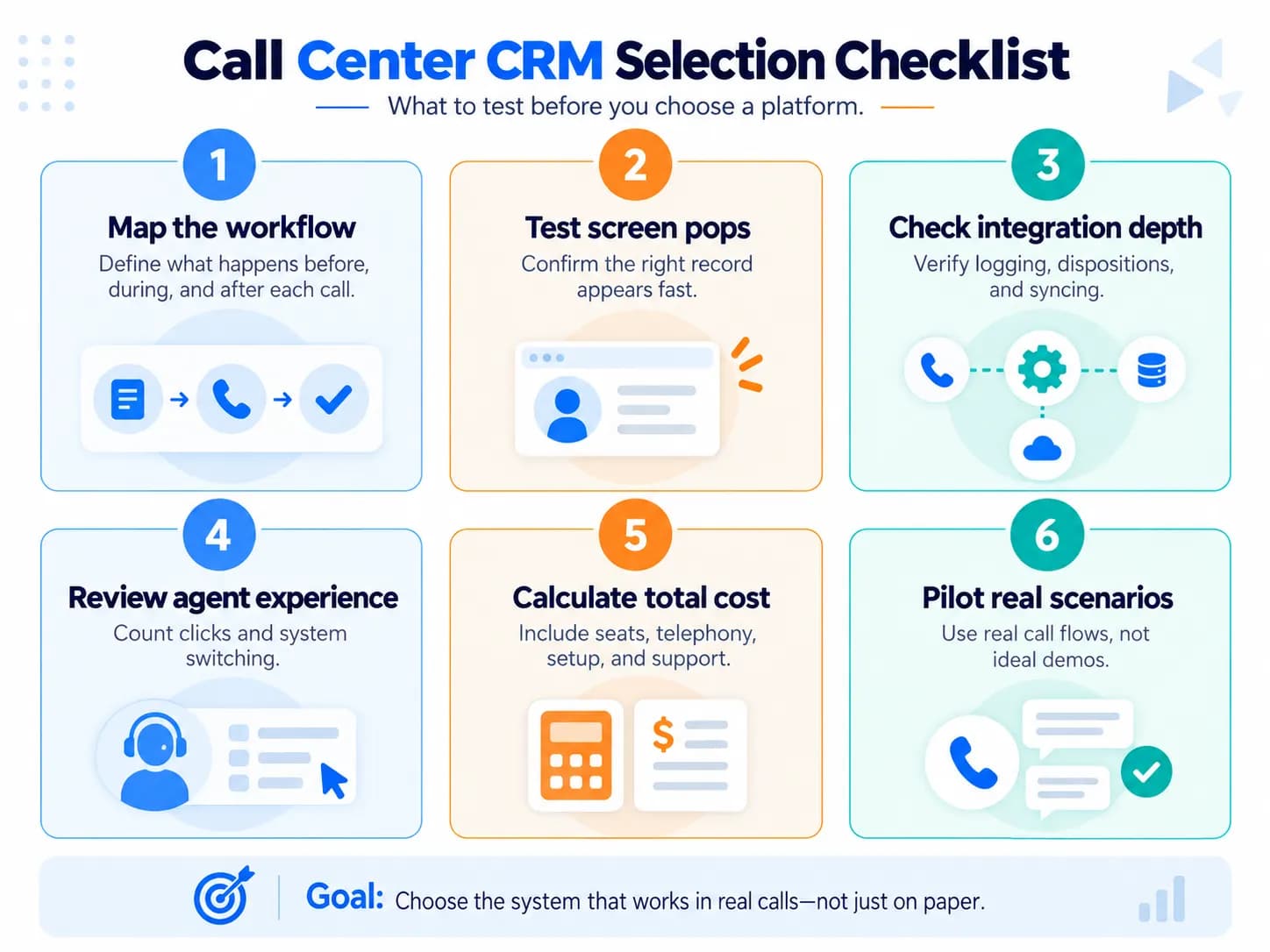
Start with your call workflow rather than a vendor feature list.
Map what should happen before, during and after a call
Document:
- what identifies the caller or account;
- how calls are routed;
- what information the agent must see;
- what the agent must enter;
- what must be recorded automatically;
- what happens after each disposition;
- which system should remain the authoritative customer record.
This immediately separates essential features from impressive but irrelevant ones.
Verify the integration depth
Two vendors can both claim to “integrate with your CRM” while providing very different functionality.
Webex distinguishes between native/prebuilt connections and integrations using APIs and emphasizes synchronization, compatibility and implementation requirements when evaluating the connection.
Test whether your proposed setup can actually:
- identify an existing caller;
- handle an unknown caller;
- handle duplicate phone numbers;
- use the called line or IVR data when customer phone number alone is insufficient;
- create the correct screen pop;
- make an outbound call from the CRM;
- log the interaction automatically;
- save the correct call disposition;
- associate a recording or transcript where required;
- trigger the expected follow-up;
- preserve information after a transfer or callback;
- recover cleanly if synchronization temporarily fails.
Do this with realistic records and agents rather than relying entirely on a scripted vendor demo.
Zoom similarly recommends asking vendors to demonstrate messy scenarios rather than only ideal workflows, while AmplifAI recommends testing vendors using representative records, case histories and workflow behavior.
Evaluate the agent experience
A technically powerful integration can still fail if agents must continually switch tabs, manually duplicate information or wait for slow screen loads. Call center efficiency accelerates when support reps achieve genuine CRM system proficiency through intuitive interface layouts and streamlined call disposition workflows.
During a pilot, measure how many steps an agent needs to:
- answer a call;
- understand the customer;
- update the record;
- find knowledge;
- transfer or escalate;
- complete after-call work.
A simpler workflow can be more valuable than a longer feature list.
Calculate the full cost of the stack
Do not compare CRM license prices alone. Beyond software licensing, allocating budget for a disciplined CRM implementation roadmap prevents deployment delays and voice sync failures.
Depending on the architecture, total cost can include:
- CRM seats;
- contact-center or dialer seats;
- phone numbers and usage;
- integration or middleware;
- call recording and storage;
- AI/transcription usage;
- implementation;
- customization;
- support.
A cheaper CRM can become an expensive call-center solution if the required telephony integration needs extensive custom work.
Check security and data controls
Determine who can access customer profiles, call recordings, transcripts and sensitive fields.
Also establish retention rules, audit requirements and the legal requirements that apply to call recording or transcription in the jurisdictions where you operate.
Pilot the actual workflow
The final test should be a real call, not a feature checklist.
Across the user discussions reviewed for this guide, the recurring frustration was not that CRM products lacked features on paper. It was that the advertised integration did not behave as required in the organization's actual phone workflow.
A call-center CRM is therefore a good fit when it reliably puts the right customer or business context in front of the right agent at the right moment, captures what happened, and moves the resulting work forward without unnecessary manual steps. Explore our complete CRM software guides to evaluate architectures across different service sectors.
Frequently Asked Questions
What type of CRM is best for a call center?
The best fit is a CRM that connects customer records directly with the call workflow, including screen pops, automatic call logging, dispositions, cases, and follow-ups. Depending on your setup, that may be a CRM with built-in calling or a CRM integrated with a dedicated contact-center platform or dialer.
Can I connect my existing dialer or phone system to a CRM?
Yes, many call centers keep their existing VoIP, PBX, or dialer and connect it to the CRM through a native integration, CTI, or API. Verify exactly which functions synchronize—such as screen pops, call logs, dispositions, recordings, and notes—because “CRM integration” does not guarantee all of them.
What is the difference between CRM and contact-center software?
A CRM primarily stores and manages customer data, interaction history, cases, tasks, and follow-ups. Contact-center software primarily handles communications functions such as calls, queues, IVR, routing, and agent controls; many call centers integrate the two so the CRM remains the customer system of record.
What should happen when an incoming caller is not found in the CRM?
The system should let the agent handle the call while providing a controlled way to search using another identifier or create a new record. A poor screen-pop design can interrupt the agent's ability to answer the call, so unmatched-caller behavior should be tested during the CRM pilot.
Can a CRM show which company or phone line was called instead of only identifying the caller?
Yes, if the telephony integration passes the called number, queue, IVR selection, or similar call context to the CRM. This is especially useful for answering services and BPOs handling calls for multiple businesses, where agents need client-specific information rather than only the caller's contact record.
Why do calls sometimes fail to log correctly in the CRM?
Calls can be missed or linked incorrectly when the dialer and CRM do not fully synchronize, agents call outside the integrated workflow, record matching fails, or dispositions and notes depend on manual entry. Testing inbound, outbound, transferred, callback, and duplicate-record scenarios helps expose these gaps before rollout.