
Quick Summary
- Service-business CRM should support the full client lifecycle: The system should connect inquiries, follow-ups, quotes, bookings, service delivery, and repeat work so customer context and next actions do not disappear after a deal closes.
- The right features depend on how the service is delivered: Consultants may need pipelines and project handoffs, appointment businesses need scheduling, recurring-service companies need reminders, and field teams may require jobs, technicians, mobile access, and service history.
- Core CRM value comes from fewer missed actions and better handoffs: Centralized customer records, communication history, task ownership, automation, and scheduling help teams follow up consistently, reduce duplicate work, and keep sales and service activity connected.
- A regular CRM is not always enough for field operations: Businesses managing technicians, work orders, dispatch, equipment, or on-site service may need field service management capabilities in addition to standard CRM functions.
- Choose based on workflow fit, not feature count: Map your actual customer journey, identify where information or follow-ups are currently lost, and prioritize only the capabilities your team needs; overly complex systems can create poor adoption and unnecessary admin.
What Does a CRM for a Service Business Actually Manage?
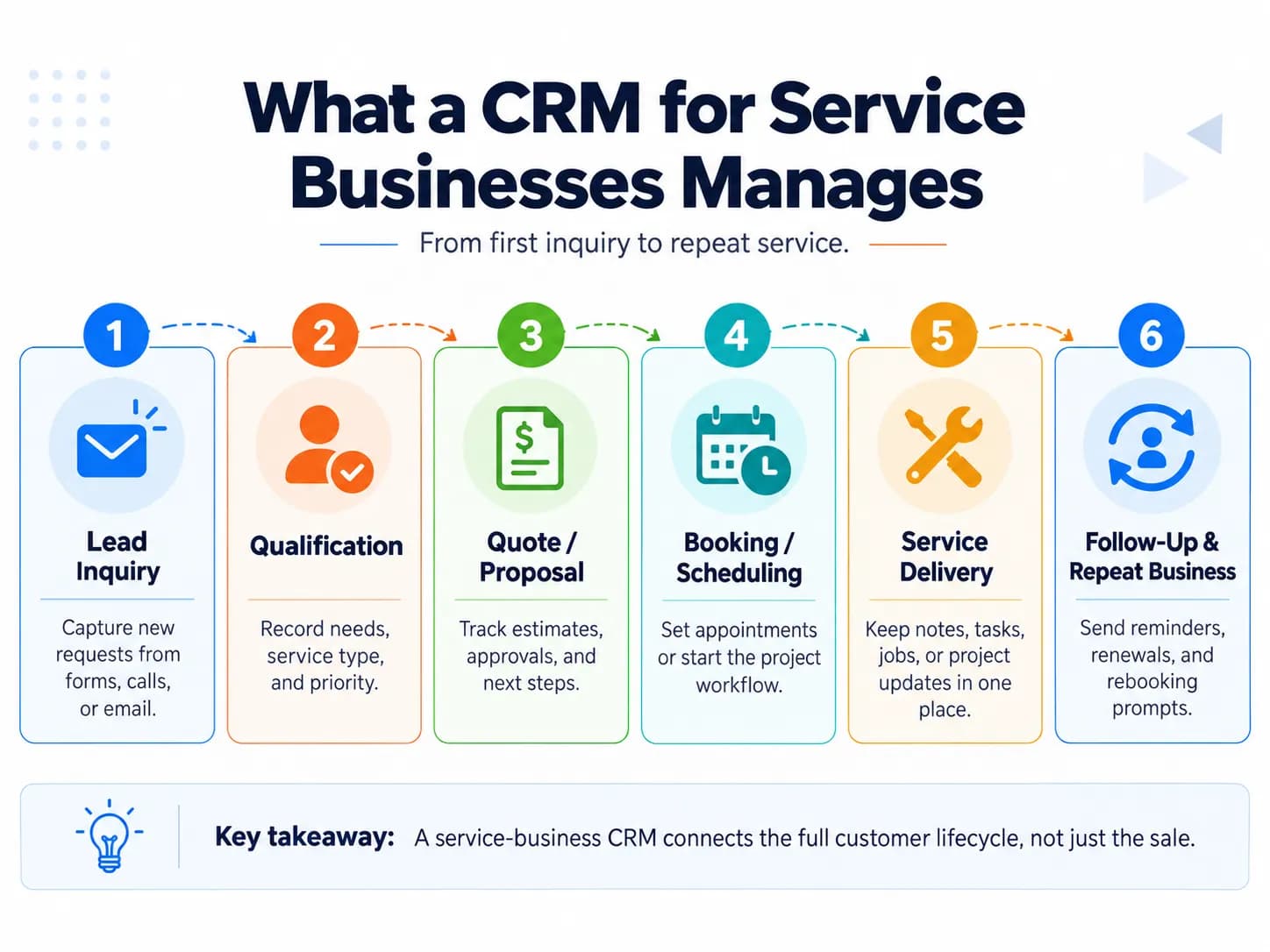
A useful service-business CRM connects the stages between the first inquiry and the next piece of work:
Inquiry → qualification → quote/proposal → booking or project → service delivery → follow-up → repeat service or renewal
The CRM provides the relationship layer across that process. A team should be able to see who the customer is, what they asked for, previous conversations, current status, past services and what needs to happen next.
For example, if an existing customer calls again, the person handling the inquiry should not have to search email, spreadsheets and another employee's notes to discover what happened previously. Much like an omnichannel retail CRM or a dedicated call center CRM, a service business platform keeps all customer communications in one unified view.
This continuity is especially important for businesses that depend on repeat clients, long sales cycles, multiple appointments or recurring services. Current service-business CRM pages consistently emphasize customer history, communication, follow-ups, job or task tracking and scheduling rather than contact storage alone. When architecting a centralized CRM database, maintaining clean records ensures that team members never lose critical account history.
Essential CRM Features for Service Businesses
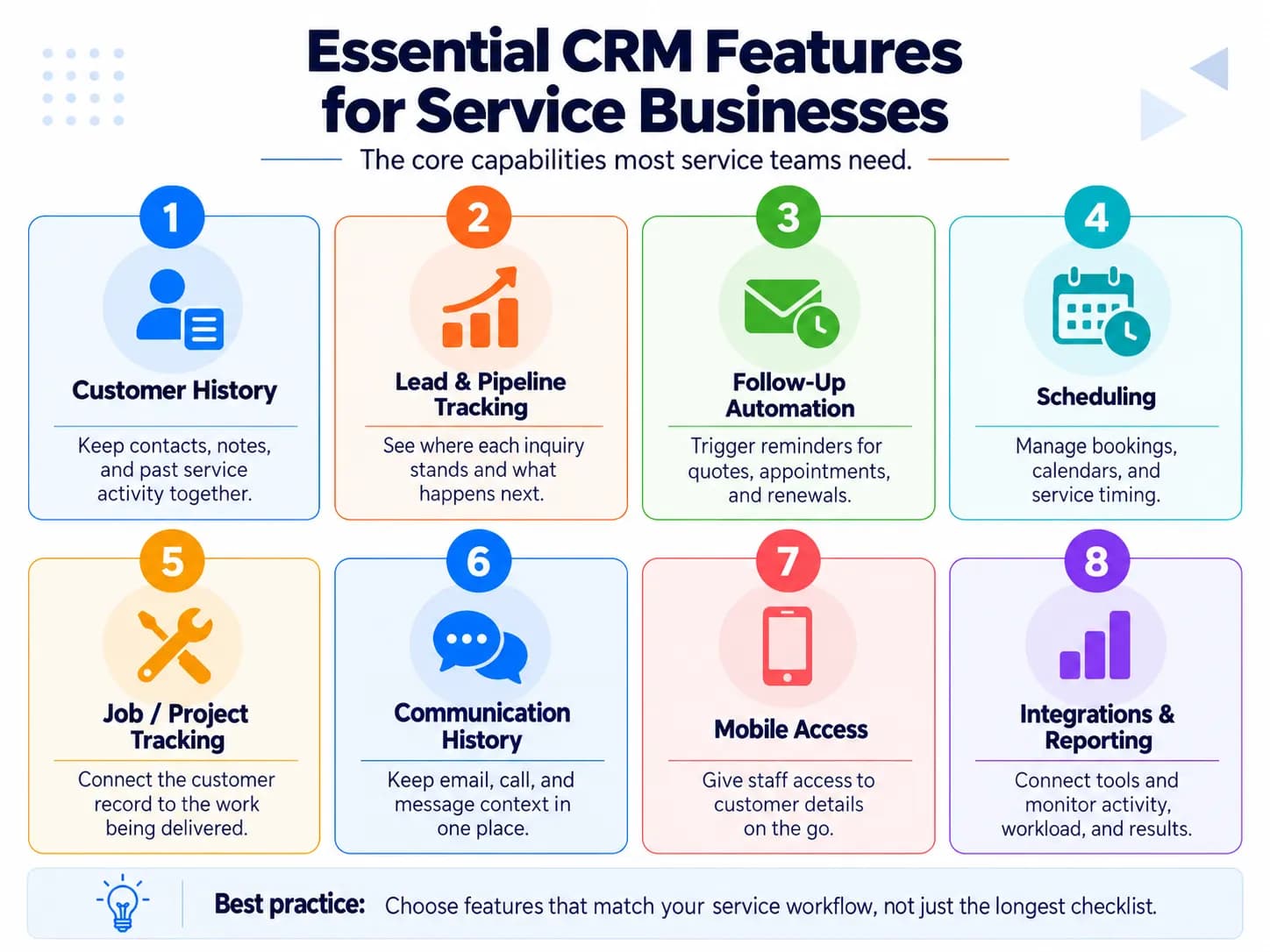
The most useful features are those that prevent information or actions from getting lost as a customer moves through the service lifecycle. In my experience, the most useful CRM features for service businesses are the ones that keep client communication, project progress, and follow-ups connected in one place.
I’ve found that customizable fields, simple pipelines, automation, and invoicing integrations make day-to-day work much easier without adding unnecessary complexity. A CRM works best when it matches the actual service workflow and helps the team stay organized rather than creating extra administrative work. During custom CRM development or system selection, aligning these core modules with your team's operational CRM workflows prevents costly software mismatches.
| Feature | What it should do for a service business |
|---|---|
| Customer and service history | Keep contact details, conversations, previous work, notes and important client context together. |
| Lead and pipeline management | Show where each inquiry or opportunity stands and who owns the next action across the active sales pipeline. |
| Follow-up automation | Trigger reminders or messages for unanswered quotes, upcoming appointments, renewals or overdue actions. |
Scheduling and calendar tools
Coordinate appointments, meetings or service visits without disconnected calendars.
Job or project tracking
Connect the customer relationship to the work being delivered after the sale.
Communication history
Keep relevant email, SMS and call activity attached to the customer instead of scattered across inboxes.
Task ownership
Make responsibility for follow-ups, appointments and client requests clear.
Mobile access
Let employees view or update customer information while away from a desk.
Integrations
Connect accounting, email, calendars, forms or project tools when those functions remain outside the CRM.
Reporting
Show pipeline status, workload, outstanding actions and other information managers need to run the service process.
Scheduling, communication history, automation, job tracking and integrations appear repeatedly across current service-business CRM guidance. Teams that track CRM metrics and analytics can easily monitor quote conversion rates, SLA compliance, and customer satisfaction over time.
Research identifies five important customer-information processes for CRM—information reciprocity, capture, integration, access, and use—and emphasizes that integrated customer information helps prevent information loss and supports more consistent customer interactions. Solid CRM data management practices ensure that these processes run without data duplication or stale records.
Recurring-service features
Businesses that perform maintenance, inspections, cleaning, subscriptions or other recurring services need an additional layer:
- last service date,
- next service due date,
- recurrence rules,
- advance reminders,
- service history,
- renewal or rebooking follow-up.
A recurring-service business may actually need these capabilities more than complex sales automation.
In one Reddit discussion, an owner managing more than 200 annually recurring clients primarily wanted service-date tracking, advance email/text reminders and a monthly service calendar—not estimating or invoicing features. This is user-reported experience rather than a universal rule, but it illustrates why requirements should come from the workflow rather than the longest feature list. If standard SaaS tools feel too bloated, businesses often turn to bespoke CRM development to build dedicated recurring service trackers.
Features for field-service businesses
A plumber, HVAC company or repair business has additional requirements because work happens at customer locations.
Useful capabilities can include:
- work orders,
- technician assignment,
- dispatch,
- field-accessible notes,
- customer assets or equipment history,
- recurring maintenance,
- mobile or offline updates,
- job-status visibility.
These functions start moving the system from conventional CRM toward field service management. Microsoft's current Dynamics 365 Field Service documentation, for example, identifies work-order management, resource scheduling, asset tracking and frontline mobile capabilities as core field-service functions.
A consultant or design agency normally would not need that operational layer.
How CRM Helps a Service Business
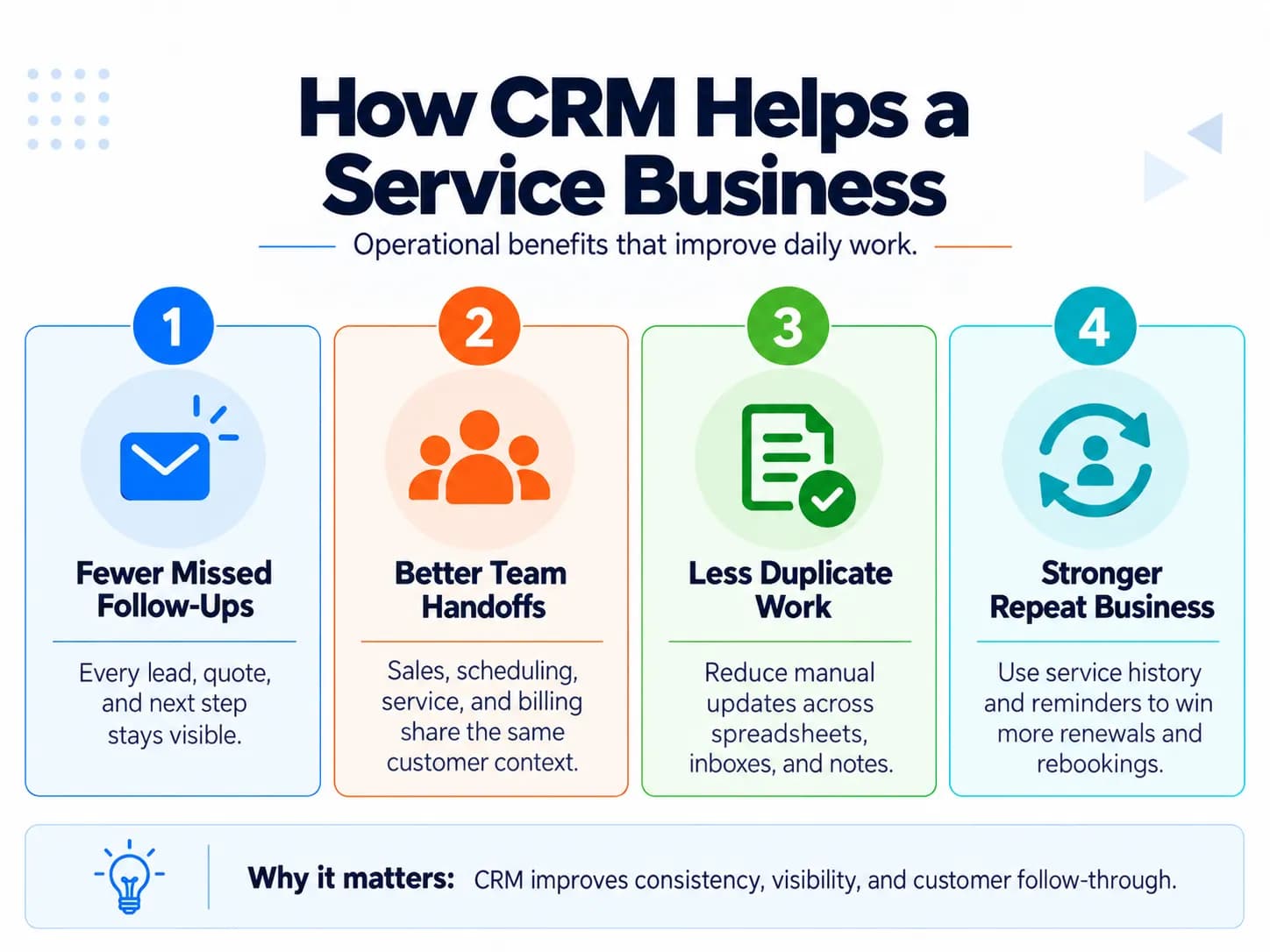
The most useful CRM benefits are practical rather than abstract. A 2022 service-industry study analyzing 290 completed questionnaires found that CRM implementation positively affected all three customer outcomes examined: customer loyalty, retention, and satisfaction.
Fewer missed inquiries and follow-ups
Every active opportunity can have an owner, status and next action. The team no longer has to remember which quote needs chasing or which prospect said to call next month. Inside sales teams can systematically nurture prospects without letting warm leads slip through the cracks.
Less duplicate work
When customer information, conversations and status are shared, employees spend less time copying information between spreadsheets, inboxes and disconnected systems.
Duplicate entry is a recurring complaint in service-business discussions, particularly when CRM, booking, project and field systems are poorly connected.
Better handoffs
Service businesses frequently move customers between people:
sales → scheduler → project manager → technician → billing → support
A CRM gives each person access to the relationship context created before the handoff.
A Journal of Marketing study drawing on IT data collected from more than 300 large U.S. firms found that CRM application use was positively associated with both improved customer knowledge and improved customer satisfaction, with customer-knowledge gains becoming stronger when customer information was shared with business partners.
More consistent repeat-service management
Service history and automated reminders make it easier to reconnect with customers when maintenance, renewal or another service becomes due.
Better visibility
Owners and managers can see active opportunities, unfinished actions, upcoming work and workflow bottlenecks instead of reconstructing the state of the business manually. Using analytical CRM capabilities and dashboards, leaders can identify churn risks and revenue trends effortlessly.
CRM Use Cases by Type of Service Business
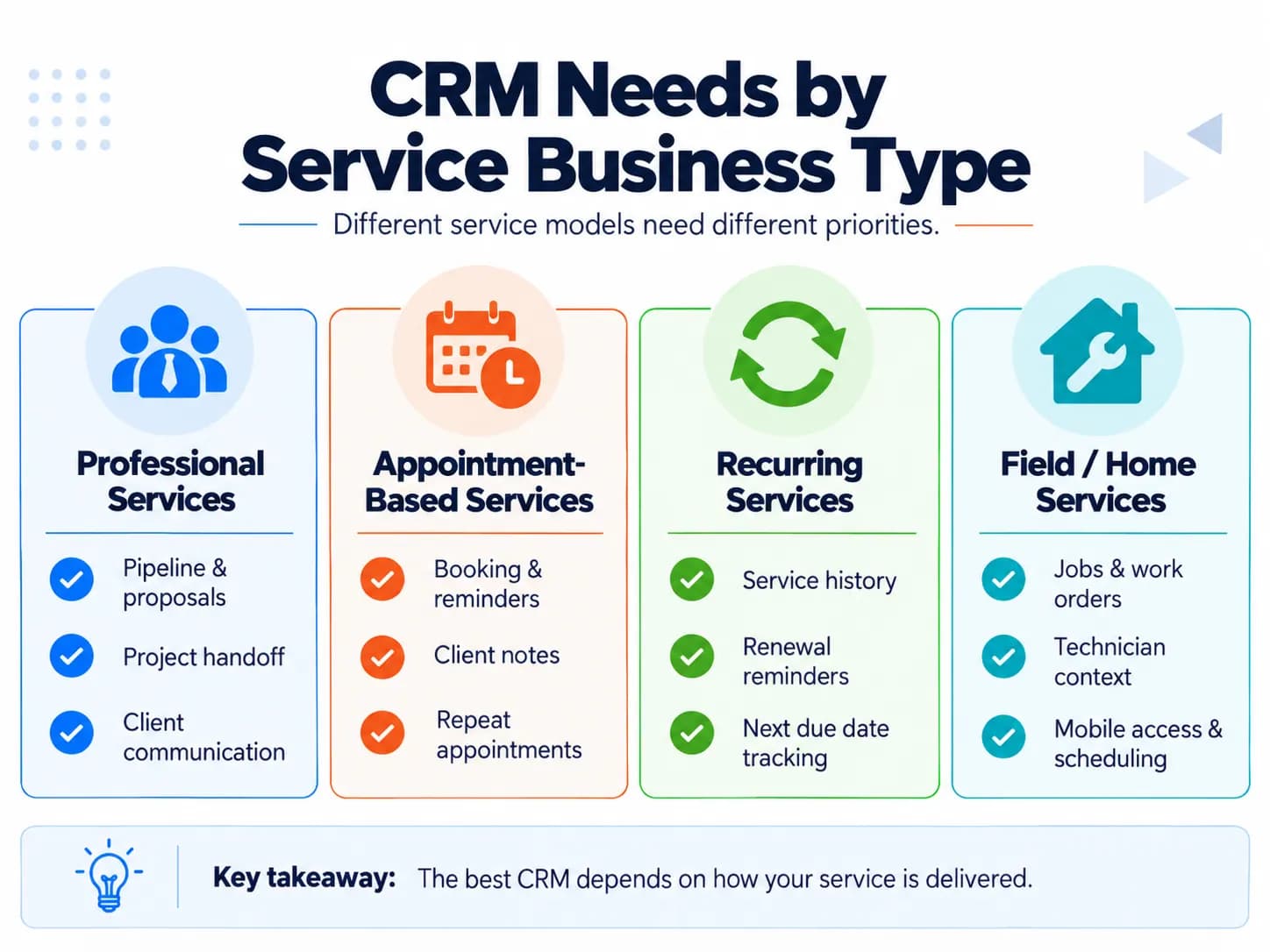
“Service business” covers several very different operating models. The CRM should match yours.
| Business model | CRM should emphasize |
|---|---|
| Consultants, agencies and professional services | company/contact relationships, proposals, pipeline, projects or engagements, communication history and renewals |
| Appointment-based businesses | client records, availability, bookings, confirmations, reminders, cancellations and repeat appointments |
| Recurring-service businesses | service history, recurrence dates, automated reminders and rebooking |
| B2B service companies | account/contact relationships, longer pipelines, follow-up dates, proposals, notes and multiple stakeholders |
| Field and home services | customers, jobs/work orders, technicians, scheduling, service history, mobile access and potentially assets/equipment |
This distinction matters because software that is ideal for one service company can be unnecessarily complex—or operationally incomplete—for another.
Current service-business guidance similarly separates home services, professional services and agency/B2B workflows instead of assuming one universal configuration. Just as an auto business compares a CRM vs dealer management system, a service provider must evaluate whether a lightweight client management system or a specialized operational tool best matches their business model.
Regular CRM vs Field Service CRM
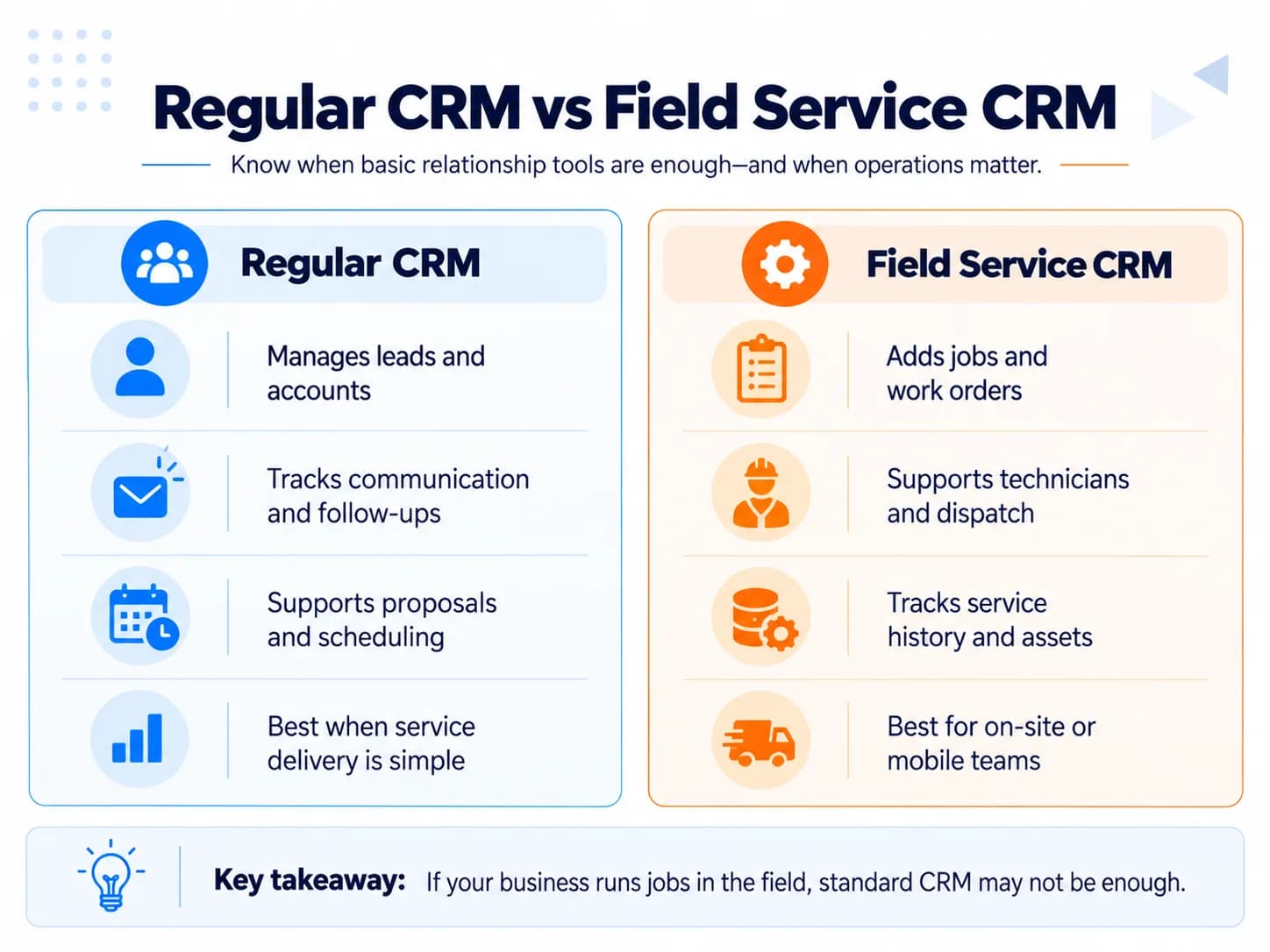
A regular CRM can be enough when the core problem is managing:
- leads,
- client relationships,
- proposals,
- follow-ups,
- communication,
- meetings,
- projects or account status.
A field-service-oriented system becomes more useful when the business must also coordinate:
- technicians,
- customer locations,
- work orders,
- equipment,
- route or dispatch decisions,
- on-site updates,
- recurring maintenance.
The difference is essentially relationship management versus relationship management plus field operations.
Field-service systems can use predefined schedules for recurring work orders and consider resource availability and skills when work is assigned.
This distinction also appears repeatedly in service-business user discussions: field teams often report that a generic contact/deal pipeline becomes awkward when jobs, technicians and service history need to remain connected. Exploring comprehensive CRM software guides helps leaders understand these fundamental architectural distinctions.
How to Choose a CRM Without Overbuying
In my experience, the best way to choose a CRM is to start with the features you genuinely need instead of paying for a large suite full of tools you may never use. I prefer comparing CRMs based on usability, essential integrations, scalability, and total monthly cost before committing.
Starting with a simple system and upgrading as the business grows usually avoids unnecessary complexity and wasted spending.
Start with the workflow rather than the software.
1. Map the customer lifecycle
Write down what happens from a new inquiry to completed service and repeat business.
For example:
New lead → contacted → quote sent → accepted → scheduled → service complete → invoiced → follow-up due
A consulting firm might instead use:
Lead → discovery → scope → proposal → negotiation → engagement → renewal
Your CRM needs to represent the process you actually use.
2. Identify where information or actions currently disappear
Look for concrete failures:
- leads not followed up,
- quotes forgotten,
- appointments missed,
- customer history scattered,
- employees entering the same data twice,
- recurring clients not contacted,
- project and sales information disconnected.
Those problems should determine the must-have requirements.
3. Separate essentials from conveniences
A small recurring-service company may need customer history, reminders and a calendar but have no reason to buy advanced project management.
A field company may consider mobile job history and technician scheduling non-negotiable.
A consulting company may care far more about proposals and project handoff.
Community discussions repeatedly show frustration with systems that provide hundreds of capabilities while making the few daily workflows users actually need harder to maintain.
4. Decide what actually belongs inside the CRM
Not every business process needs to move into one product.
Accounting can remain in accounting software. Project management can remain in a project platform. Scheduling can remain in a specialized system if the integration keeps client information synchronized.
The important requirement is that the workflow remains connected without creating duplicate entry or losing customer context.
One service-business discussion illustrates this clearly: a consulting user preferred keeping invoicing in QuickBooks or Xero while maintaining clean pipeline and engagement visibility inside the CRM.
5. Test the software with a real scenario
Instead of evaluating a CRM from a feature checklist alone, recreate an actual customer journey:
- Create an inquiry.
- Assign a follow-up.
- Record communication.
- Send or record the proposal/estimate.
- Move the customer into service delivery.
- Schedule the work if required.
- Record completion.
- Create the next action or recurring reminder.
If performing that workflow feels cumbersome during a test, adding more features will not solve the problem.
Also check:
- mobile usability,
- integration requirements,
- data import and export,
- user permissions,
- pricing as users or contacts increase,
- ease of adoption by the people who will update the CRM.
Current service-business buying guidance consistently emphasizes workflow fit, customization, integration, usability and scalable pricing over feature count alone. Building thorough CRM system proficiency through team onboarding ensures high daily user adoption.
Example Service-Business CRM Workflow
Consider a maintenance company receiving a website inquiry.
1. Lead captured
The form creates the customer and opportunity automatically.
2. Follow-up assigned
A staff member receives the task and response deadline.
3. Quote recorded
The estimate and relevant notes remain attached to the customer.
4. Service scheduled
Once accepted, an appointment or job is created.
5. Team receives context
The person delivering the service can see the customer's details, previous communication and job requirements.
6. Work completed
The job or service record becomes part of the customer's history.
7. Billing triggered or synchronized
The CRM either creates the next billing action or passes the required information to accounting software.
8. Future service scheduled
If the service repeats annually, the system creates the next due date and reminder.
The value comes from keeping those stages connected. A CRM that stores contacts but still requires employees to manually reconstruct this sequence across several systems is only solving part of the problem. Following a structured CRM implementation roadmap helps service teams roll out these workflows smoothly without business disruption.
Frequently Asked Questions
What is the best CRM for a service-based business?
The best CRM is the one that matches how your service is delivered. Consultants may prioritize pipeline and project handoffs, recurring-service companies need reminders and service history, while field-service businesses may require scheduling, work orders and mobile access. Start with workflow fit rather than the longest feature list.
Can a free CRM work for a small service business?
Yes, a free CRM can be enough if you mainly need contact management, deal tracking, email history and basic follow-up reminders. Check the limits on users, automation, integrations and data export before committing, because those restrictions often become important as the business grows.
How much does a CRM for a service business cost?
CRM costs vary widely because some platforms charge per user while others bundle scheduling, communication, automation or field-service features into higher-priced plans. Compare the total cost at your expected team size, including paid add-ons such as calling, SMS, automation, storage and integrations—not just the advertised starting price.
Is a simple CRM enough for a small service business?
Often, yes. If your main problems are scattered contacts, missed follow-ups and unclear next actions, a lightweight CRM may be more useful than an all-in-one platform with features your team will not use. More complex software becomes valuable when multiple employees, services, locations or operational workflows need coordination.
Can a CRM manage work after a deal is closed?
Yes, if the CRM supports projects, jobs, service records or customizable workflows—or connects cleanly to software that does. This matters for service businesses because the customer relationship often continues through contracts, appointments, delivery, inspections, recurring work and renewals after the original sale closes.