
Quick Summary
- B2B CRM manages relationships between businesses, not just individual contacts: It connects company accounts, the people involved in buying decisions, active opportunities, communications, follow-ups, and relationship history so teams can manage complex B2B sales in one system.
- The core B2B CRM structure is account → buying group → opportunity: A single customer company may involve several contacts with different roles, while the CRM links those stakeholders to the same deal, helping teams understand who influences, evaluates, approves, or uses the solution.
- B2B CRM supports longer, multi-stage sales processes: It records interactions, tracks pipeline stages, assigns ownership, schedules follow-ups, and preserves deal context, giving sales and account teams a shared view of what has happened and what needs to happen next.
- Its main benefits come from better visibility and consistency: Centralized account data can reduce missed follow-ups, improve collaboration, clarify pipeline status, support reporting and forecasting, and preserve relationship knowledge when several employees work with the same customer.
- CRM value depends on accurate data and real team adoption: Software cannot fix an unclear sales process or poorly maintained records. If contacts, activities, stages, and next steps are not updated consistently, reports and forecasts can look reliable while reflecting an outdated pipeline.
A useful B2B CRM therefore needs to answer three questions at the same time:
Which company are we working with? Who inside that company is involved? What opportunity are those people currently considering?
What Is B2B CRM?
B2B CRM is the process and technology used to organize, track and improve relationships between a business and its prospective or existing business customers.
The easiest way to understand it is through three connected layers:
- Account: the customer or prospect organization.
- Buying group: the contacts inside that organization who influence, evaluate, approve, purchase or use the product or service.
- Opportunity: the particular deal, contract, renewal or expansion being pursued.
For example, an IT services company might have ABC Manufacturing as an account. The CRM could associate the company's IT director, finance manager and procurement manager with that account while separately tracking a $75,000 managed-services opportunity.
That structure matters because the relationship is with the organization, but the buying process happens through people.
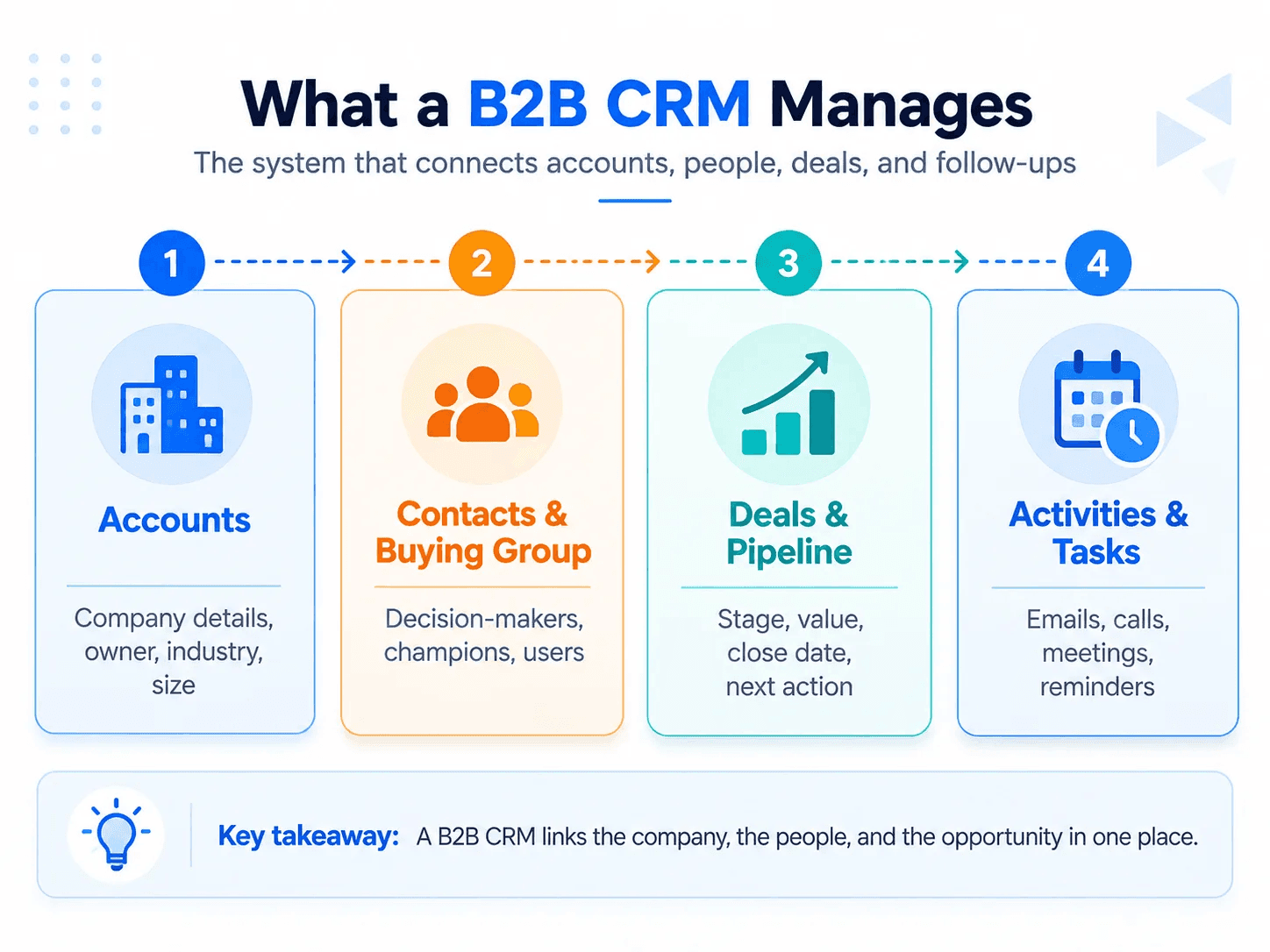
Mainstream CRM platforms already reflect this type of relationship model. Salesforce supports relationships between contacts and business accounts, while HubSpot uses associations between records such as contacts, companies and deals.
How Is B2B CRM Different From B2C CRM?
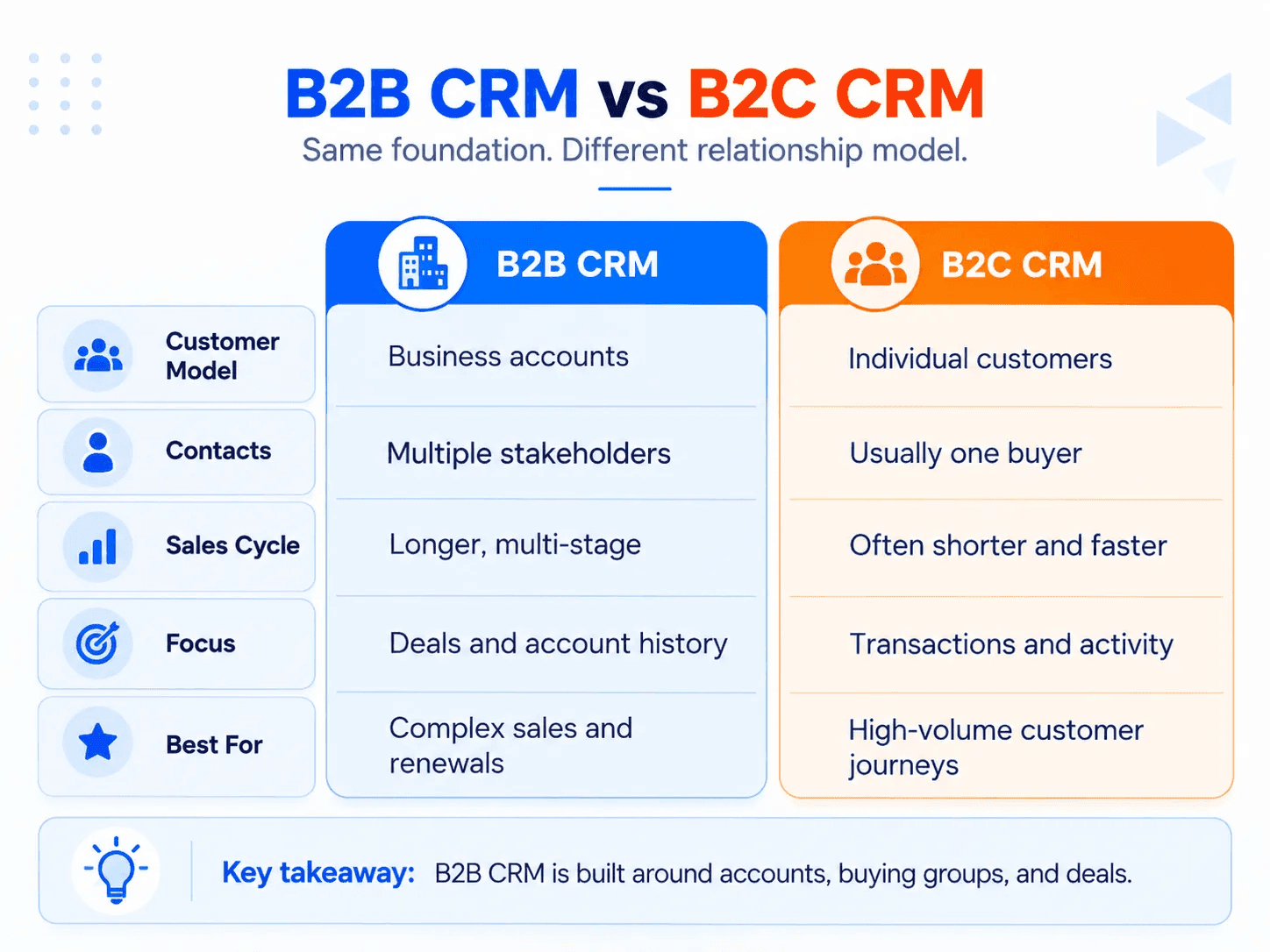
B2B and B2C CRM share many underlying capabilities. Both can store customer information, record interactions, automate tasks and report on activity.
The difference is primarily what the CRM must represent and how the business uses it.
| B2B CRM | B2C CRM |
|---|---|
| Organizes relationships around business accounts | Usually organizes relationships around individual consumers |
| Often tracks several people involved in one purchase | Usually tracks one primary buyer |
| Supports longer, multi-stage sales cycles | Often supports faster purchasing cycles |
| Tracks opportunities, negotiations and stakeholder roles | Often emphasizes transactions and individual behavior |
| Requires account-level history and relationship context | Usually emphasizes customer-level purchase history |
| Often involves coordinated sales, marketing and account-management activity | Often emphasizes high-volume marketing, commerce and service |
That distinction does not mean every B2B company needs software labelled specifically "B2B CRM."
In my experience, B2B CRM is much more account- and relationship-focused because one company can involve several contacts, locations, decision-makers, and different pricing arrangements.
I have found that B2B teams often need parent-child account structures and a clear history of interactions across the entire organization rather than just individual customer records. This becomes especially important when sales cycles are long and relationships develop over months or even years.
In practice, many general CRM platforms can support B2B selling when they are configured around companies, contacts, deals and the relationships between those records. What matters is whether the CRM accurately reflects how the business sells.
How Does B2B CRM Work?
A B2B CRM turns scattered account and sales information into a connected record of the customer relationship.
From my experience, a B2B CRM works best when every customer interaction, follow-up, opportunity, and account update is recorded in one place. It gives salespeople and managers a shared view of what is happening with each account instead of relying on spreadsheets, weekly summaries, or memory.
I have also seen that the CRM must match the actual sales workflow, otherwise it can create extra work instead of improving the process.
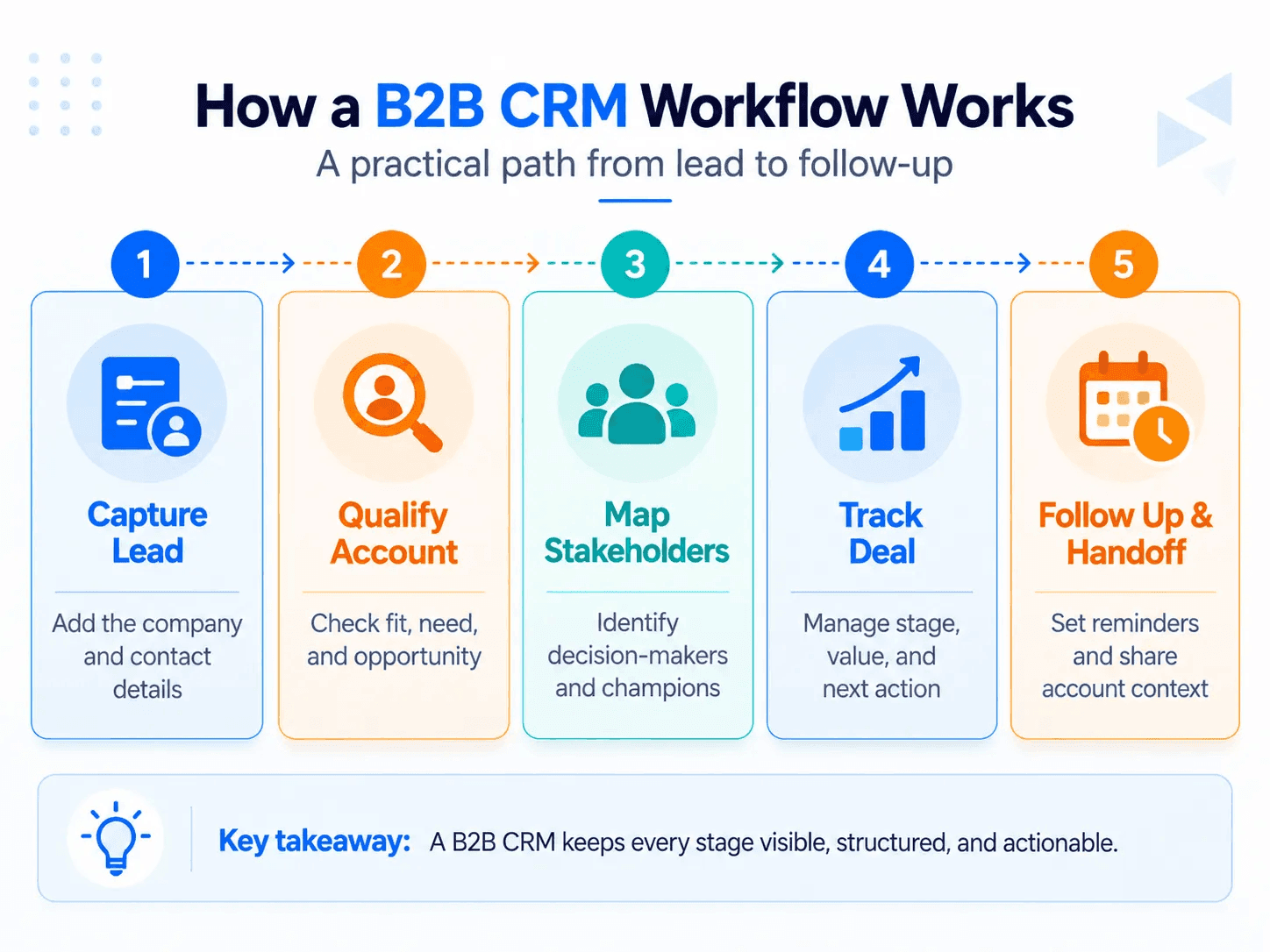
1. Create the business account
The CRM first creates a company or account record containing information such as company name, industry, size, territory, account owner and other relevant business details.
This becomes the central record around which the relationship is organized.
2. Connect the people involved
Individual contacts are associated with the account.
Rather than treating every contact as an unrelated lead, the CRM can show that several people belong to the same prospective customer.
Their roles can also matter. One person may be the end user, another may evaluate the technical requirements, another may control the budget and another may approve the contract.
This is particularly important in B2B because purchase decisions are commonly made by groups rather than isolated individuals. Forrester's current research describes B2B purchase decisions as involving multiple people who may participate at different stages of the decision process.
3. Record interactions and buying signals
Calls, emails, meetings, form submissions, demonstrations, notes and other interactions can be attached to the appropriate records.
This creates shared relationship history.
A salesperson taking over an account should therefore be able to see what has already happened rather than reconstructing the relationship from individual inboxes and spreadsheets.
4. Create and track the opportunity
When a potential purchase becomes meaningful, the CRM creates an opportunity or deal.
The opportunity can contain information such as:
- expected value;
- product or service;
- associated company;
- stakeholders;
- deal owner;
- current stage;
- expected close date;
- next action.
The deal then moves through stages that reflect the company's sales process.
CRM stages provide an operational framework for managing work, but they should not be mistaken for a perfectly linear description of how buyers behave. Gartner's research describes modern B2B buying as nonlinear, with buyers frequently revisiting different buying tasks during the purchasing process.
5. Coordinate follow-ups and handoffs
CRM workflows can create reminders, tasks and automated actions based on what happens to the account or opportunity.
A new qualified opportunity might generate a task for sales. A completed demo could trigger a follow-up. A proposal sent without a response could create a reminder. A closed deal could transfer responsibility to an account-management or customer-success team.
Automation does not replace the relationship. It reduces the administrative work required to maintain it.
6. Give teams a shared view of the pipeline
Because activities and opportunities are recorded consistently, managers can see which deals are active, where they sit in the pipeline, what value is attached to them and which require attention.
The same data can support reporting and sales forecasts without requiring someone to reconstruct the pipeline manually.
7. Preserve the relationship after the first sale
The account does not disappear when an opportunity closes.
Its interaction, contract and relationship history can remain available for support, renewal, cross-sell and future opportunities.
That continuity is especially important in B2B businesses where one customer relationship may produce several deals over many years.
A Simple B2B CRM Example
Suppose a software company is selling an annual platform subscription to a logistics company.
Its CRM could contain:
- Account: Northstar Logistics
- Contacts: Operations Director, IT Manager, Finance Director and Procurement Manager
- Opportunity: Annual software subscription worth $60,000
- Current stage: Technical evaluation
- Recent activity: Product demonstration completed
- Next action: Security documentation due Friday
- Decision roles: Operations is the internal champion, IT is evaluating technical requirements, Finance controls budget and Procurement handles the contract.
Without the account relationship, those four contacts could look like unrelated leads.
With a B2B CRM, the sales team can see that they are part of the same buying process for the same opportunity.
That is the central job of B2B CRM.
What Are the Key Benefits of B2B CRM?
The benefits come from connecting customer information with the processes teams use to manage it.
In my experience, the biggest benefit of B2B CRM is having better visibility into long sales cycles, customer relationships, follow-ups, and account activity. It also helps teams stay organized, reduce dependence on spreadsheets, and connect sales information with systems such as invoicing or accounting software.
Most importantly, it gives managers clearer information about account progress without constantly asking sales reps for manual updates.
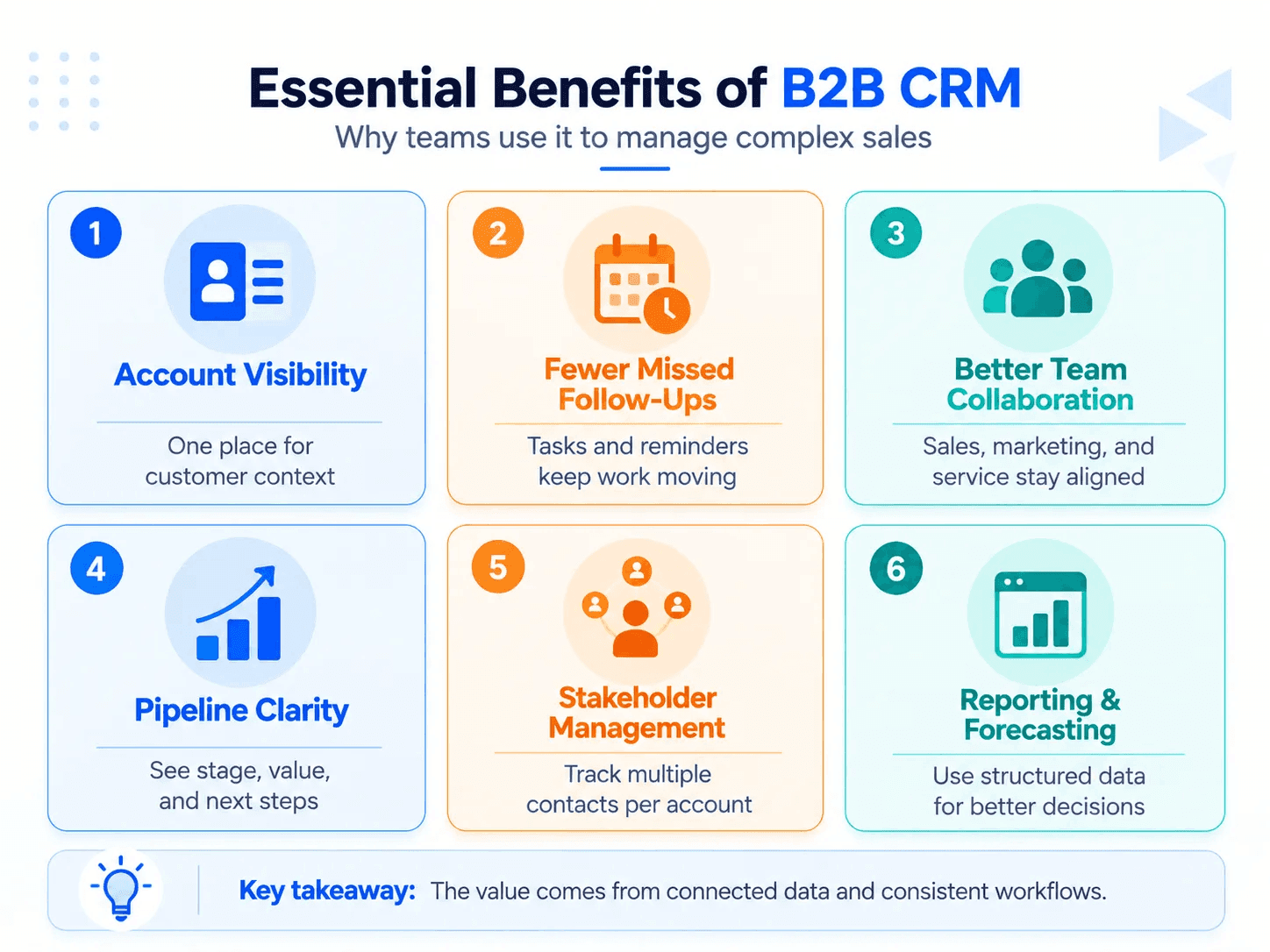
Better account visibility
A B2B CRM gives teams one place to see the organization, its contacts, current opportunities, previous interactions and planned actions.
That reduces the need to search through individual spreadsheets, email threads or personal notes.
Fewer missed follow-ups
Tasks, reminders and workflows make the next action visible.
This is valuable during longer sales cycles where an opportunity may involve weeks or months of calls, demonstrations, proposals and approvals.
Better management of multiple stakeholders
B2B teams can see who is involved in a deal and what role each person plays instead of treating every contact independently.
That makes the CRM more representative of how B2B purchasing actually happens.
Stronger team collaboration
Sales, marketing, service and account-management teams can work from the same relationship history.
A customer therefore does not need to depend entirely on one employee's memory for continuity.
Clearer pipeline visibility
Opportunities can be grouped by stage, value, owner and expected close date.
Managers can see where deals are accumulating, which opportunities have gone inactive and where attention is needed.
More consistent processes
A defined CRM workflow encourages teams to use the same stages, required information and follow-up practices.
That becomes increasingly useful as a sales organization grows beyond a few people.
More useful reporting and forecasting
Structured deal and activity data can be aggregated into reports on pipeline, conversion, activity and expected revenue.
The important qualification is that reporting quality depends on the quality of the underlying CRM data.
What Does a B2B CRM Need to Track?
A B2B CRM does not become useful because it contains hundreds of features.
At minimum, it should give the business a reliable way to track:
- companies or accounts;
- contacts associated with those companies;
- stakeholder or buying roles where relevant;
- opportunities and pipeline stages;
- communication and activity history;
- owners and responsibilities;
- next actions and follow-up dates;
- essential deal values and dates.
Automation, analytics, integrations and AI can improve that system, but they are extensions of the basic relationship model rather than substitutes for it.
When Does a B2B Business Need a CRM?
A very small B2B company can sometimes manage early relationships through email and spreadsheets.
CRM becomes increasingly useful when the business reaches the point where information cannot reliably stay inside individual people's memories and inboxes.
Common signals include:
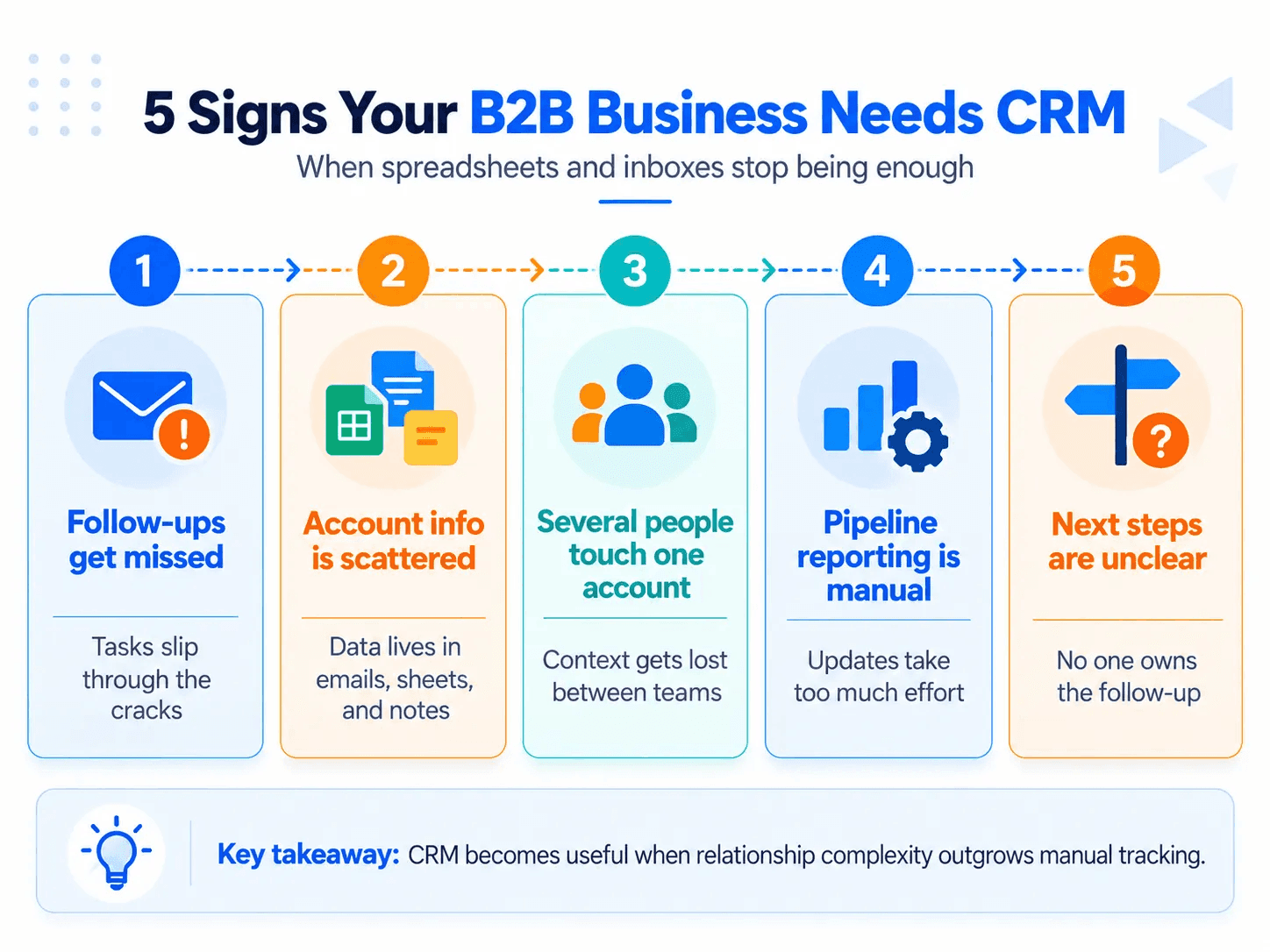
- multiple employees contacting the same accounts;
- several stakeholders involved in each opportunity;
- follow-ups being forgotten;
- no reliable view of who owns the next action;
- customer history spread across multiple tools;
- managers manually assembling pipeline reports;
- sales opportunities becoming difficult to prioritize.
Recent community discussions from small B2B teams repeatedly describe this transition: spreadsheets and inboxes work until lead volume, follow-ups and shared ownership become difficult to coordinate.
The right time to introduce CRM is therefore less about company size than relationship complexity.
What B2B CRM Does Not Solve Automatically
CRM software cannot compensate indefinitely for an unclear sales process or unreliable data.
If people stop recording meaningful activity, updating stages or maintaining account information, the CRM can develop a polished but inaccurate version of the real pipeline. This concern appears repeatedly in CRM user discussions, alongside another recurring issue: teams tend to get more value from software they can use consistently than from software with the longest feature list.
A useful B2B CRM therefore depends on three things working together:
a sensible account and opportunity structure + a sales process that reflects reality + consistent user adoption.
Is CRM B2B or B2C?
CRM can support either B2B or B2C businesses.
What changes is the customer model and workflow. B2B CRM generally emphasizes companies, multiple contacts, opportunities and longer relationship-based sales processes, while B2C CRM typically focuses more heavily on individual customers and larger volumes of transactions.
Is B2B CRM Different Software From Regular CRM?
Not necessarily.
Some platforms specialize in B2B use cases, but many general CRM systems can function as B2B CRMs when they properly support company accounts, associated contacts, opportunities, activity history and the workflows required by the sales process.
The better question is not whether the product has "B2B CRM" in its name, but whether it can accurately model the relationships your B2B team needs to manage.
Does a Small B2B Business Need a CRM?
Not automatically.
A small team with few active accounts may work effectively with simple tools. CRM becomes more valuable when managing contacts, opportunities and follow-ups manually starts creating missed actions, duplicated work or unreliable pipeline information.
The trigger is usually complexity, not headcount.
Frequently Asked Questions (FAQs)
Can a B2B CRM manage multiple contacts and decision-makers at the same company?
Yes. A B2B CRM can connect several contacts to one company and associate them with the same sales opportunity while recording roles such as decision-maker, evaluator, business user or executive sponsor. This helps the sales team understand who influences the deal and who needs to be involved next.
Do you need special B2B CRM software, or can a regular CRM work?
You do not necessarily need software specifically labelled B2B CRM. A general CRM can support B2B sales if it can connect companies, contacts, opportunities, interactions and stakeholder roles in a way that matches your sales process. The data structure and workflow matter more than the product label.
Can a B2B CRM replace spreadsheets for a small sales team?
Yes, once spreadsheets become unreliable for tracking shared accounts, conversations, deal stages and follow-ups. Small B2B teams commonly report moving toward CRM when customer information becomes scattered across spreadsheets, inboxes and messaging tools or when nobody is sure who owns the next action.
What happens if sales reps do not keep the CRM updated?
The CRM gradually becomes an inaccurate version of the real sales pipeline. Outdated contacts, missing activities and incorrect deal stages can make reminders, reports and forecasts unreliable, so consistent data maintenance and user adoption are essential even with good CRM software. Recurring CRM user discussions identify stale or incomplete data as a practical problem.
Is B2B CRM only for sales teams?
No. Sales teams commonly use CRM to manage accounts, opportunities and follow-ups, but the same customer history can also support marketing, customer service, account management and customer-success teams. The value comes from giving relevant teams a shared view of the business relationship rather than keeping customer information in separate systems.