
Quick Summary
- Government CRM is built around public service, not sales: It connects constituent records, service requests, cases, communications, and departmental workflows so agencies can track needs, assign responsibility, and manage interactions from intake through resolution—the same customer relationship management goal as CRM for service businesses or CRM for call centers, adapted to public-service delivery.
- The most important capabilities support coordinated service delivery: Government CRM should provide unified constituent profiles, case management, workflow automation, multichannel communication, self-service, secure role-based access, integrations, auditability, and reporting tied to service performance.
- CRM should not replace every government system: The strongest architecture uses CRM as the relationship and service-coordination layer while systems such as ERP, GIS, identity, permitting, or finance platforms remain authoritative for the data and transactions they own. Clean CRM integrations keep that connection usable without duplicate systems of record.
- Successful implementation starts with the service problem: Agencies should map the service journey, define ownership and data requirements, configure only the necessary workflow, pilot a meaningful use case, validate migrated data, train users by role, and measure operational outcomes. That practical test matters more during CRM implementation than any marketing demo.
- Security, accessibility, and records governance must be designed in early: Requirements vary by jurisdiction and use case, so agencies should determine access controls, retention rules, accessibility obligations, audit needs, privacy constraints, and applicable authorization requirements before deployment. Weak user adoption turns even a capable platform into another silo.
What Is CRM for Government?
A government CRM applies customer relationship management principles to public-service delivery. Depending on the organization, it may also be described as constituent or citizen relationship management.
A useful government CRM creates a shared view of interactions between an agency and the people or organizations it serves. That can include contact information, previous requests, communications, cases, documents, appointments and service history inside a reliable CRM database.
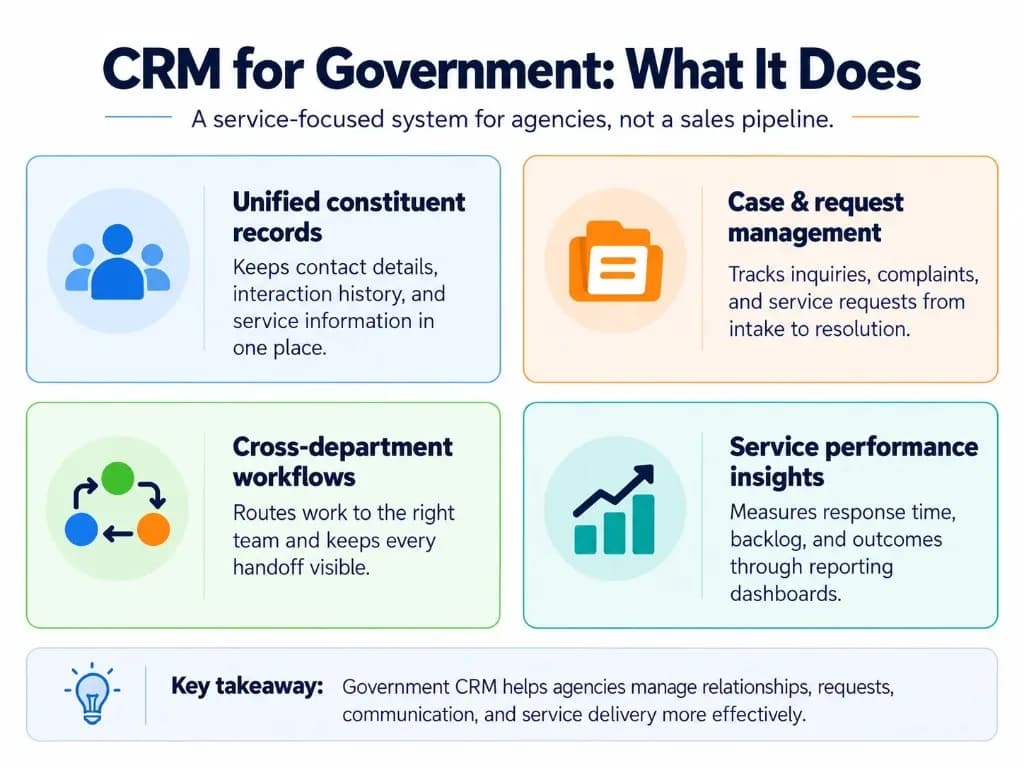
Granicus, for example, describes government CRM around constituent relationships and public-service requests, while Salesforce defines government CRM around constituent and stakeholder interactions and government service delivery.
The important distinction is purpose. A commercial CRM often asks, “How do we move this prospect toward a sale?” A government CRM more often asks, “What does this person or organization need from the agency, who is responsible, and what has happened so far?” That is closer to operational CRM than to a sales pipeline.
For a deeper terminology comparison, see our guide to CMS vs CRM differences and how relationship-management systems differ from other platforms.
What Do Government Agencies Use CRM For?
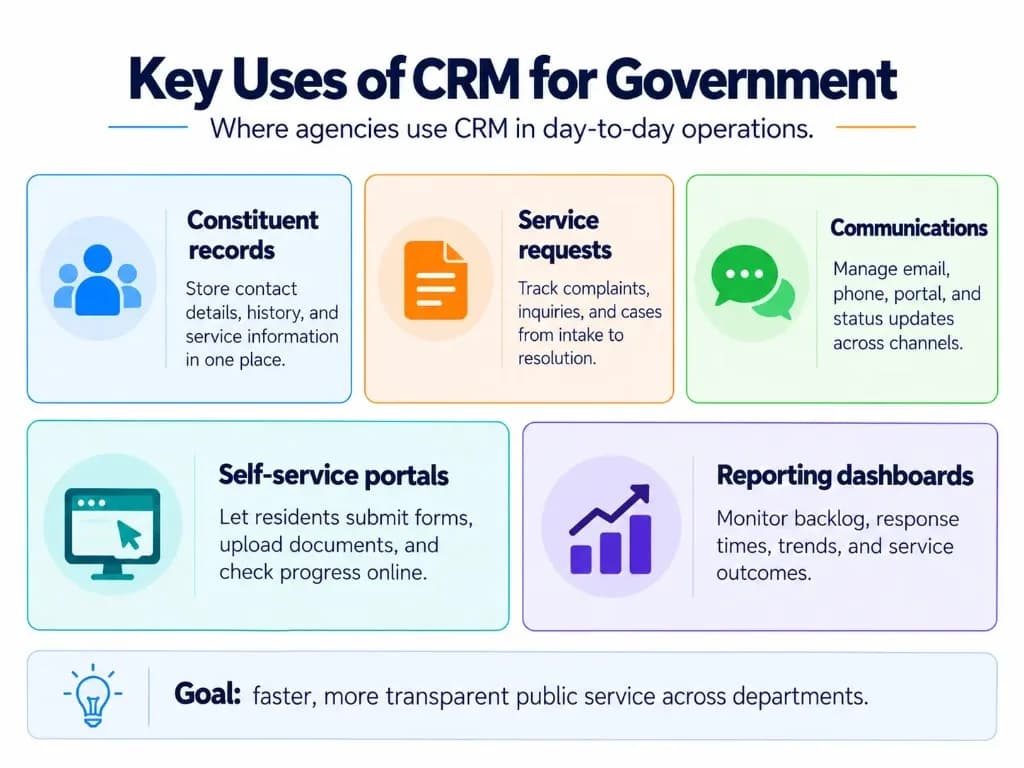
Maintain a unified constituent and stakeholder record
A CRM can bring contact details, interaction history, communication preferences and service history into one profile.
That helps prevent a common problem: one department knows about an earlier interaction while another department begins again with no context—the same need that shows up in CRM for call centers when agents need full history on first contact.
The CRM does not necessarily need to own every piece of government data. Its value is connecting the information staff need to manage the relationship and service journey. Strong CRM data management matters here because incomplete or duplicated records make routing and reporting unreliable.
Manage cases and service requests
Government CRM can turn incoming inquiries, complaints and requests into trackable cases.
For example:
Resident reports a damaged streetlight → CRM creates a service request → routing rules assign the responsible department → staff update the case → the resident receives status notifications → the completed request is recorded for reporting.
The same pattern can support many processes, including complaints, appointments, benefits inquiries, licensing questions and other constituent-facing workflows.
Government CRM competitors consistently treat case and service-request management as a central public-sector capability. Telecom CRM uses a similar continuity idea: information collected at intake should remain useful through resolution.
Coordinate communication and status updates
Requests may arrive through phone calls, email, web forms, portals, SMS or in-person interactions.
A CRM can connect those touchpoints to the same case or constituent record so staff can see previous communications and avoid creating disconnected conversations.
Automated confirmations and status notifications can also reduce the need for constituents to repeatedly contact the agency for updates. Sales automation can help with reminders and routing, but judgment-heavy service decisions stay with authorized staff.
Route work across departments
Many government requests cross organizational boundaries.
A CRM can use routing rules, queues, assignments, approvals and escalations to move work between teams while preserving the history of what happened.
This is particularly useful when the constituent sees one government organization but the request passes through several internal departments—similar to how B2B CRM handles multi-stakeholder accounts without losing ownership.
Support constituent self-service
A connected portal can allow people to:
- submit requests;
- upload information;
- check case status;
- complete forms;
- receive updates;
- find relevant service information.
Self-service should not become a separate data silo. Activity from the portal should connect back to the same service or constituent record used by staff. CRM for retail and ecommerce CRM face the same risk when digital channels create disconnected customer histories.
Measure service performance
Because the CRM records requests and their progress, agencies can analyze operational questions such as:
- How long does a request take to resolve?
- Which services generate the largest backlog?
- Where are cases repeatedly reassigned?
- Which channels generate the most inquiries?
- Which requests are increasing by location or period?
The purpose of analytics here is not sales forecasting. It is improving service capacity, accountability and resource decisions. CRM metrics and CRM analytics help leaders see whether response times, backlog, and outcomes are actually improving.
Essential Features of a Government CRM
The best feature set depends on the agency, but several capabilities repeatedly matter for public-sector work. Comparing CRM platforms only by feature count usually hides whether the system supports real service journeys.
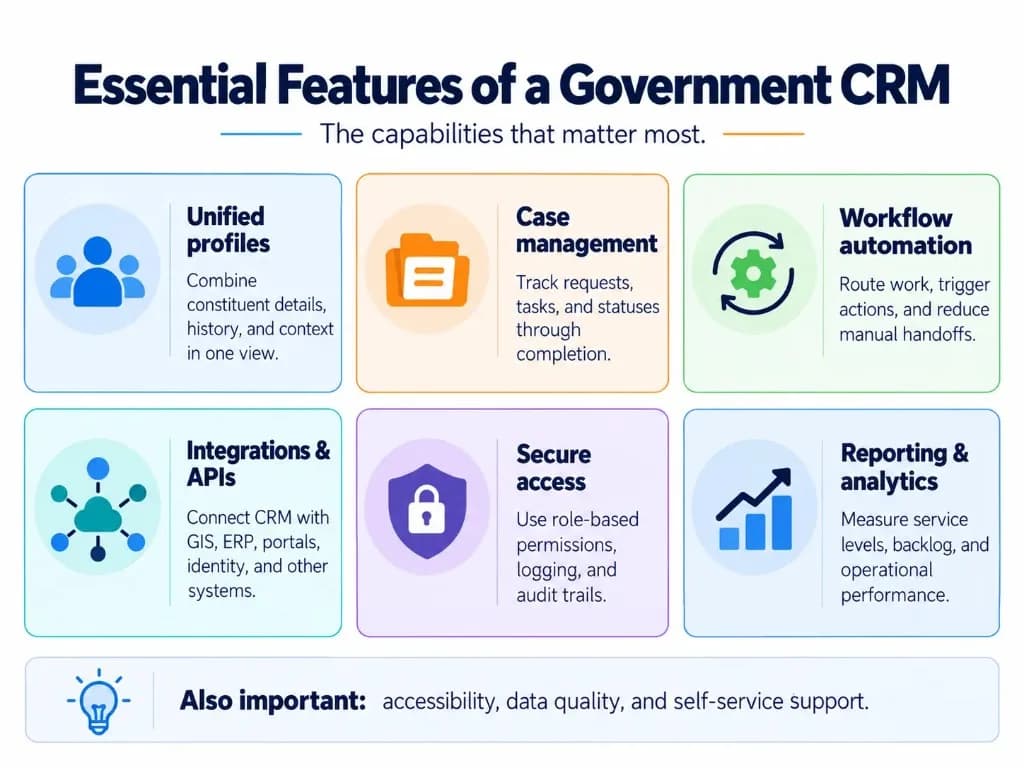
| Feature | Why it matters |
|---|---|
| Unified constituent records | Gives authorized staff relevant interaction and service history in one view. |
| Case and service-request management | Tracks a request from intake through assignment, action and resolution. |
| Workflow automation | Routes work, triggers approvals, sends updates and escalates overdue cases. |
| Multichannel communication | Connects interactions coming through forms, email, phone, portals and other supported channels. |
| Self-service portal | Lets constituents submit information and track appropriate requests without contacting staff for every update. |
| Integration and APIs | Connects CRM with systems such as GIS, finance, permitting, identity, document or scheduling platforms. |
| Role-based access and auditability | Restricts information according to responsibility and records important system activity. |
| Reporting and dashboards | Measures service volume, backlog, response time, resolution and other operational indicators. |
| Data migration and quality controls | Helps avoid carrying duplicates, outdated records and inconsistent identifiers into the new environment. |
| Accessibility | Ensures staff and public-facing CRM experiences can be used by people with disabilities where applicable. |
A long feature list is not automatically better. The more important question is whether the system supports the agency's actual service journeys without requiring staff to work around it. CRM systems only help when the people responsible for cases and communications keep them current.
What Makes Government CRM Different From a Standard Sales CRM?
The underlying technology can be similar, but the operating model is different.
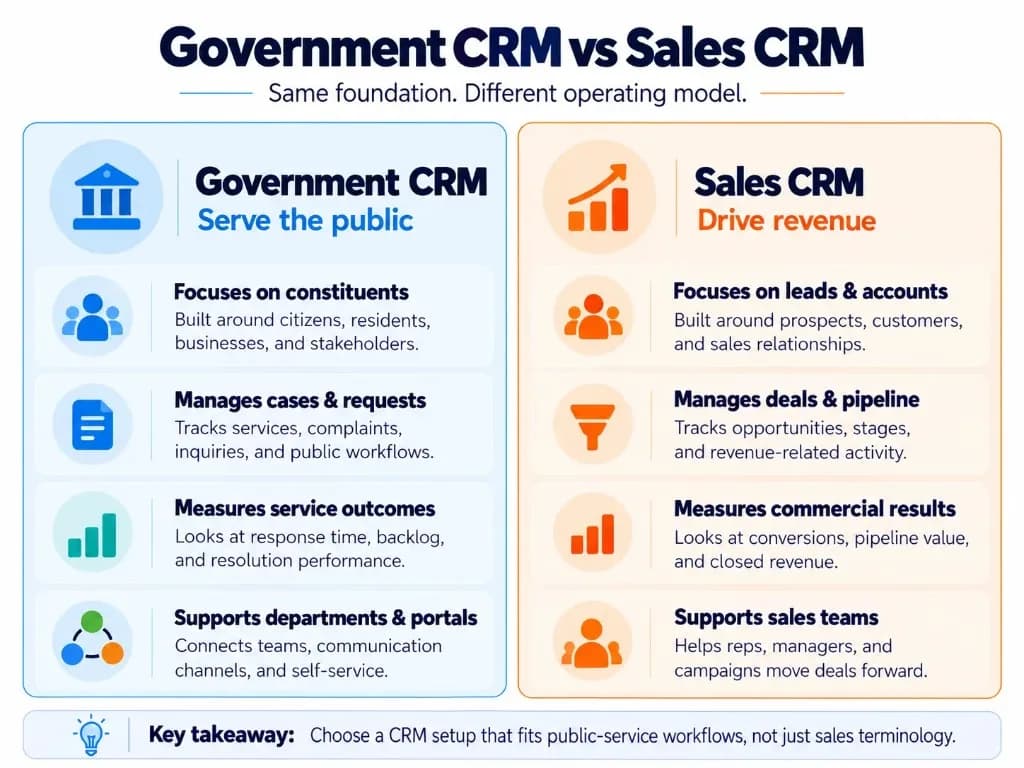
A sales CRM normally organizes work around accounts, leads, opportunities, pipeline stages and revenue. Inside sales teams may still need a sales pipeline for outreach programs, but that is not the primary government model.
Government CRM is more likely to organize work around constituents, services, cases, programs, requests, locations, eligibility processes and outcomes—closer to CRM for insurance agents or Pharmaceutical CRM, where relationship context and controlled workflows matter more than deal stages alone.
That does not mean an agency always needs a completely separate type of software. A configurable commercial CRM can work if it supports the agency's workflows, integrations, security model and regulatory requirements. CRM in finance faces a similar choice between specialist and configurable platforms.
The mistake is taking a sales pipeline unchanged and simply renaming a few fields.
Government-Specific Security, Accessibility and Records Requirements
There is no single compliance checklist that applies to every government CRM. Requirements vary by country, jurisdiction, agency, information type and deployment model.
Security and authorization depend on the use case
For U.S. federal cloud deployments, FedRAMP may be relevant. However, FedRAMP certification should not be treated as an automatic authorization for every agency use.
Official FedRAMP guidance explains that agencies can reuse certification evidence, but the agency still authorizes its own federal information system and accepts responsibility for its configuration, integrations and use of the cloud service.
That is why platform selection should begin with the agency's information and risk requirements rather than a generic list of security badges.
Depending on the environment, controls may include:
- identity and access management;
- multi-factor authentication;
- role-based permissions;
- encryption;
- logging;
- audit trails;
- backup and continuity controls;
- restrictions on particularly sensitive information.
Accessibility belongs in the requirements stage
For U.S. federal agencies, Section 508 standards apply to information and communication technology that agencies procure, develop, maintain or use. Accessibility therefore needs to be considered during selection, configuration and testing rather than added after deployment.
Other jurisdictions may impose different accessibility obligations.
Records and retention need to be defined before migration
Government data is not simply CRM data.
Some interactions, communications, decisions or documents may be subject to records-management requirements. For U.S. federal agencies, agency heads have statutory responsibilities to create and preserve adequate documentation of agency activities and maintain records-management programs.
Before migration, the agency should therefore determine:
- which CRM information constitutes an official record;
- how long different records must be retained;
- what system is authoritative;
- who can modify or delete information;
- how records are exported or disposed of when required.
Security protects data. Records governance determines how that data should be managed throughout its lifecycle.
How to Implement CRM in a Government Agency?
Government CRM implementation should start with a service problem, not with software configuration.
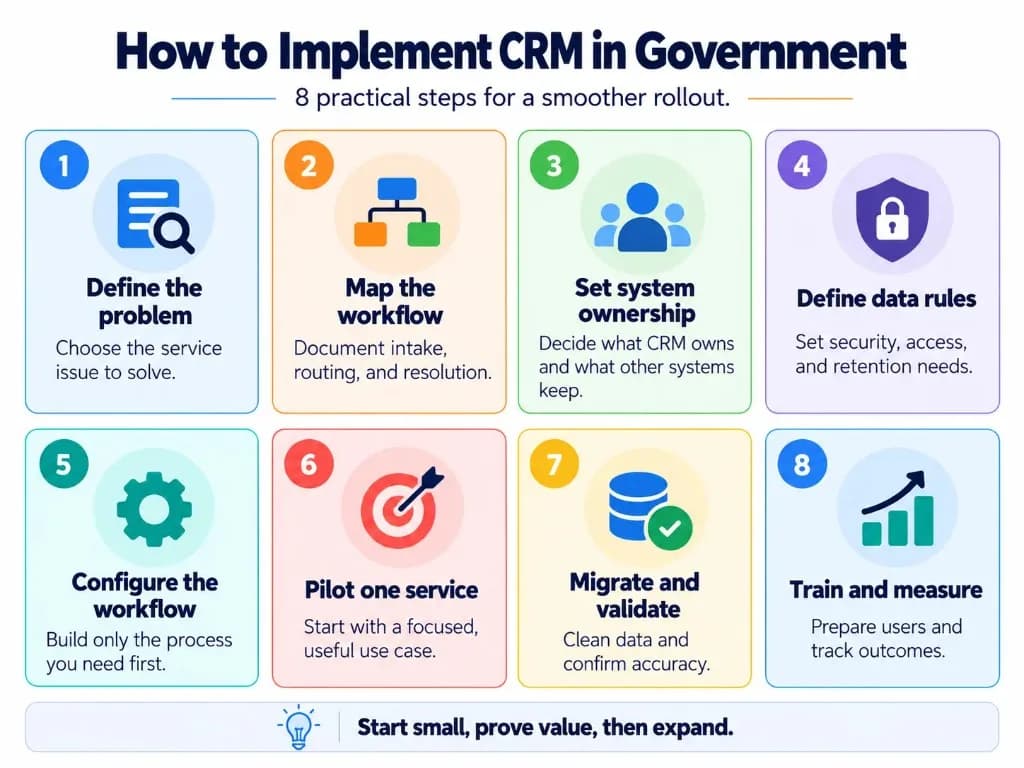
1. Define the service problem and desired outcome
Choose specific problems the CRM needs to solve.
For example:
constituents cannot see request status;
staff repeatedly enter the same information;
requests disappear between departments;
managers cannot see backlog;
communication history is fragmented;
reporting requires manual spreadsheets.
Translate the problem into measurable outcomes such as shorter resolution time, fewer handoffs or higher digital self-service completion.
2. Map the service journey and ownership
Document how the service works today:
- intake → validation → assignment → departmental action → approval → communication → resolution
- Identify who owns each stage and where information moves between systems or departments.
This exposes process problems before they are encoded into the CRM.
3. Decide what the CRM should own
A government CRM should not automatically replace every existing system.
For each major data type, determine the authoritative source.
For example:
CRM may own constituent interaction history;
GIS may remain authoritative for parcel/location data;
ERP may own financial transactions;
an identity platform may own authentication;
a permitting system may remain authoritative for permit issuance.
The CRM can integrate with those systems and provide staff with relevant context without duplicating every function.
This architectural decision prevents the CRM from becoming another inconsistent copy of government data.
4. Define data, security and governance requirements
Before migration, establish:
- required data fields;
- record ownership;
- duplicate-management rules;
- access permissions;
- retention requirements;
- audit requirements;
- privacy restrictions;
- accessibility requirements;
- integration rules.
Also decide which historical data is genuinely useful. Migrating every old spreadsheet and record can turn a new CRM into a cleaner-looking version of the old problem.
5. Configure the minimum workflow needed
Start with the workflow necessary to deliver the selected service.
Avoid implementing dozens of features simply because the platform supports them.
Configuration should mirror the actual service process, including:
- request categories;
- assignment rules;
- status stages;
- responsibilities;
- escalation conditions;
- notifications;
- reporting requirements.
6. Pilot one meaningful service
A focused pilot makes it easier to test the data model, workflow, integrations, controls and staff experience before expanding across an agency.
A good pilot is important enough to demonstrate value but contained enough that problems can be corrected without disrupting every department.
The phased approach is also reflected in current government-CRM implementation guidance, which recommends focused pilots, staged migration, data validation and role-specific training.
7. Migrate and validate data
Clean data before importing it.
Check for:
- duplicate people or organizations;
- outdated contact details;
- inconsistent categories;
- missing identifiers;
- unsupported free-text fields;
- incorrect ownership;
- records that should not be migrated.
Then validate migrated records against the original sources before the CRM becomes operational.
8. Train users and measure outcomes
Training should be based on roles and real workflows rather than generic feature demonstrations.
A caseworker needs different guidance from a department manager or system administrator.
After launch, review actual usage and service outcomes. If staff continue maintaining parallel spreadsheets, bypassing required fields or manually recreating automated processes, the implementation needs attention even if the software itself is functioning correctly.
For a broader rollout methodology, see our CRM implementation guide. If off-the-shelf tools force awkward workarounds, plan for custom CRM development only after the core workflow is clear. The lightest system that supports measurable business growth is usually better than the heaviest one.
How to Know Whether a Government CRM Is Working?
Success should be measured against public-service outcomes rather than the number of CRM features deployed.
Useful measures may include:
- average response time;
- average resolution time;
- open-case backlog;
- cases requiring reassignment;
- first-contact resolution where applicable;
- self-service completion;
- constituent satisfaction;
- staff adoption;
- duplicate or incomplete record rates.
The right metrics depend on the service being improved. Our CRM metrics and analytics guide covers measurement in greater depth. CRM development and CRM platforms both matter when configuration depth becomes the deciding factor.
What Does CRM Stand for in Government?
CRM normally stands for Customer Relationship Management, but public-sector organizations may use terms such as Constituent Relationship Management or Citizen Relationship Management to reflect the people and organizations they serve.
The underlying idea remains relationship, interaction and service management.
Can a Government Agency Use a Regular Commercial CRM?
Yes, provided it can meet the agency's workflow, integration, accessibility, security, privacy and governance requirements.
A configurable platform may work well. A sales-oriented CRM that requires staff to force cases and services into lead-and-deal workflows may require excessive customization or be the wrong fit.
Does a U.S. Government CRM Have to Be FedRAMP Authorized?
Not every government organization or CRM use case falls under FedRAMP.
FedRAMP specifically addresses certain U.S. federal cloud-service use cases, and official guidance states that the individual agency determines whether its use falls within scope. Even when a FedRAMP-certified service is used, the agency remains responsible for authorizing its own federal information system and its particular use of that service.
Frequently Asked Questions
How much does government CRM software cost?
Government CRM pricing varies widely based on user count, modules, security requirements, integrations, data migration and customization. Agencies should compare total cost of ownership, including implementation, training, support and integration costs, rather than evaluating software licensing alone.
What is the difference between a government CRM and a 311 system?
A 311 system is primarily designed to receive, route and track non-emergency resident service requests, while a government CRM manages broader constituent relationships, interaction history and cases. A CRM may power or integrate with 311 while also supporting other departments, communication channels and public-service workflows.
Is government CRM the same as case management software?
No. A CRM focuses on the ongoing relationship and interactions with a constituent or organization, while case management focuses on managing a specific matter from opening through resolution. Government platforms often combine both capabilities, especially where constituent requests need structured workflows, documents, approvals and status tracking.
Can a government CRM handle permits and complex applications?
Yes, but the CRM must support the required forms, documents, eligibility rules, approvals and portal workflows. For highly regulated or complex applications, practitioners often recommend using dedicated case-management or permitting functionality alongside the CRM rather than forcing the entire process into a generic sales CRM.
How much customization does a government CRM usually need?
Some configuration is normal because agencies have different services, departments, permissions and routing rules. However, extensive customization can increase cost and maintenance; recurring community concerns include platforms becoming difficult to manage when every form, rule or workflow change requires development or consulting work.
Is government CRM only for local government?
No. CRM can support local, state and federal agencies, although the required workflows, procurement rules, security controls and integrations can differ considerably. Local governments commonly use CRM for resident services and 311 workflows, while other agencies may use it for constituent casework, applications, programs and stakeholder communication.
What should a government agency check before choosing a CRM?
Start with the agency's workflows, procurement requirements, security needs, data rules and required integrations rather than choosing a vendor first. Then evaluate whether the CRM can support those requirements with manageable configuration, accessible interfaces and realistic implementation costs instead of unnecessary features that staff may never use.