
Quick Summary
- CRM for real estate manages client relationships: customer relationship management (CRM) software helps agents and brokers organize leads, buyer and seller information, property preferences, conversations, and appointments in one place, making it easier to manage relationships throughout the property sales process—the same goal that CRM for service businesses and CRM for call centers pursue in other industries.
- Real estate CRM connects leads with property transactions: From capturing an inquiry to scheduling viewings, recording feedback, tracking offers, and closing deals, a CRM keeps client activities organized and helps agents identify the next action without losing important information. Clean CRM data management keeps those records usable as volume grows.
- Essential features support daily real estate operations: Lead management, contact records, property matching, sales pipeline tracking, automated follow-ups, appointment scheduling, and team collaboration are key capabilities. Advanced features such as MLS/IDX integration depend on the software and available CRM integrations.
- Practical CRM applications extend beyond closing deals: Agents can use CRM systems to match buyers with suitable properties, update sellers on viewing activity, coordinate leads across brokerage teams, and maintain relationships with past clients for repeat business and referrals. Strong user adoption matters more than unused automation.
- The right CRM depends on usability and business needs: General platforms like HubSpot and Zoho can support real estate workflows, while specialized systems offer property-focused features. Choose software that fits your lead volume, integrations, and team size; consistent use matters more than having numerous features. That practical test also guides CRM implementation in any brokerage.
CRM for real estate is software that helps agents, brokers, and property businesses manage leads, organize client information, track property interests, and follow up with buyers and sellers. It keeps conversations, appointments, and sales opportunities in one place, helping agents manage relationships from the first inquiry through closing and beyond.
What Does CRM Mean in Real Estate?
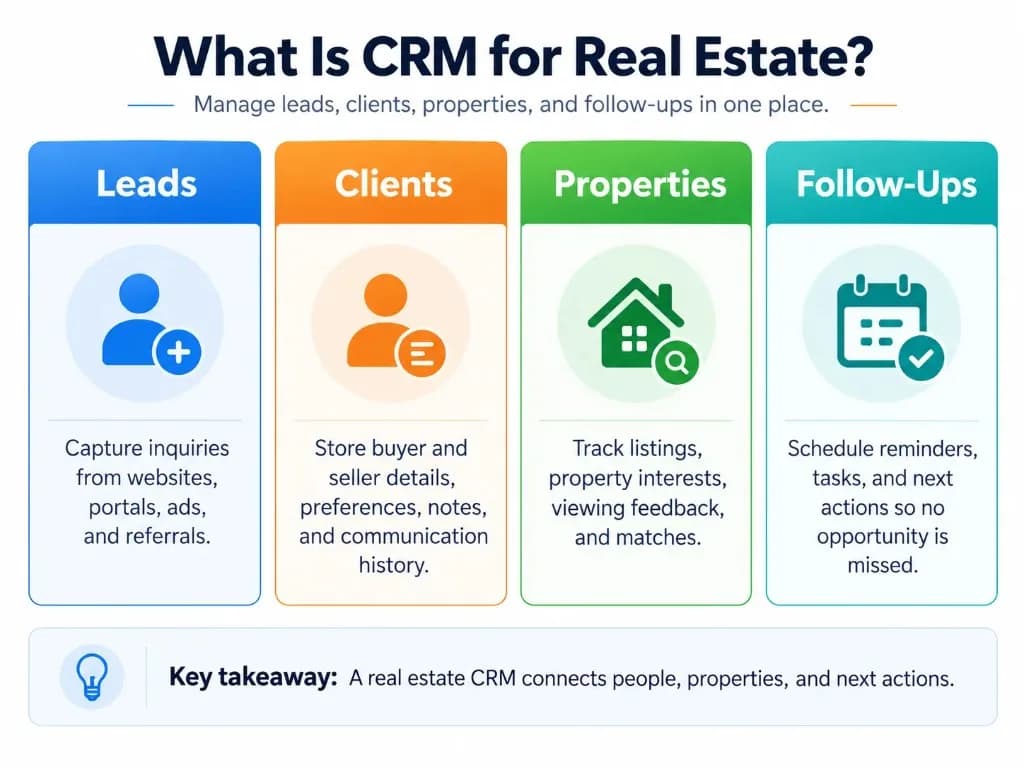
CRM stands for customer relationship management. In real estate, it refers to the process and software used to manage relationships with property buyers, sellers, renters, and past clients.
A real estate CRM stores contact details alongside information such as property preferences, budgets, previous conversations, scheduled viewings, and transaction status inside a reliable CRM database.
For example, instead of searching through WhatsApp messages or spreadsheets to remember which properties a buyer visited, an agent can open the client's CRM record to see their requirements, viewing feedback, and next follow-up date.
Unlike a basic contact list, a CRM connects customer information with property-related activities and sales opportunities. That is closer to operational CRM than to a static address book.
How Does CRM Work in Real Estate?
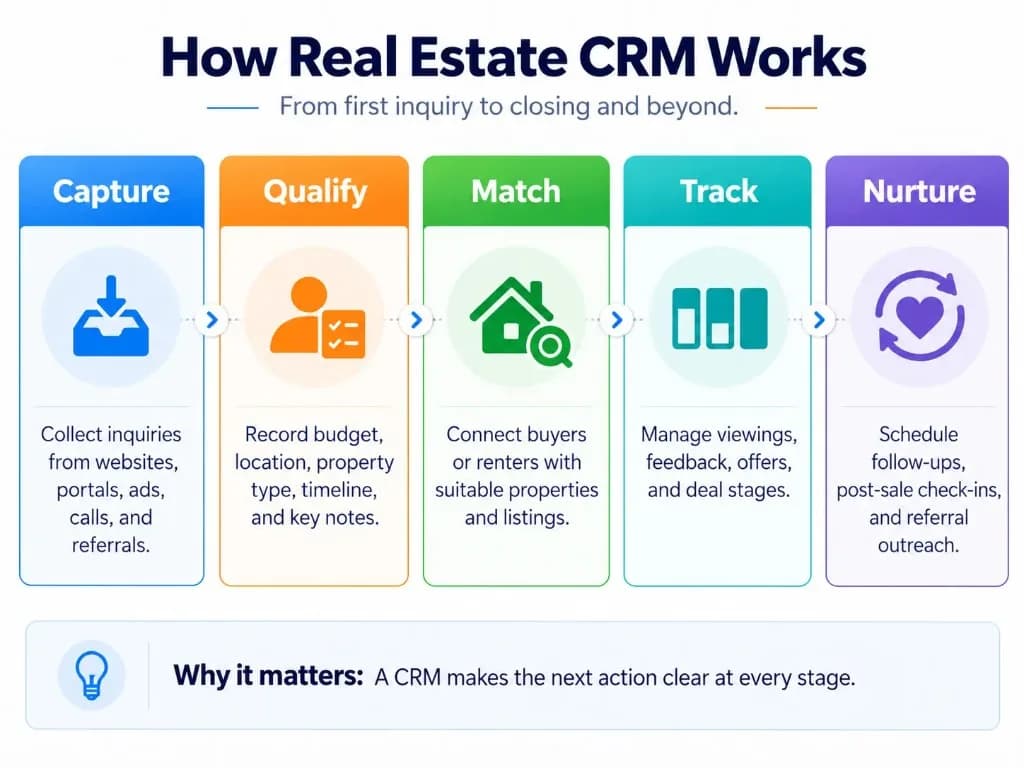
A real estate CRM helps agents manage the steps between receiving a property inquiry and completing a transaction.
A typical workflow looks like this:
Capture an inquiry. A potential buyer contacts an agent through a website, property portal, social media advertisement, phone call, or referral. The lead is added to the CRM, manually or through an integration.
Record the client's requirements. The agent adds the buyer's budget, preferred location, property type, expected purchase timeline, and other relevant details.
Assign and qualify the lead. The CRM records which agent is responsible and whether the buyer is ready to proceed or needs further follow-up.
Track properties and appointments. Suitable listings, scheduled viewings, and client feedback are recorded against the relevant contact and property.
Manage the sales opportunity. The agent updates the deal stage as negotiations progress, including offers, agreements, and closing activities. Sales automation can help with reminders, but judgment stays with the agent.
Maintain the relationship. After the transaction, the CRM can remind the agent to contact the client about future property needs or referrals.
Not every CRM performs these activities automatically. Available functions depend on the software and its configuration. Inside sales and B2B CRM teams use a similar capture-to-close rhythm, even when the product is not a home listing.
Key Features of Real Estate CRM Software
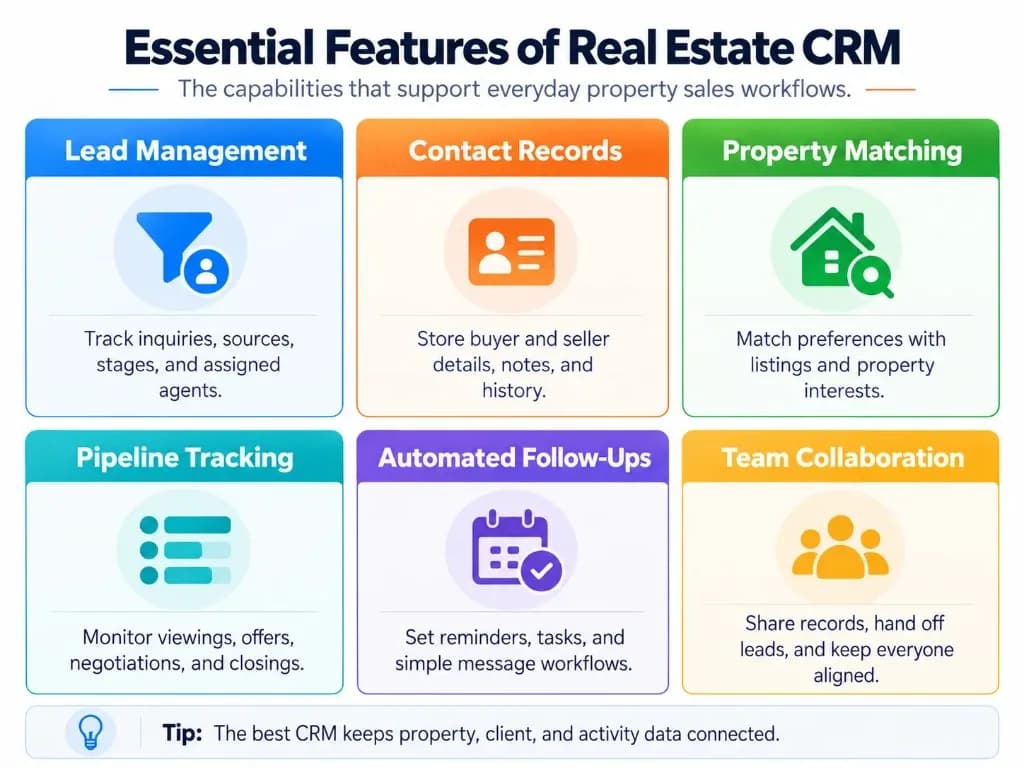
Real estate CRM systems share several essential functions, although individual platforms differ in how they support property-related work. Comparing CRM platforms only by feature count usually hides whether agents will keep records current.
| Feature | How it helps real estate professionals |
|---|---|
| Contact management | Stores buyer and seller information, preferences, conversation history, and important notes. |
| Lead management | Captures inquiries, identifies their sources, assigns leads to agents, and tracks their progress. |
| Property and listing management | Connects clients with relevant properties and records listing information where supported. |
| Sales pipeline tracking | Shows which opportunities are at the inquiry, viewing, negotiation, or closing stage. |
| Follow-up automation | Schedules reminders, messages, and tasks based on client activity or planned contact dates. |
| Appointment scheduling | Organizes property viewings, consultations, and other client meetings. |
| Team collaboration | Allows authorized agents and coordinators to share updates, responsibilities, and next steps. |
| Reporting | Summarizes sales opportunities, agent activities, and lead outcomes. |
Real Estate-Specific Features
Some CRM platforms offer additional capabilities designed for property transactions.
Buyer and property matching: The CRM can help agents find listings that match a client's preferred location, budget, property type, and requirements.
MLS and IDX integration: In markets such as the United States, supported integrations can connect listing information or website activity with CRM records. MLS access and IDX display are subject to applicable permissions and rules.
Viewing history: Agents can record which properties a client visited, their feedback, and whether they want another appointment.
Smart contact lists: Agents can group buyers and sellers by readiness, recent activity, or planned follow-up date.
Transaction checklists: Some systems track deadlines, documents, and responsibilities after an offer is accepted.
These capabilities are not universal. An agent should confirm which are built into a platform and which require additional products or integrations. CRM for insurance agents and CRM for retail face the same trade-off between specialist tools and configurable general systems.
Real Estate CRM Examples
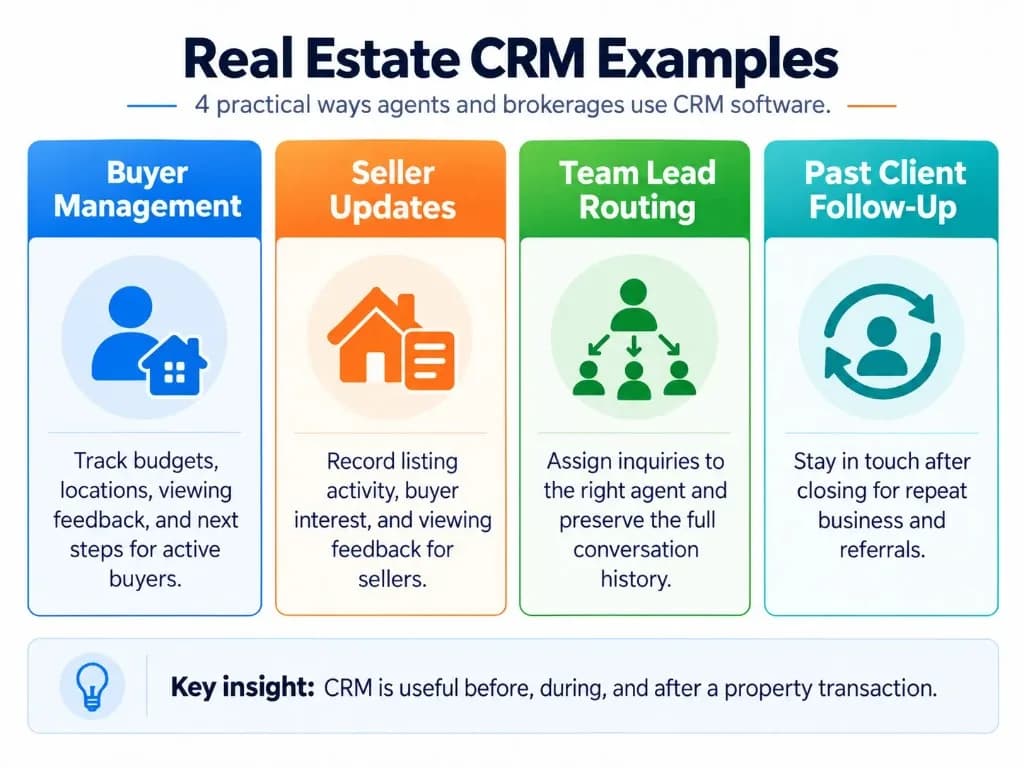
The following examples illustrate how CRM software can support everyday real estate activities.
1. Managing a Buyer Inquiry
A buyer contacts an agent about a three-bedroom house and explains that their budget is $500,000.
The agent creates a CRM record containing the buyer's contact information, preferred neighborhoods, budget, property requirements, and expected purchase date.
After scheduling two property viewings, the agent records feedback against each property. The buyer likes one house but wants a larger kitchen.
The CRM preserves that information and reminds the agent to contact the buyer when another suitable listing becomes available.
Why it matters: The agent can recommend properties based on previous conversations instead of repeatedly asking the buyer for the same information.
2. Managing a Seller's Property Listing
A homeowner asks an agent to sell their property.
The agent adds the seller's information and associates it with the property listing. As prospective buyers inquire, the CRM tracks their interest, viewing appointments, and feedback.
The agent can use these records to discuss buyer activity with the seller, follow up on potential offers, and track the transaction's progress.
Why it matters: The agent has a clearer record of listing-related conversations and outstanding actions.
3. Following Up With Past Clients
An agent sells a home to a buyer.
After closing, the CRM keeps the client's transaction history and allows the agent to schedule future contact.
For instance, the agent might arrange a check-in after several months or record that the client is interested in purchasing an investment property later.
Why it matters: The relationship remains active after the original sale, creating opportunities for repeat business and referrals—similar to how ecommerce CRM keeps post-purchase contact useful beyond the first order.
4. Assigning Leads Across a Real Estate Team
A brokerage receives inquiries through multiple property advertisements.
Its CRM assigns new leads to appropriate agents, records who is responsible, and tracks when the prospects were contacted.
If an agent becomes unavailable, another authorized team member can review the conversation history and continue the follow-up.
Why it matters: Shared records can reduce duplicate outreach, missed responsibilities, and information loss during team hand-offs. Telecom CRM and CRM for government show the same need for continuity when work moves between people.
Benefits of Using CRM in Real Estate
The main benefit of a real estate CRM is having an organized system for managing client relationships and sales opportunities.
It can help agents:
- Reduce missed follow-ups by keeping scheduled activities and reminders visible.
- Provide more relevant communication using clients' recorded property requirements and previous interactions.
- Manage multiple opportunities by tracking buyers, sellers, viewings, and transaction stages.
- Improve team coordination by sharing contact history and assigning responsibilities.
- Maintain long-term relationships with previous clients and potential future buyers or sellers.
Technology adoption is common across the profession. According to the National Association of REALTORS' 2026 Technology Report, 81% of surveyed REALTOR members cited saving time as a motivation for using technology, while 71% cited improving the client experience.
However, a CRM does not guarantee more sales. Its usefulness depends on accurate information, consistent use, suitable workflows, and timely action by agents. CRM metrics and CRM analytics help brokerages see whether follow-ups and pipeline stages are actually improving.
Real Estate CRM vs Regular CRM and Property Management Software
A general CRM and a real estate-specific CRM both manage customer relationships. The difference is how readily they support property-related work.
General CRM software, such as HubSpot or Zoho CRM, provides contact records, sales pipelines, tasks, and communication tools. Agents can use these functions for real estate, but may need custom fields, property records, and integrations. A clear sales pipeline still matters even when the opportunity is a listing rather than a SaaS deal.
Real estate-specific CRM software is designed around common industry workflows, such as property inquiries, buyer preferences, listing activity, and viewing follow-ups.
Property management software focuses more heavily on managing properties and ongoing operations, such as tenants, rent collection, maintenance, and leases. Some products combine property management and CRM functions.
Therefore, a real estate business does not necessarily need industry-specific CRM software. The better choice depends on the property workflows it needs to manage. CRM in finance and Pharmaceutical CRM face a similar decision between specialist and configurable platforms.
Examples of Real Estate CRM Software
Several established CRM platforms can support real estate professionals.
| CRM software | Main application |
|---|---|
| Follow Up Boss | Managing real estate leads, contact activity, follow-ups, and team routing. |
| Wise Agent | Organizing contacts, tasks, marketing activities, and real estate transaction workflows. |
| Lofty | Managing real estate leads and property-related interactions with automated follow-up plans. |
| HubSpot CRM | Managing contacts, communications, and sales pipelines through a customizable general CRM. |
| Zoho CRM | Building customizable property records, contact relationships, and sales processes. |
These are examples of available platforms, not a ranking. The appropriate choice depends on the agent's requirements, supported integrations, and the complexity of their operations. If off-the-shelf tools force awkward workarounds, plan for custom CRM development only after the core workflow is clear.
How to Choose a CRM for Real Estate?
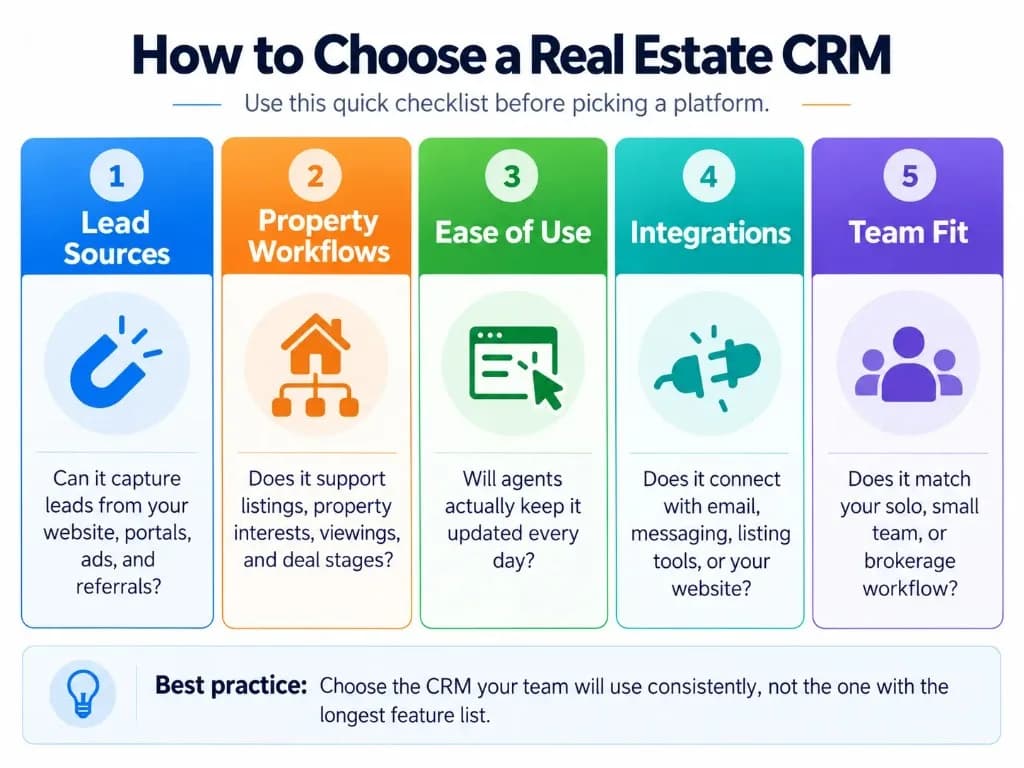
Before choosing CRM software, consider how leads enter the business and what happens after the initial conversation.
An individual agent may only need contact records, reminders, and a straightforward sales pipeline. A brokerage managing multiple agents may also require automatic lead assignment, shared activity histories, permissions, and reporting.
Evaluate a CRM using these practical questions:
- Can it capture inquiries from the channels you actually use?
- Can it store relevant buyer, seller, and property information without complicated workarounds?
- Can you find the last conversation and next follow-up action quickly?
- Does it support appointments, mobile access, and team coordination where needed?
- Does it integrate with your existing property website, listing platforms, and communication tools?
- Can you export your records, control access, and manage client data appropriately?
A useful test is to enter a sample buyer, link their property interests, record a viewing, schedule follow-up, and move the opportunity through the sales pipeline.
If the software makes these tasks easy to complete and maintain, it is more likely to fit everyday operations. For a broader rollout methodology, see our CRM implementation guide. CRM development depth and CMS vs CRM differences also help when you are deciding between a relationship system and other property tools.
The purpose of CRM in real estate is to help agents manage relationships consistently, keep property-related information accessible, and make the next action clear. The best system is one that supports those tasks without creating unnecessary administrative work. The lightest setup that supports measurable business growth is usually better than the heaviest feature list.
Frequently Asked Questions (FAQs)
Do solo real estate agents really need a CRM?
A solo agent can benefit from CRM software, but a paid system is not always necessary. If you manage only a few clients, a simple contact list with follow-up reminders may be sufficient. A dedicated CRM becomes more useful when tracking conversations, property interests, and appointments manually becomes difficult.
Can I use Excel or Google Sheets instead of a real estate CRM?
Yes, Excel or Google Sheets can work for agents managing a small number of leads. However, spreadsheets generally require manual updates and lack built-in communication tracking, automatic reminders, and lead assignment. A CRM becomes more practical as client activity and team coordination increase.
Can a real estate CRM generate new leads automatically?
A CRM primarily manages and follows up with existing leads rather than generating new prospects by itself. Some real estate CRM platforms include landing pages, websites, and marketing tools that help capture new inquiries. However, attracting buyers and sellers still requires effective marketing, referrals, or other lead-generation activities.
How much does real estate CRM software cost?
Real estate CRM software ranges from free plans to paid subscriptions costing hundreds of dollars per month for larger teams. For example, as of October 2026, Wise Agent lists a $49 monthly CRM plan, while Follow Up Boss starts at $69 per user per month. Costs depend on the number of users, automation features, integrations, and additional services.
Can a real estate CRM connect with WhatsApp and property listing websites?
Yes, some real estate CRM platforms integrate with WhatsApp, property portals, and real estate websites to capture inquiries and record client conversations. However, integration capabilities vary by provider, and certain connections require third-party services or additional subscriptions. Check whether the CRM supports your specific platforms and can automatically associate messages with the correct client records.
Who owns my client contacts if I use my brokerage's CRM?
Ownership and access rights depend on your brokerage agreement, the CRM provider's terms, and applicable laws. Some brokerages restrict access to company-generated leads or shared client records when an agent leaves. Before using a brokerage-provided CRM, clarify data ownership, export permissions, and whether you can retain your independently acquired contacts.
What should I do if a real estate CRM is too complicated to use?
Start with essential functions such as contact management, conversation notes, and follow-up reminders instead of activating every available feature. Choose a system that lets you update client information quickly from your phone or computer. A recurring concern among agents is that complicated workflows discourage daily use, making a simpler system more practical.