
Quick Summary
- 12 essential CRM software features: Every CRM should offer contact and account management, lead tracking, sales pipelines, communication history, task management, workflow automation, reporting, integrations, customization, security, data quality controls, and data import/export to support everyday customer relationship management.
- Connected features make CRM software useful: Contact records, leads, deals, activities, and follow-up tasks should work together. This gives employees a complete customer history, clear ownership of opportunities, and visibility into what needs attention next—especially when teams follow practical CRM data entry habits.
- Automation and integrations reduce manual work: A capable CRM can automatically assign leads, schedule reminders, log communications, and synchronize information with other tools after you learn how to connect a CRM. However, verify synchronization accuracy, duplicate handling, and automation limits rather than assuming every advertised CRM integration works seamlessly.
- Advanced features are not always necessary: AI assistance, predictive lead scoring, sophisticated forecasting, and marketing automation can provide additional value, but their usefulness depends on business needs, reliable data, and subscription costs. Prioritize features employees will actually use during CRM implementation.
- Evaluate functionality, not just feature availability: Before choosing a CRM, test whether essential capabilities are included in your plan, easy to use, and reliable. Run a complete lead-to-deal workflow to identify missing functionality, unnecessary manual steps, and data inconsistencies that weaken CRM data management.
What Are the Essential Features of CRM Software?

Essential CRM software features are the capabilities teams rely on every day to manage customers, opportunities, and follow-ups. If those building blocks are weak, advanced add-ons rarely salvage the system—whether you run a cloud-based CRM or a more customized stack.
The sections below cover the twelve essentials in order: daily relationship workflows first, then the controls that keep CRM metrics trustworthy.
1. Contact and Account Management
Contact management is the foundation of a CRM system. It stores customer and prospect information in searchable records so employees can access the details they need without searching through spreadsheets or emails.
An effective CRM should let you:
- Store names, email addresses, phone numbers, job titles, and other relevant details.
- Associate multiple contacts with the same company or account.
- Assign record ownership to team members.
- Search, filter, segment, and update customer records.
- Connect contacts with their related activities and deals.
What to check: Can users see a contact's company, associated deals, responsible employee, and recent interactions in one place? Also verify how the CRM handles contacts associated with multiple companies—common in B2B CRM and partner-led selling.
2. Lead Management
Lead management helps businesses capture, organize, assign, and qualify potential customers before they become active sales opportunities. Strong CRM for inside sales motions depends on this handoff staying clean.
A CRM should support lead creation from forms or manual entry, source tracking, lead status updates, ownership assignment, and qualification.
For example, when someone submits a website inquiry, the CRM can create a lead, record where it originated, and assign it to the appropriate salesperson—especially useful for CRM for digital marketing teams routing campaign responses.
What to check: Can leads be assigned automatically, filtered by status, and converted into opportunities without losing their history?
Lead management and pipeline management are related but different. Lead management handles initial interest and qualification, while pipeline management tracks active sales opportunities.
3. Sales Pipeline and Deal Management
Sales pipeline management shows where opportunities stand in the sales process and what needs to happen next. Clear stages also improve CRM system proficiency because reps know exactly where each deal belongs.
Common capabilities include:
- Customizable deal stages.
- Deal value and expected closing date.
- Assigned deal owners.
- Visual pipeline views.
- Won, lost, and stalled opportunity tracking.
- Notes and activities linked to each deal.
For example, a salesperson might move a deal from Discovery to Proposal Sent and later to Negotiation as the customer progresses, then capture context in CRM notes so the next owner has a usable trail.
What to check: Can the CRM accommodate your actual sales stages, identify deals without recent activity, and require important information before a deal advances?
4. Communication and Activity Tracking
A CRM should maintain a useful history of customer interactions, including emails, calls, meetings, and notes.
This gives employees context before contacting someone and reduces dependence on information stored in individual inboxes—an issue that shows up in CRM vs CXM discussions when experience data is scattered across tools.
Depending on the software, activities may be recorded manually, captured through connected email and calendar accounts, or logged through supported calling tools.
What to check: Which interactions are recorded automatically? Are incoming and outgoing communications linked to the correct customer? Can users correct incorrectly associated or duplicated activities?
A feature described as email integration does not necessarily mean complete, automatic communication tracking. Confirm the real behavior during CRM consulting discovery or a product trial.
5. Task Management and Follow-Up Reminders
Task management helps employees keep track of calls, meetings, deadlines, and next actions associated with customers or deals.
Essential functionality includes task ownership, due dates, reminders, completion status, and links to relevant CRM records.
For example, after a sales meeting, an employee can create a task to send a proposal by Friday. The task remains visible until completed or rescheduled—basic sales automation that keeps ownership clear.
What to check: Can users easily identify overdue tasks, see their upcoming activities, and reassign follow-ups when responsibility changes?
A practical task system is often more valuable than additional features that employees rarely use. A CRM system administrator can usually tune reminders without a full rebuild.
6. Workflow Automation
Workflow automation performs repetitive actions when predefined conditions are met. It reduces manual administration and helps teams follow consistent processes—core to operational CRM.
Typical CRM automations include:
- Assigning leads based on territory or source.
- Creating follow-up tasks after a form submission.
- Sending internal notifications when a deal changes stages.
- Updating fields when specific conditions are satisfied.
- Triggering reminders for overdue activities.
For example, a new qualified inquiry could automatically be assigned to a salesperson and generate a follow-up task.
What to check: Does the CRM support the triggers, conditions, and actions your business actually needs? Can administrators monitor failures and prevent duplicate actions?
Complex automation is not automatically better. Start with repeatable tasks that have clear rules, then expand once CRM implementation is stable.
7. Reporting and Dashboards
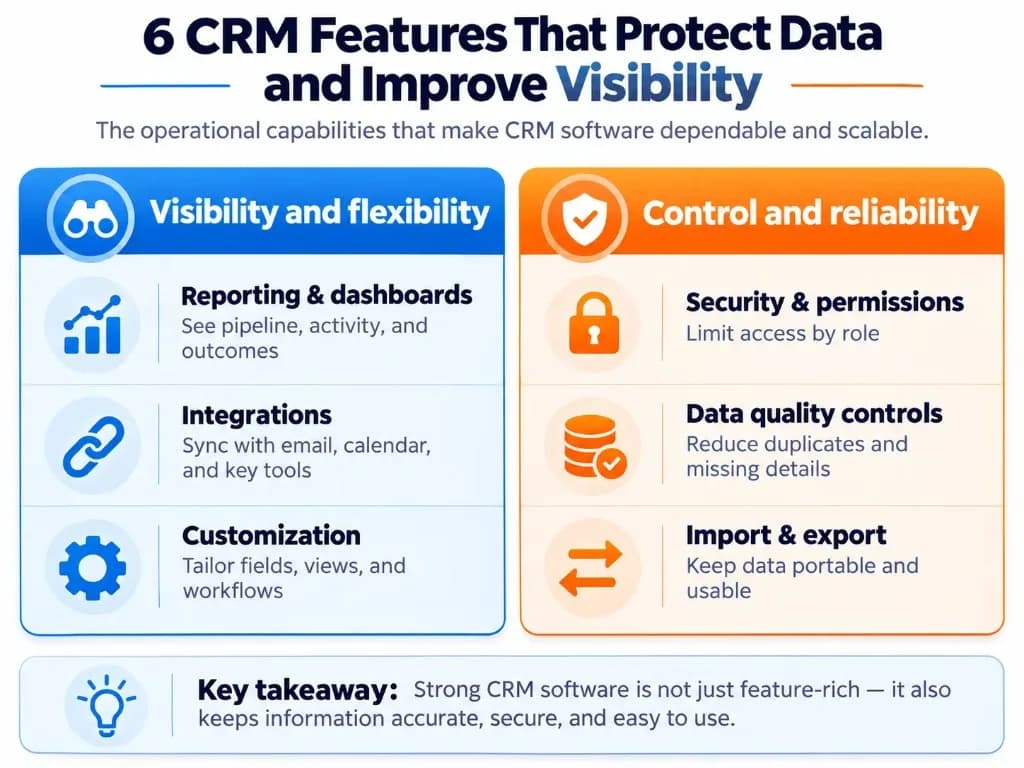
CRM reporting turns stored customer and sales records into information teams can use to monitor progress. Useful CRM metrics start with accurate fields, not decorative charts.
Useful baseline reports include:
- Leads by source, owner, or status.
- Opportunities by pipeline stage.
- Deal values and expected closing dates.
- Completed and overdue activities.
- Won and lost opportunities.
Dashboards display selected reports together, while filtering and scheduling options can make those reports easier to use.
What to check: Can managers answer their routine questions without exporting data to another tool? Verify that reports use the correct fields and update as records change.
Advanced analytics may be useful, but accurate basic reports matter more than elaborate dashboards built on incomplete data in the CRM database.
8. Third-Party Integrations
CRM integrations connect customer records and workflows with the other applications a business uses.
Common connections include:
- Email and calendar platforms.
- Website forms.
- Communication and meeting tools.
- Marketing software.
- Customer support systems.
- Accounting or billing applications, where relevant.
For example, a connected calendar can associate a customer meeting with the appropriate CRM record once teams know how to connect a CRM safely.
However, integration availability does not guarantee that every field synchronizes correctly.
What to check: Confirm which information moves between systems, whether synchronization is one-way or two-way, how frequently updates occur, and what happens when records conflict.
The HubSpot–Salesforce integration documentation illustrates why monitoring synchronization errors matters: failures can leave different information in connected systems and undermine CRM data management.
9. Custom Fields and Workflow Customization
Customization allows a CRM to reflect how a business manages customers instead of forcing every team into a fixed process.
Useful options include creating custom fields, adjusting deal stages, configuring record layouts, and modifying task or assignment rules.
A business might add a Requested Service field to help employees categorize inquiries, for example. Teams that outgrow templates sometimes explore custom CRM development when configuration limits block real workflows.
What to check: Can administrators make necessary changes without custom development? Can required fields, dropdown options, and stage rules be configured?
Avoid excessive customization. Every additional field or rule should have a clear operational purpose and an owner responsible for maintaining it—often the CRM system administrator.
10. Security and Access Controls
CRM systems contain customer information that should only be accessible to authorized users.
Important security capabilities include role-based permissions, authentication controls, restricted record visibility, and administrative oversight.
Depending on the business, additional requirements may include multifactor authentication, single sign-on, audit logs, encryption, and data retention controls.
For example, a sales representative may need to edit assigned deals without having permission to export the organization's complete customer list—especially sensitive in constituent CRM or regulated industries.
What to check: Can administrators control who can view, create, edit, delete, and export records? Confirm which security controls are included in your subscription.
Security also depends on configuration and operational practices; a feature's presence alone does not guarantee protection. Pair tooling with disciplined CRM data entry and access reviews.
11. Data Quality and Duplicate Management
A CRM is only useful when employees can trust the customer information it contains.
Data-quality features help prevent incomplete, inconsistent, or duplicate records from accumulating across the CRM database.
Look for:
- Duplicate detection or prevention.
- Record merging.
- Required-field validation.
- Standardized field values.
- Clear handling of conflicting updates.
For example, when two employees enter the same customer using slightly different information, the system should provide a practical way to identify and resolve the duplicate.
What to check: Does duplicate detection work during imports and integrations, or only after records are created? Can employees review changes before merging?
Availability can vary by subscription. HubSpot's duplicate-management documentation identifies separate subscription and permission requirements for certain duplicate-management functions. Clear CRM data entry standards reduce how often those tools are needed.
12. Data Import and Export
A CRM should make it practical to bring existing customer information into the system and retrieve that information when needed—critical during CRM implementation or platform changes.
Basic capabilities include importing contacts and companies, mapping spreadsheet columns to CRM fields, reviewing errors, and exporting records in a usable format such as CSV.
A business moving away from spreadsheets, for example, should be able to import customer records without manually recreating each entry. When native tools fall short, CRM development or migration specialists may help preserve relationships between records.
What to check: Can the CRM import related contacts and companies while preserving their associations? Can it export not only contacts but also deals, notes, activities, and relevant custom fields?
Record export does not necessarily include attachments, relationships, or every type of activity. Verify exactly what can be retrieved before relying on a platform for long-term business growth.
Which CRM Features Are Optional?
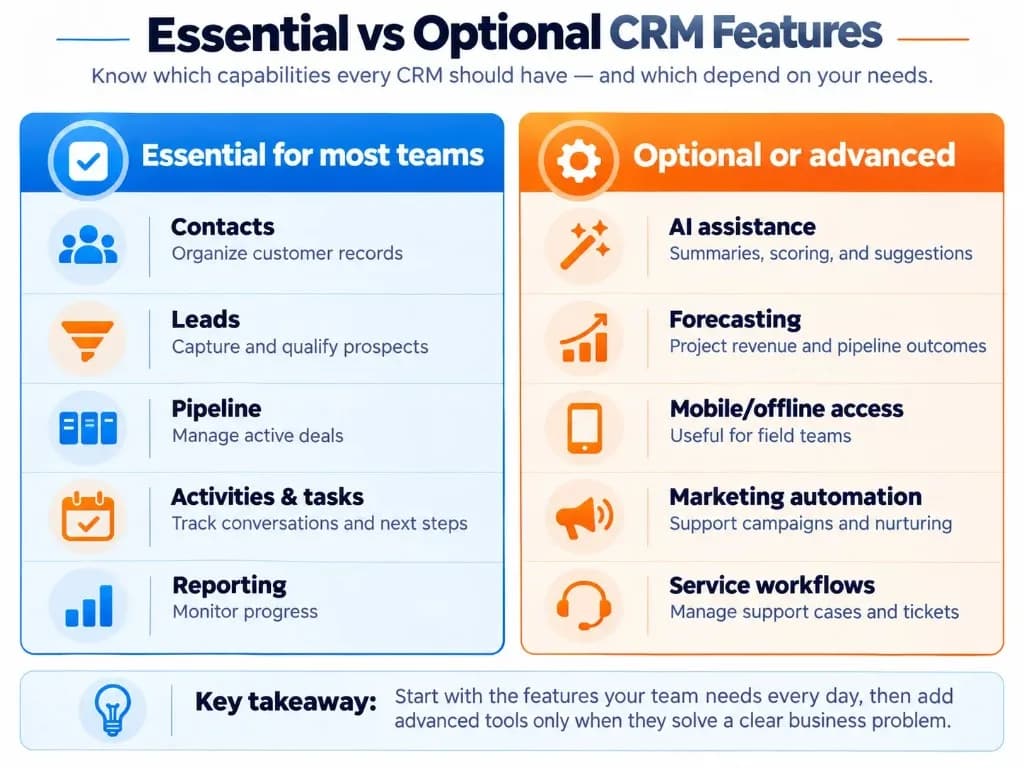
Beyond the core capabilities, modern CRM platforms may offer advanced features that are useful for particular teams but unnecessary for others.
| Optional feature | When it becomes valuable |
|---|---|
| AI-assisted features | When teams need help summarizing interactions, drafting communications, or prioritizing records |
| Predictive lead scoring | When enough reliable historical data exists to support meaningful predictions |
| Advanced sales forecasting | When managers need detailed, structured revenue projections across larger pipelines |
| Mobile CRM and offline access | When employees regularly work away from their desks or without reliable connectivity |
| Marketing automation | When campaigns and lead nurturing are managed through the CRM ecosystem |
Customer service management
When the same platform must manage support cases and customer relationships
Advanced collaboration and approvals
When multiple departments or management levels participate in customer workflows
These capabilities should be prioritized according to actual requirements, not their prominence in vendor marketing.
For instance, AI-based predictive scoring may sound useful, but it cannot provide reliable results without suitable data. Microsoft's Dynamics 365 Sales documentation specifies historical-record requirements and licensing limits for its predictive lead and opportunity scoring functionality.
For a small team managing a straightforward sales process, dependable contact records, communication tracking, tasks, and pipeline visibility may deliver more immediate value than marketing automation add-ons. Teams comparing experience platforms may also review CRM vs CXM before buying overlapping tools.
How to Evaluate CRM Features Before Choosing Software?
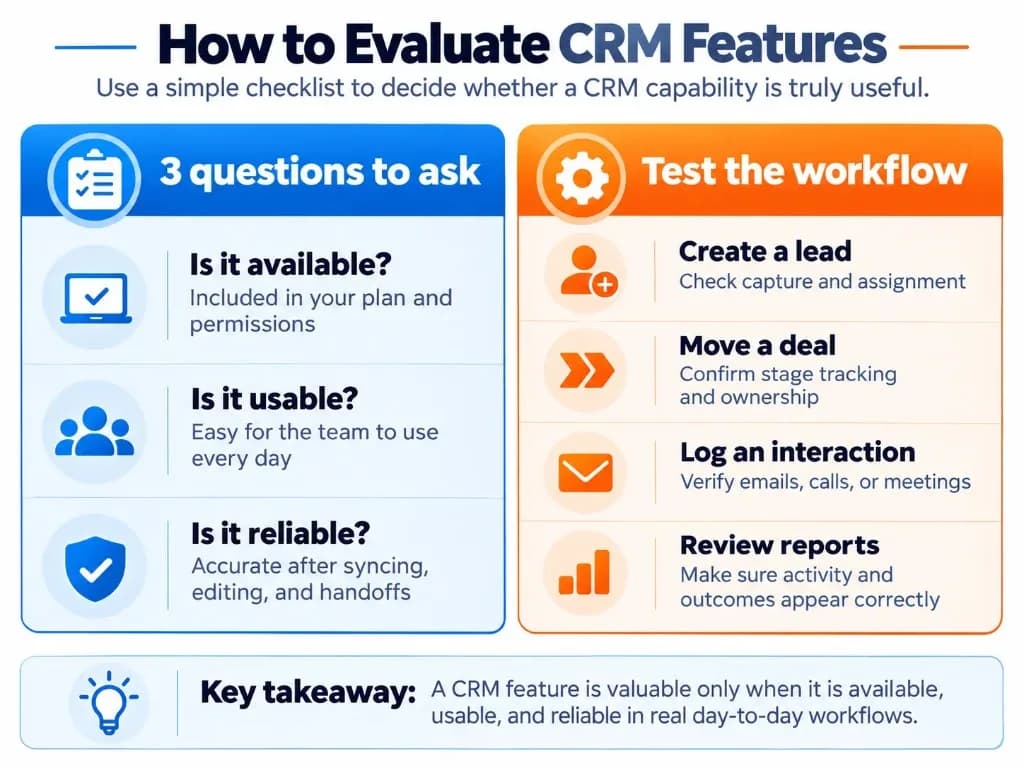
A feature checklist is useful, but it does not show how well the software performs in everyday use. Treat evaluation as part of CRM consulting-style discovery even if you run the trial yourself.
Evaluate each important capability against three questions:
| Evaluation criterion | What to verify |
|---|---|
| Available | Is the feature included in the subscription you intend to purchase, with the necessary permissions and limits? |
| Usable | Can employees complete the task efficiently without excessive clicks, manual entry, or specialist assistance? |
| Reliable | Does the feature produce accurate, consistent results when records change or applications synchronize? |
Test a Complete Customer Workflow
Instead of testing features individually, use one realistic scenario to check how they work together.
Create a lead: Submit a test inquiry through a website form and confirm the source and owner are recorded correctly.
Qualify the lead: Update its status and create an opportunity while preserving the relevant customer information.
Manage the deal: Move the opportunity through your sales stages and add an expected closing date.
Record an interaction: Send or log an email and check that it appears under the correct contact or deal.
Schedule a follow-up: Create a task with an owner and due date, then confirm that reminders and overdue views work.
Check automation and reporting: Trigger a relevant workflow and verify that the resulting activity appears accurately in reports.
Verify data controls: Test duplicate handling, restricted user access, and the export of the test records.
This scenario is illustrative, not a benchmark of any particular CRM product.
If an advertised feature requires an upgrade, creates duplicate information, or adds unnecessary manual steps, record that limitation before selecting the software.
The best CRM feature set is the one your team can use consistently: customer records remain accurate, opportunities have clear owners, interactions are visible, follow-ups are completed, and the information needed to manage those processes is accessible—supported by solid CRM system proficiency and clean CRM data entry.
Frequently Asked Questions
What CRM features does a small business actually need?
Small businesses typically need contact management, lead tracking, a simple sales pipeline, communication history, follow-up reminders, and basic reporting. Email integration and simple automation can further reduce manual work. Prioritize features employees will use daily rather than paying for advanced capabilities that do not solve an immediate problem—the same practical filter used in good CRM consulting engagements.
Can CRM software automatically log emails, calls, and meetings?
Yes, many CRM systems can automatically record emails, calendar meetings, and certain call activities through built-in features or integrations. However, automatic logging depends on the connected applications, permissions, and subscription plan. Some systems capture basic activity details but require additional tools for call transcripts, meeting summaries, or updating customer records until you confirm how to connect a CRM the way your team actually works.
Which CRM features are most commonly underused?
Advanced dashboards, complex automation workflows, extensive custom fields, and certain AI capabilities are frequently mentioned as underused features in CRM user discussions. Teams often depend more heavily on contact records, pipeline tracking, email history, and follow-up reminders. Actual usage varies by business, so prioritize features based on daily tasks rather than advertised capabilities—and keep CRM notes usable so history stays valuable.
Are AI features worth paying extra for in a CRM?
AI features are worth considering when they reduce measurable work, such as summarizing meetings, updating records, or identifying opportunities requiring attention. However, AI-generated recommendations depend on data quality, and predictive features may require sufficient historical information. Test whether the AI saves time or improves decisions before paying for an upgrade that does not improve CRM metrics you already trust.
Can a CRM prevent duplicate customer records automatically?
Many CRM systems can detect potential duplicates using matching information such as email addresses, names, or company details. However, some only flag duplicates for manual review, while others offer automated matching or merging. Check how the system handles duplicates created through imports, website forms, and integrations, since prevention capabilities vary between platforms and affect long-term CRM data management.
Do mobile CRM apps work without an internet connection?
Some mobile CRM applications support offline access, allowing users to view selected records or update information without an active internet connection. Changes may synchronize when connectivity returns. Offline functionality is not universal, and features such as email synchronization, automation, or reporting may still require internet access—especially on some cloud-based CRM mobile clients.
Are all CRM software features included in the basic subscription?
No. CRM providers commonly restrict advanced automation, AI capabilities, custom reporting, integrations, or administrative controls to higher subscription tiers. Some features also have usage limits, require paid add-ons, or depend on user permissions. Before purchasing, verify that your essential capabilities are available in the specific plan you intend to use, and involve a CRM system administrator early if permissions will gate day-one workflows.