
Quick Summary
- CRM notes preserve essential customer information: CRM notes document important details from calls, meetings, emails, and other customer interactions. They capture customer needs, concerns, decisions, and follow-up commitments, helping teams maintain accurate conversation histories without relying on memory or lengthy transcripts—core contact management discipline that underpins customer relationship management.
- Effective CRM notes follow a consistent structure: Each note should identify the contact, interaction date, purpose, key discussion points, confirmed outcomes, unresolved questions, and next steps. A standardized CRM note template makes information easier to understand, locate, and use across teams, especially when CRM data management keeps records clean.
- Write clear, factual, and actionable notes: Focus on what the customer actually said, requested, or agreed to rather than vague observations or assumptions. Clearly distinguish confirmed decisions from proposals and pending approvals to prevent misunderstandings and inaccurate customer records—habits that also support CRM system proficiency.
- Record notes promptly and assign follow-up responsibilities: Capture important points during conversations and organize them soon afterward while details remain fresh. Save notes to the correct CRM records and create separate tasks with responsible owners and deadlines for commitments requiring action, so the sales pipeline stays honest.
- Prioritize accuracy and usefulness over note length: Good CRM notes contain enough context for another team member to understand the interaction and continue the relationship. Avoid unnecessary sensitive information, verify AI-generated summaries, and update records when customer requirements or decisions change during CRM implementation rollouts.
CRM notes are short records of customer interactions stored in a customer relationship management (CRM) system. They document what happened during a call, email exchange, meeting, or other interaction, including customer needs, important decisions, unresolved concerns, and agreed next steps.
A useful CRM note answers five questions: Who was involved? Why did the interaction happen? What changed? What remains unresolved? What happens next?
The goal is not to record every word. It is to preserve enough accurate information that you or a teammate can understand the customer relationship and act on it later—whether you are running CRM for inside sales, CRM for service businesses, or account management workflows.
What Are CRM Notes?
CRM notes are written entries associated with contact, account, lead, deal, or activity records. They capture details that standard CRM fields may not explain, such as why a customer is considering a product, what concerned them during a conversation, or why a decision was postponed.
For example, a CRM may show that a deal is in the proposal stage. A note can explain that the customer requested a revised proposal because their budget changed.
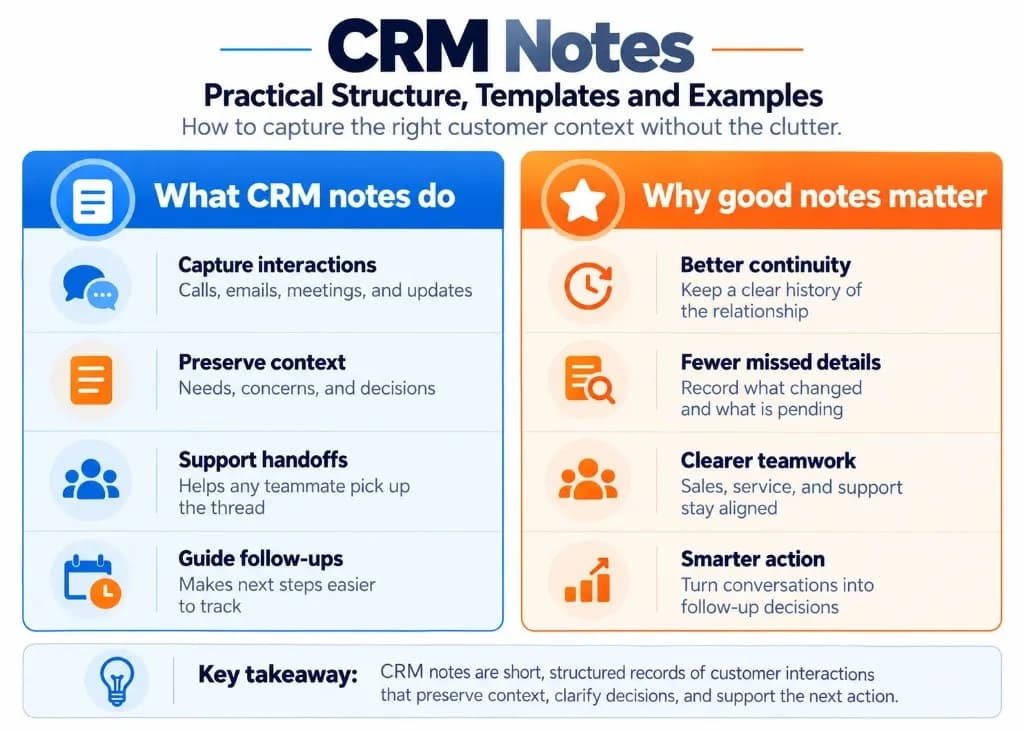
CRM notes commonly document:
- Sales calls: Customer requirements, objections, and buying considerations.
- Customer meetings: Decisions, commitments, and outstanding questions.
- Email conversations: Important requests or changes that need to remain visible in the CRM.
- Account updates: New information affecting an existing customer relationship.
- Support interactions: Reported problems, actions taken, and unresolved issues.
A CRM note is different from a call transcript. A transcript records the conversation in detail, while a CRM note summarizes the information needed for future reference—closer to operational CRM practice than dumping raw conversation text into every record.
It is also different from a CRM task. The note preserves what was discussed and agreed; the task assigns an action and deadline. Teams comparing relationship tools in our CMS vs CRM differences guide often confuse fields, notes, and tasks for the same reason.
What Should a CRM Contact Note Include?
A well-structured CRM contact note should contain enough information to explain the interaction and guide the next action without forcing someone to read an entire conversation.
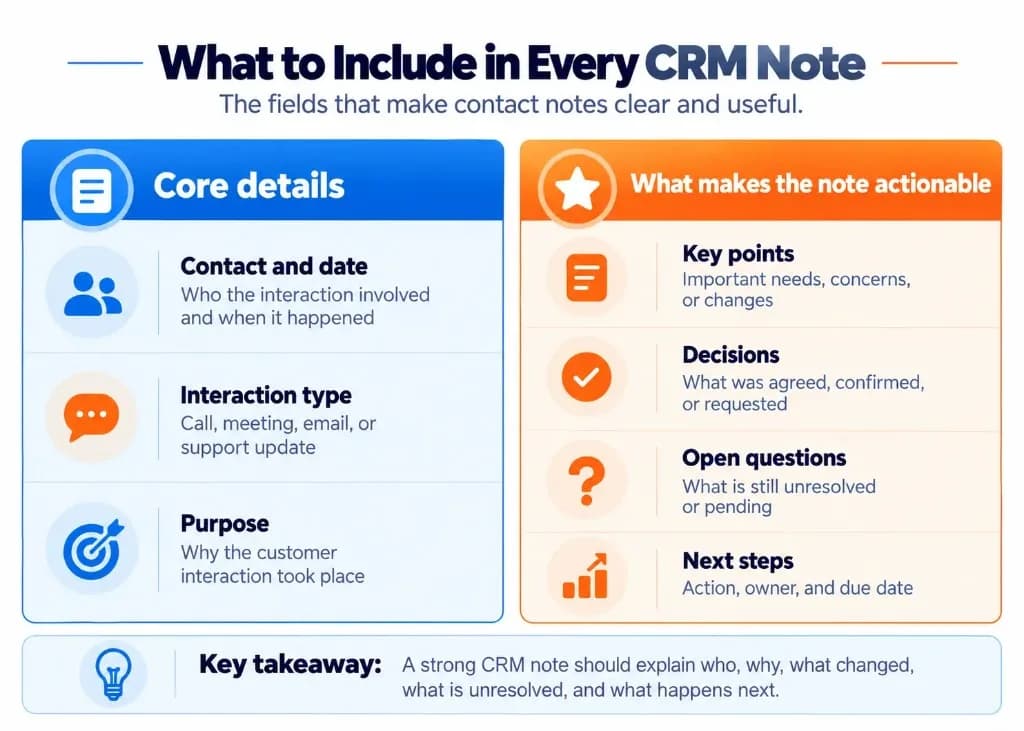
| Component | What to record | Example |
|---|---|---|
| Contact and date | Who was involved and when | Jordan Lee, October 19, 2026 |
| Interaction type | Call, meeting, email, or other contact | Discovery call |
| Purpose | Why the interaction happened | Discussed a replacement for the current tracking system |
| Customer context | Important needs, priorities, or concerns | Current process causes missed follow-ups |
| Outcome | What was confirmed, agreed, or changed | Customer requested a revised proposal |
| Open questions | Anything that remains uncertain | Final budget has not been approved |
| Next action | What happens next, who is responsible, and when | Alex to send proposal by October 22 |
Not every interaction requires all seven elements. A routine check-in may need only a brief summary and next action, while a complex sales meeting may involve several concerns, participants, and commitments.
The essential rule is to distinguish what the customer actually confirmed from what was merely discussed or suggested.
For example:
Confirmed: Customer agreed to schedule a product demonstration.
Proposed: Customer is considering a product demonstration but has not selected a date.
Pending: Customer must obtain internal approval before confirming the demonstration.
These statements describe different situations. Treating them as interchangeable can mislead the next employee reviewing the account—especially in B2B CRM cycles where multiple stakeholders and approvals are common.
How to Write Good CRM Notes?
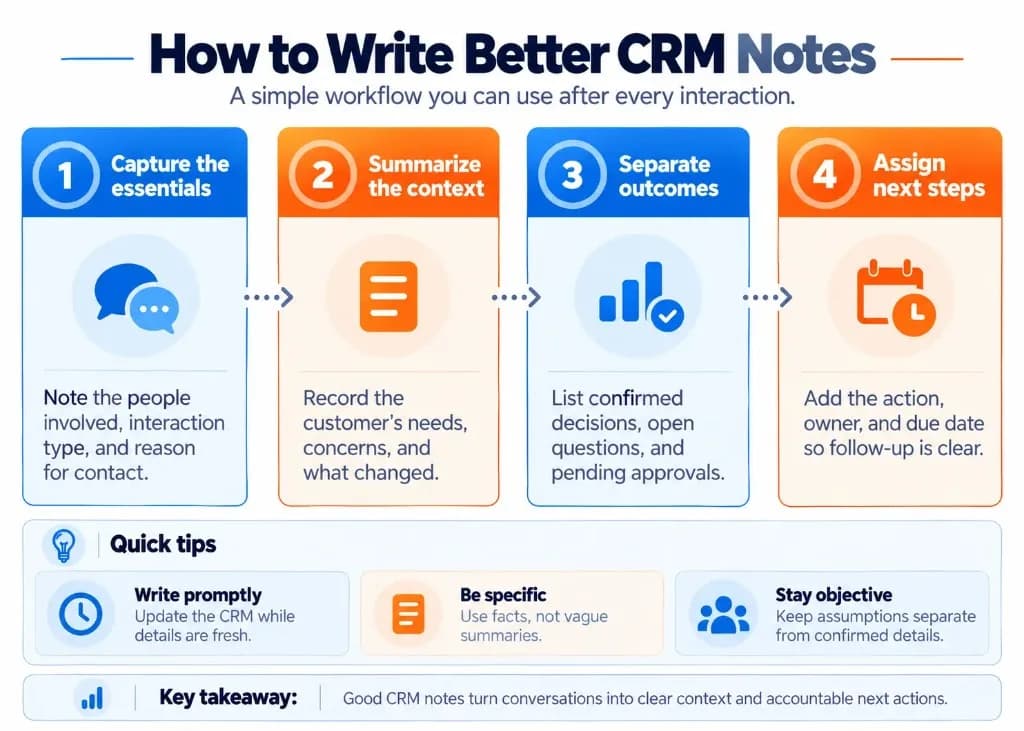
Use the following process to document customer interactions clearly and consistently.
Review the Previous Customer Notes
Before a call or meeting, read the latest relevant note. Identify outstanding requests, earlier commitments, and any important changes you need to confirm.
This helps you avoid asking questions the customer already answered and makes the new note part of an understandable interaction history stored in the CRM database.
Capture Important Points During the Conversation
Focus on information that affects the customer relationship or the next action.
For example, note a newly mentioned budget limitation, a change in project timing, an unresolved support issue, or a commitment to provide additional information.
Short phrases are usually sufficient during the interaction. You can turn them into complete, understandable notes afterward—useful for CRM for call centers where agents move quickly between contacts.
Write a Clear Summary Soon Afterward
Update the CRM promptly while the details are still fresh.
Start with the most important outcome, followed by the context needed to understand it. Use short sentences or labeled bullet points rather than a long narrative.
Avoid vague entries such as:
"Spoke to customer. Good conversation. Will follow up."
Instead, record what the conversation established and what needs to happen next. Vague notes also undermine CRM metrics when managers try to reconstruct why deals stalled.
Record Decisions, Unknowns, and Next Steps Separately
A CRM note becomes much easier to interpret when it separates three types of information:
- Decisions: What the customer or team explicitly agreed to.
- Unknowns: What remains unanswered, unapproved, or unconfirmed.
- Next steps: What action is required, who owns it, and the expected completion date.
If no decision was reached, say so. Do not invent a positive outcome to make the interaction appear more productive.
If a deadline was not established, write "Date not confirmed" and create a task to obtain that information if follow-up is needed. Sales automation can remind owners, but only if the note states the commitment clearly.
Save the Note to the Correct CRM Record
Associate the note with the relevant contact and, where appropriate, the related account, deal, or support record.
Confirm that the record is correct before saving. A detailed note attached to the wrong contact may be difficult for the team to find and can create confusion—especially when CRM integrations sync activity across tools.
When the note contains a commitment requiring action, create a corresponding CRM task or reminder. The note explains the commitment; the task helps ensure someone follows through.
CRM Notes Template You Can Copy
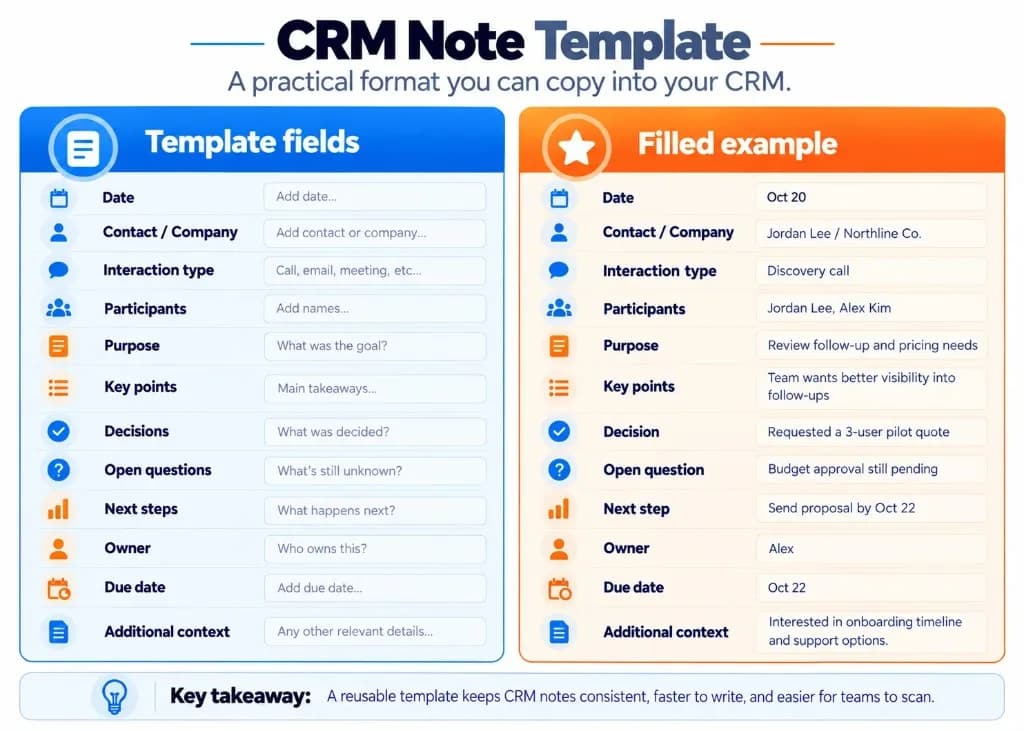
The following template works for customer calls, meetings, follow-ups, and routine account updates. Teams adopting cloud-based CRM often standardize this format so every user writes notes the same way.
CRM Contact Note Template
Date: Add the interaction date.
Contact / Company: Add the primary contact and company name.
Interaction Type: Call, email, meeting, or support update.
Participants: List everyone involved.
Purpose: Why did the interaction happen?
Key Points: What important needs, concerns, or changes were discussed?
Decisions: What was explicitly agreed or confirmed?
Open Questions: What remains unresolved or unapproved?
Next Steps: Action, owner, and due date.
Additional Context: Any relevant information needed for the next interaction.
Remove fields that are not relevant rather than filling the note with unnecessary text.
Short CRM Note Format for Routine Interactions
For a brief customer interaction, use this lighter format:
- Date / Contact / Interaction: Capture who, when, and how you connected.
- Reason for contact: State why the interaction happened.
- Key update: Record the most important change or request.
- Outcome: Note what was confirmed or left open.
- Next action / Owner / Date: Assign the follow-up clearly.
This shorter version keeps the record useful without making a simple conversation unnecessarily difficult to document—practical for CRM for retail and ecommerce CRM teams handling high interaction volume.
CRM Notes Examples: Bad vs. Good
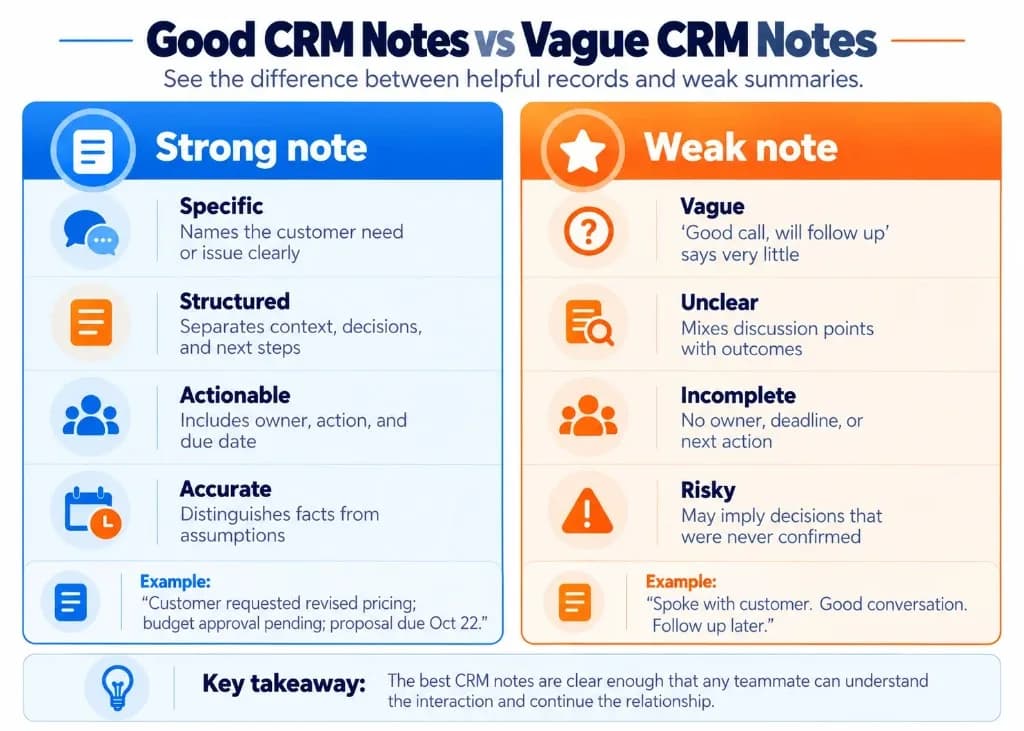
The following fictional examples show how to turn incomplete or ambiguous entries into useful customer records.
Example 1: Sales Call Notes
Poor CRM note
"Good meeting with Jordan. Interested in our software. Follow up next week."
This note does not explain the customer's actual needs, what they requested, whether they made a decision, or what the follow-up should accomplish.
Improved CRM note
Date: October 19, 2026
Contact: Jordan Lee, Operations Manager
Interaction: Discovery call
Customer context: Jordan's team currently tracks customer enquiries through email and spreadsheets. Their main concern is losing visibility over follow-up responsibilities.
Outcome: Jordan requested pricing for a three-user pilot. No purchase decision was made.
Open question: Budget approval is pending internal review.
Next steps: Alex will send the pricing proposal by October 22. Jordan expects to discuss it internally by October 26, but no decision date has been confirmed.
The improved note identifies the customer's problem, accurately describes the outcome, and distinguishes a requested proposal from a confirmed purchase—clarity that also matters when teams compare CRM vs project management software for ownership of follow-ups.
Example 2: Customer Service Notes
Poor CRM note
"Customer complained about an order. Issue being handled."
This entry does not tell another support representative what the problem was or what the customer should expect next.
Improved CRM note
Date: October 20, 2026
Contact: Ava Chen
Interaction: Customer support call
Reported issue: Ava reported seeing two charges related to the same order.
Action taken: Support opened a billing review and provided the customer with the case reference.
Status: Duplicate payment has not yet been confirmed. No refund decision has been made.
Next step: Support owner will check the payment records and provide an update by October 21.
This note avoids presenting a customer's report as a verified billing error while giving the next representative a clear action—important for CRM for insurance agents and CRM in finance teams handling sensitive case status carefully.
Example 3: Follow-Up After a Previous Meeting
Poor CRM note
"Spoke again. Still waiting."
Improved CRM note
Date: October 20, 2026
Interaction: Follow-up email
Previous commitment: Customer expected to provide feedback on the proposal.
Current update: Customer confirmed that the proposal is still under internal review.
Outstanding issue: Final approval has not been granted.
Next step: Check for an updated review timeline on October 23.
The improved entry captures what changed since the previous interaction without unnecessarily repeating the entire customer history. Pharmaceutical CRM and Telecom CRM programs often use the same pattern to keep long account histories scannable.
How to Keep CRM Notes Accurate and Useful
Writing a good CRM note is only part of the process. The information must also remain clear, accessible, and trustworthy—especially when CRM analytics and pipeline reporting depend on accurate activity history.
Keep Facts Separate From Interpretations
Record customer statements as facts only when they were actually stated or confirmed.
If an employee believes the customer is hesitant, label that as an observation instead of treating it as the customer's official position.
For example:
Customer statement: "We need approval from finance before moving forward."
Employee observation: "The customer appeared concerned about the implementation cost."
This distinction helps prevent assumptions from becoming misleading CRM history and pairs well with CRM vs CXM thinking: notes record relationship facts, while experience signals explain how those interactions felt.
Use Consistent Formatting Without Writing Too Much
Keep notes concise and easy to scan. A few useful sentences or bullet points are often enough for a routine interaction.
Longer notes are appropriate when the interaction involves multiple decisions, technical requirements, or unresolved commitments.
There is no universal word-count requirement. A note is complete when another authorized team member can understand what happened and what needs to happen next—useful for CRM for manufacturing handoffs between sales and operations.
Keep Notes and Tasks Connected
Record commitments in the note, but use the CRM's task or reminder functionality to manage actions that need completion.
For example, the note might state that the customer requested updated pricing. The corresponding task should identify who will send it and when it is due.
This reduces dependence on someone remembering to revisit a paragraph in the customer history. Marketing automation and sales automation sequences should also respect commitments recorded in notes rather than assuming status from vague summaries.
Check AI-Generated CRM Notes Before Saving
AI tools can help organize transcripts or draft summaries, but the resulting notes still require review.
Pay particular attention to customer names, prices, dates, commitments, decision status, and information that was only suggested rather than agreed.
Never allow an automated summary to turn an uncertain statement into a confirmed customer decision without verification.
Follow company policies and applicable consent requirements before recording or transcribing conversations. Custom CRM development teams often add review checkpoints for the same reason.
Avoid Unnecessary Sensitive Information
CRM notes should contain information needed for a legitimate business purpose, not every personal detail mentioned during a conversation.
Avoid recording passwords, full payment card numbers, unnecessary identification information, private medical details, or unrelated personal observations.
The US Federal Trade Commission recommends limiting the personal information businesses collect and retain, protecting the data they keep, and restricting access appropriately. See the FTC's Protecting Personal Information: A Guide for Business.
Follow your organization's access-control, privacy, and retention policies, especially when handling confidential or regulated customer information—areas where CRM for government and CRM for real estate teams face stricter expectations.
Correct Outdated or Inaccurate Notes
Customer requirements and decisions can change over time. When new information contradicts an earlier entry, make the change clear rather than silently leaving the record misleading.
Where the CRM supports it, add a dated correction or update that preserves the history. Follow any organizational audit or retention requirements.
Before finishing a note, check whether it gives the next reader four things: accurate customer context, the interaction's actual outcome, any remaining uncertainty, and a clearly assigned next action. That checklist also supports broader business growth goals by reducing dropped handoffs.
Frequently Asked Questions (FAQs)
How can I take CRM notes during a call without losing focus?
Write down only essential keywords, customer concerns, decisions, and follow-up commitments while the customer is speaking. After the call, turn those points into a structured CRM note while the conversation is fresh. This helps you stay engaged without relying entirely on memory or reviewing a lengthy recording—practical lead management for busy sales days.
Should I create a new CRM note after every customer interaction?
Create a separate, dated note for each meaningful interaction that introduces new information, changes an existing decision, or requires follow-up. This preserves a chronological history instead of repeatedly overwriting earlier conversations. Routine interactions without meaningful updates may only need a brief activity log.
Can customers see the notes I add to their CRM records?
CRM notes are generally intended for authorized internal users, but visibility depends on the platform's sharing settings and permissions. Some systems allow notes to be shared with customers through a portal. For example, Zoho CRM has a Share to Customer option, so always check visibility settings before recording confidential information. CRM development choices around permissions matter here.
Can I edit a CRM note after saving it?
Many CRM platforms allow users with appropriate permissions to edit existing notes, although the available controls vary. For factual corrections, update the entry according to your organization's recordkeeping policies. If a customer's decision or requirements change, adding a dated follow-up note is often preferable to overwriting the original interaction history.
How do I make CRM notes useful when handing a customer over to another team member?
Summarize the customer's current objective, important requirements, previous commitments, unresolved issues, and next action. Identify the responsible person and deadline so the receiving employee knows exactly where to continue. Include relevant context without forcing them to reconstruct the relationship from multiple conversations—especially important for CRM for digital marketing and sales handoffs.
Can I take customer notes outside the CRM and add them later?
Yes, you can capture quick notes in a notebook or approved note-taking application and transfer the relevant information into your CRM afterward. Save the structured summary as soon as practical to reduce forgotten details and scattered records. Follow your company's data-handling policies, especially when temporary notes contain confidential customer information.
How can I quickly review previous CRM notes before contacting a customer?
Start with the most recent interaction and identify the last confirmed decision, outstanding questions, and promised follow-ups. Check whether earlier action items were completed and whether the customer's requirements have changed. A brief review of these details is usually more useful than rereading every conversation from the beginning.