
Quick Summary
- CRM connects customer data with digital marketing: Customer Relationship Management (CRM) software organizes customer information, interactions, purchase history, and campaign activity. It helps marketers understand their audiences, deliver more relevant messages, and connect marketing efforts with leads, conversions, and revenue—the same customer relationship management foundation covered in our CMS vs CRM differences guide.
- Audience segmentation makes campaigns more targeted: CRM allows marketers to group contacts by interests, behavior, purchase history, and lifecycle stage. These segments support personalized email campaigns, lead nurturing, and relevant advertising through platforms such as Google Ads and Meta Ads, especially when CRM data management keeps those fields accurate.
- Marketing automation improves follow-ups and customer engagement: CRM data can trigger welcome emails, lead nurturing sequences, renewal reminders, and re-engagement campaigns. Effective workflows use clear triggers, eligibility conditions, and exit rules to prevent customers from receiving irrelevant or outdated messages—core marketing automation patterns also described in our operational CRM vs analytical CRM comparison.
- CRM helps measure marketing performance beyond clicks: By connecting campaign sources with leads, purchases, and customer records, marketers can identify which activities generate valuable outcomes. However, attributed revenue does not necessarily prove incremental impact, and accurate reporting depends on reliable data and CRM metrics that teams actually trust.
- Successful CRM marketing depends on data quality and integration: Duplicate contacts, incomplete campaign attribution, outdated lifecycle stages, and unreliable synchronization can undermine targeting and automation. Start with one measurable campaign, connect the necessary tools, verify customer permissions, and test workflows before expanding—practical habits that also support strong CRM implementation.
How Does CRM Work in Digital Marketing?
A CRM connects customer information with the marketing activities a business wants to perform.
For example, someone may click a Google ad, submit a website form, receive a follow-up email, and eventually become a customer. When the necessary systems are integrated, a CRM can connect those events to the appropriate contact record, allowing the marketing team to respond based on what has happened—especially useful for B2B CRM teams managing longer buying cycles.
The process follows five connected stages:
- Collect customer data: Capture relevant information from forms, purchases, emails, and connected marketing platforms into a usable CRM database.
- Organize contacts: Associate interactions with existing customers or leads and identify their lifecycle stage so contact management stays consistent.
- Create audience segments: Group eligible contacts according to relevant attributes or behaviors without inventing overlapping audiences.
- Activate campaigns: Use the segments to deliver emails, trigger follow-ups, or inform advertising audiences as part of digital marketing services execution.
- Measure and improve: Record campaign responses and conversion outcomes to refine future marketing activity using CRM analytics where available.
A CRM does not necessarily perform all five functions by itself. Some platforms include marketing automation and campaign delivery tools, while others rely on CRM integrations with email services, advertising platforms, and analytics systems. Cloud-based CRM setups often make those connections easier to maintain across teams.
What Customer Data Matters for Marketing?
Different campaigns require different information. The goal is to collect enough reliable data to support a useful marketing decision, not to collect every possible customer attribute.
| CRM information | How marketers use it |
|---|---|
| Contact information | Identify and communicate with customers |
| Lead source and campaign history | Understand where enquiries originated |
| Lifecycle stage | Distinguish new leads, active opportunities and existing customers |
| Product or service interests | Deliver relevant content and offers |
| Purchase history | Support retention, renewal and repeat-purchase campaigns |
| Email and campaign engagement | Inform follow-up decisions |
| Marketing consent and preferences | Determine whether particular communications are permitted |
Where customer information comes from multiple tools, consistent contact identifiers and carefully configured synchronization are essential. Without that discipline, lead management and reporting both suffer.
How CRM Improves Digital Marketing Campaigns?
CRM helps digital marketers make better use of their existing customer information. Its most important applications include audience segmentation, personalized communication, lead nurturing, paid advertising, and campaign measurement—areas where ecommerce CRM and CRM for retail teams often see early wins.
Audience Segmentation and Personalization
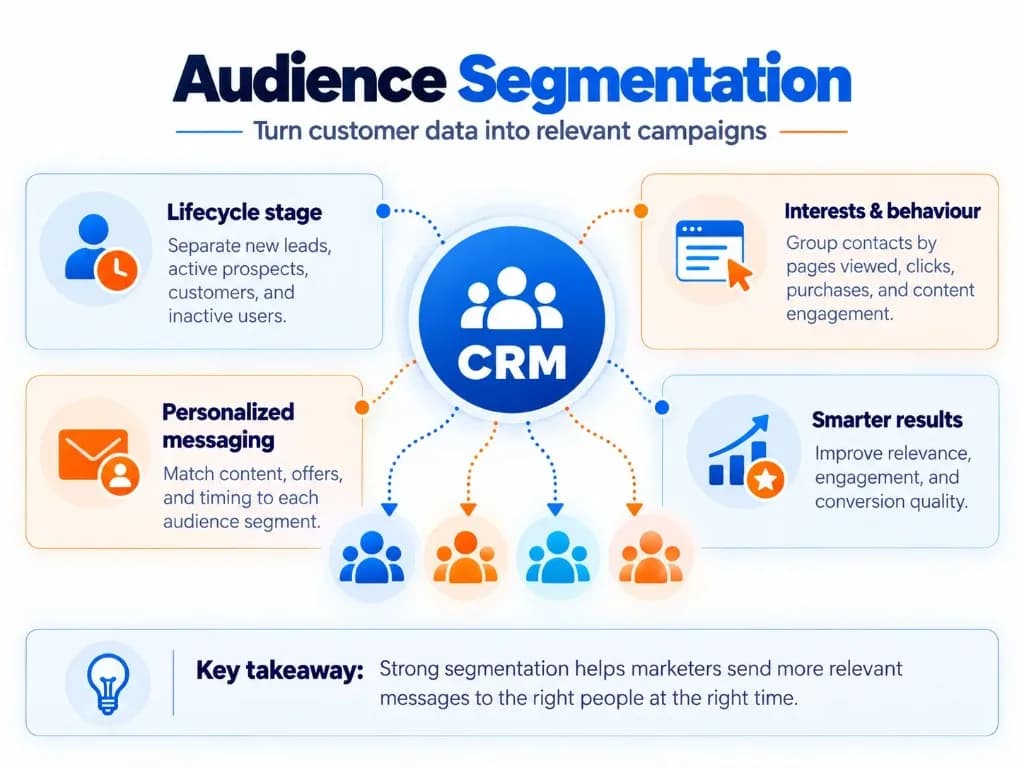
CRM audience segmentation means grouping contacts according to relevant customer information rather than sending identical campaigns to everyone.
For example, a business may distinguish between new leads, customers who purchased recently, and customers who have not purchased for several months.
Each group can receive communication relevant to its relationship with the business.
| Audience | CRM condition | Marketing approach |
|---|---|---|
| New leads | Form submitted, no purchase | Educational follow-up |
| Interested prospects | Requested specific product information | Relevant product or service content |
| Existing customers | Completed purchase | Complementary offers or support information |
| Inactive customers | No recent qualifying activity | Re-engagement campaign |
| Active sales opportunities | Deal currently being handled | Coordinated communication, avoiding conflicting promotions |
Segmentation can also use geography, customer preferences, engagement history, or account attributes when those fields are relevant and reliable.
The objective is better message relevance, not creating the greatest number of segments. Clean lifecycle fields also keep the sales pipeline aligned with what marketing is saying.
Email Marketing and Lead Nurturing
CRM enables email campaigns to respond to customer actions and relationship stages.
Consider someone who downloads a business software guide.
An integrated CRM workflow might:
- Record the guide download against the contact.
- Send the requested resource.
- Identify the topic the contact expressed interest in.
- Schedule an appropriate educational follow-up where permitted.
- Stop or change the sequence if the contact books a demonstration or becomes a customer.
This helps prevent prospects from receiving communication that no longer matches their circumstances.
It also makes follow-up more consistent. However, successful lead nurturing still depends on the quality of the message, audience eligibility, timing, and the accuracy of CRM information—especially when CRM for service businesses rely on booked appointments as conversion signals.
Using CRM Data for Google Ads and Social Media Advertising
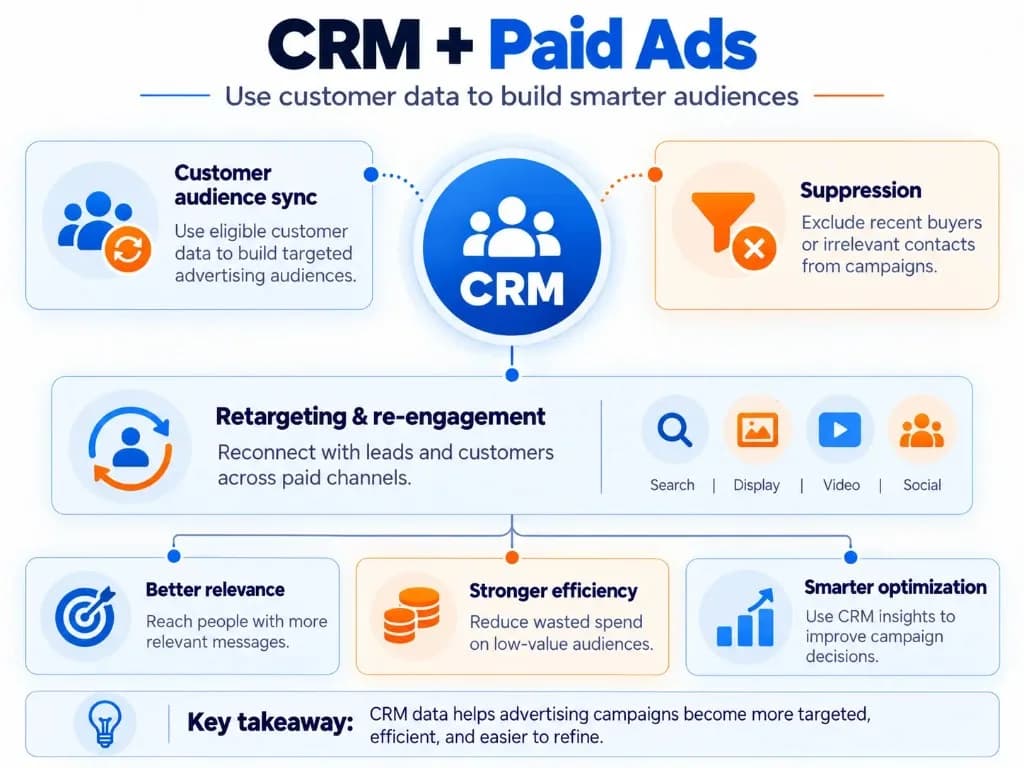
CRM data can help marketers connect paid advertising with information they already hold about customers.
For instance, a business may have a CRM segment containing previous customers who are eligible to receive advertising about a relevant new product.
Through a supported integration or audience upload, eligible first-party data may be used to create customer audiences on advertising platforms.
On Google Ads, Customer Match supports using first-party customer information to help reach and re-engage customers across eligible Google advertising inventory. Audience use is subject to the platform's policies, account eligibility, customer matching, and applicable privacy requirements.
CRM audience applications include:
- Re-engaging eligible existing customers with relevant offers.
- Excluding recent purchasers from acquisition campaigns when appropriate.
- Tailoring advertising to different customer groups.
- Providing eligible customer information as an input to supported advertising optimization features.
A CRM audience does not guarantee that every contact will be matched or reached. Match rates, privacy preferences, platform rules, and account eligibility affect what is possible.
It is also important to distinguish between a CRM having information about someone and having permission or another valid basis to use that information for advertising. For teams comparing relationship systems more broadly, see our CRM vs CXM guide on how experience signals can complement campaign audiences.
Campaign Tracking and Performance Measurement
CRM helps marketers connect marketing activities with subsequent customer interactions.
For example, a marketing team can record that a lead originated from a particular paid campaign, later booked a consultation, and eventually became a paying customer.
This can provide useful reporting beyond clicks and form submissions.
Relevant marketing outcomes include qualified leads, lead-to-customer conversion rates, attributed revenue, repeat purchases, and customer acquisition costs where the necessary data is available.
A distinction matters here: revenue attributed to a campaign is not automatically revenue caused by that campaign. A customer might have purchased without the advertisement or email.
Campaign attribution helps explain recorded customer journeys, while determining incremental marketing impact may require experiments or other suitable measurement methods.
Marketing teams should therefore use CRM reporting alongside advertising and analytics data rather than assuming a single dashboard explains every conversion. Strong CRM analytics still helps when you need commercial outcomes, not vanity clicks.
What Can CRM Marketing Automation Do?
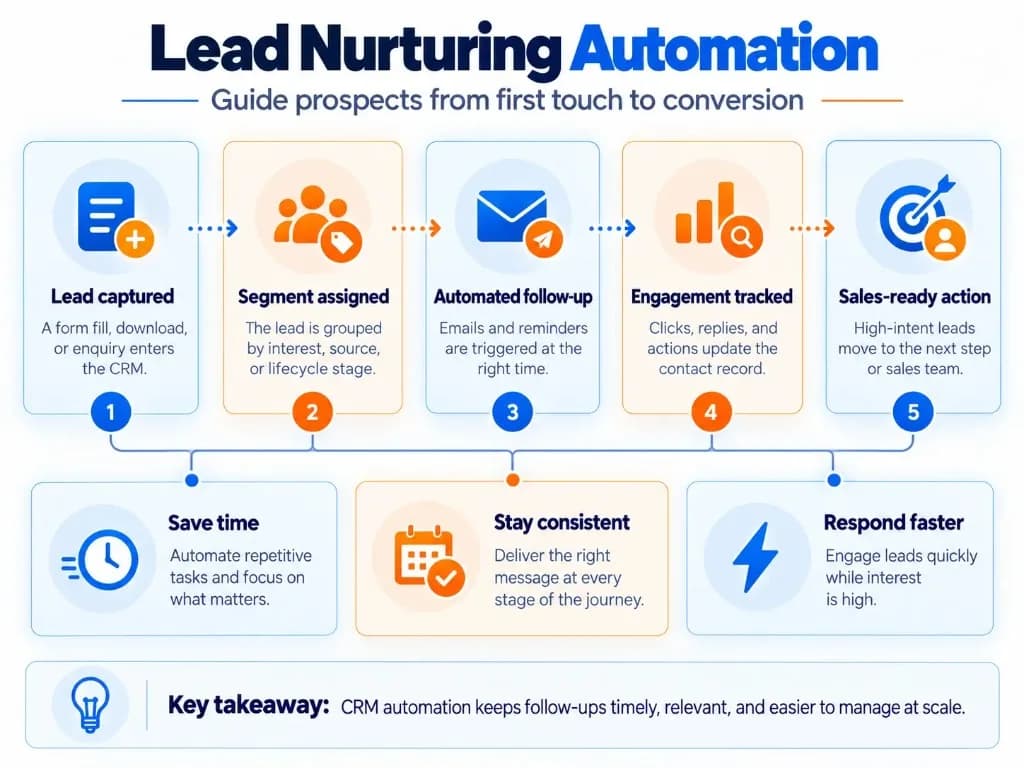
CRM marketing automation uses customer information and predefined rules to perform actions when relevant events occur.
A practical automation usually has four parts:
| Component | Example |
|---|---|
| Trigger | Someone submits a product enquiry form |
| Condition | The contact is eligible for follow-up and has not already booked |
| Action | Send an appropriate follow-up and notify the responsible team |
| Exit condition | Stop the sequence when the enquiry is resolved or the contact opts out |
Common applications include lead acknowledgement, educational email sequences, webinar follow-ups, customer onboarding messages, renewal reminders, and re-engagement campaigns.
A useful rule is to define when an automation should not run before activating it.
For example, a promotional sequence should not continue unchanged after someone purchases the advertised product. Similarly, marketing preferences and suppression conditions should be checked before relevant messages are sent.
Automation improves consistency, but it cannot compensate for inaccurate customer information or poorly designed campaign rules. Sales automation can help with reminders, yet marketing sequences still need eligibility checks that match real customer status.
CRM Digital Marketing Examples
The following hypothetical examples illustrate how CRM data can support real campaign workflows.
Example 1: Lead Generation for a B2B Service
A consulting company runs Google Ads promoting a consultation.
When someone submits the landing-page form, the CRM records the enquiry, including the available campaign-source information.
The contact receives an appropriate acknowledgement, and the team can prioritize follow-up based on the enquiry details—similar to how CRM for inside sales teams keep inbound interest moving without losing context.
If the prospect books a meeting, the nurture sequence changes or stops.
What this demonstrates: CRM connects paid lead generation with follow-up actions and later business outcomes. The company can assess which campaigns generate qualified consultations rather than relying only on cost per lead.
Example 2: Personalized Campaigns for Existing Customers
An online retailer wants to promote a relevant accessory to customers who purchased a compatible product.
Its CRM identifies customers with the relevant purchase history and excludes those who already bought the accessory.
The eligible audience receives a personalized email campaign or becomes part of an appropriately configured advertising audience.
The business measures purchases from the targeted group and evaluates campaign performance—an approach familiar to ecommerce CRM programs focused on repeat purchase.
What this demonstrates: CRM segmentation can make campaigns more relevant while reducing unnecessary promotional overlap.
Example 3: Re-engagement of Inactive Customers
A subscription business identifies customers whose subscriptions have ended and who have not renewed.
An eligible segment receives a renewal message explaining the available options.
If a customer renews, the CRM updates their status and the follow-up workflow stops—keeping lifecycle stages honest so CRM for call centers and account teams do not work from stale status fields.
What this demonstrates: CRM can use customer lifecycle information to keep marketing messages aligned with actual customer status.
Across these examples, the underlying principle is the same: reliable customer information determines the audience, message, timing, and next action. That principle also separates relationship tools from delivery trackers when teams compare CRM vs project management software for ownership of follow-ups.
How to Start Using CRM for Digital Marketing?
Businesses do not need a complicated marketing automation system to begin using CRM effectively. Start with one measurable campaign workflow and expand only when the data and process are reliable—advice that mirrors practical CRM implementation planning.
Step 1: Define One Marketing Goal
Choose a specific outcome, such as improving follow-up for inbound leads, converting more consultations, or re-engaging existing customers.
Avoid beginning with a long list of automations before establishing what success should look like. Clear goals also support business growth conversations about pipeline quality rather than activity volume alone.
Step 2: Identify the Required Customer Data
Determine which information is necessary for the campaign.
For a lead nurturing workflow, this might include contact details, enquiry source, product interest, lifecycle stage, and marketing preferences.
Ensure that incoming information can be associated with the correct contact without unnecessarily creating duplicates in the CRM database.
Step 3: Connect the Relevant Marketing Channels
Connect the CRM with the website forms, email platform, advertising tools, or other systems the campaign requires.
Check whether integrations transfer only contact records or also update important information such as campaign interactions, customer status, and conversions.
A successful integration should support the actual workflow—not merely show that two platforms are connected. When off-the-shelf sync limits get in the way, custom CRM development or deeper CRM development work may be required.
Step 4: Create a Relevant Audience Segment
Define the customers or prospects who should receive the campaign and the conditions that should exclude someone.
Start with a simple, meaningful segment rather than many overlapping audiences. CRM for real estate and CRM for insurance agents teams often begin with enquiry type and lifecycle stage before adding finer filters.
Step 5: Build and Test the Workflow
Configure campaign triggers, follow-up messages, timing, and exit conditions.
Test typical situations before launching, including existing contacts, duplicate submissions, unsubscribed contacts, and customers who have already converted. CRM system proficiency matters here: teams need to know which fields drive eligibility.
Step 6: Measure Outcomes and Refine
Monitor the campaign's intended outcome and investigate discrepancies between advertising reports and CRM records.
Use what you learn to improve segmentation, messaging, and workflow conditions.
When the initial process is reliable, additional campaigns can reuse the same customer information and operating principles. Pharmaceutical CRM and Telecom CRM programs often expand this way once one lifecycle workflow is stable.
Common CRM Digital Marketing Mistakes to Avoid
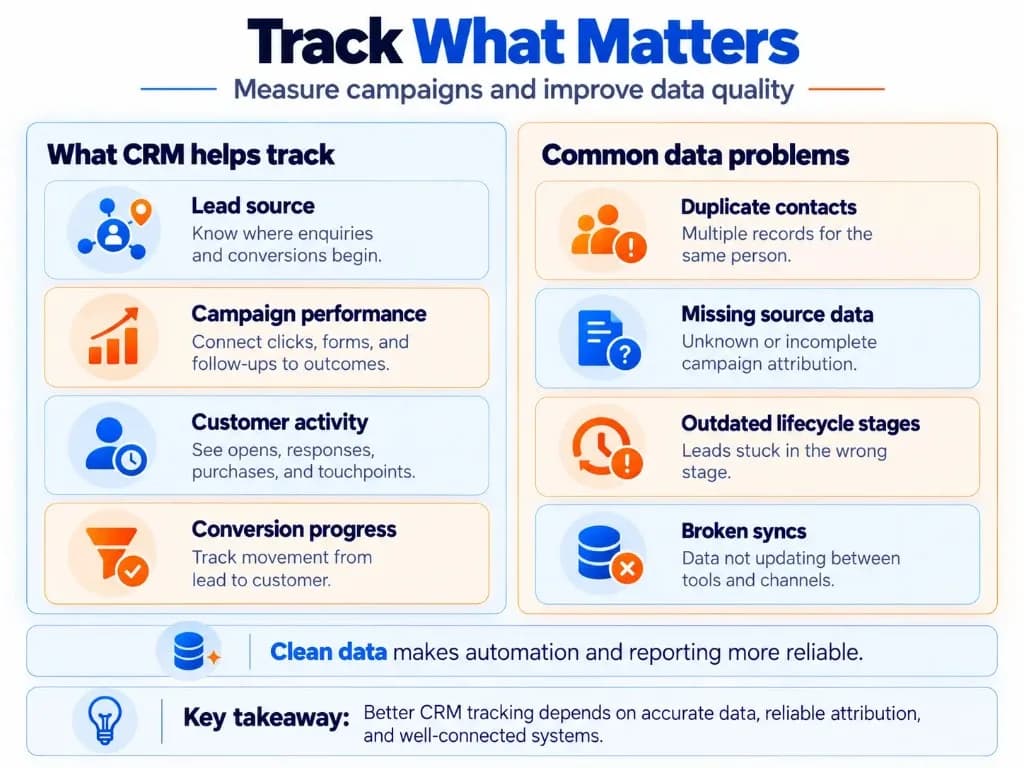
Several CRM marketing problems result from the way customer information moves between systems rather than from the CRM software itself.
| Mistake | Why it matters | Better approach |
|---|---|---|
| Creating duplicate contacts | Splits customer history and can distort reporting | Check for existing records before creating new ones |
| Overwriting campaign source fields | Makes earlier marketing touchpoints harder to understand | Preserve appropriate first-touch and subsequent event data |
| Automating from inaccurate statuses | Sends irrelevant or outdated follow-ups | Validate lifecycle fields and automation conditions |
| Ignoring marketing permissions | Can create privacy and communication compliance problems | Maintain accurate consent, preferences and eligibility records |
| Assuming every integration is two-way | Customer information becomes inconsistent | Verify which records and events synchronize |
| Treating attribution as proof of impact | Overstates what campaign reporting establishes | Separate recorded attribution from incremental impact |
The practical lesson is that CRM marketing works best when customer records, campaign conditions, and measurement rules are designed together.
A small, reliable CRM workflow is more valuable than several complicated automations built on inconsistent data. Teams evaluating platforms should also weigh cloud-based CRM tradeoffs against reporting needs, and remember that CRM vs CXM gaps often show up when campaign success is treated as experience success.
Frequently Asked Questions
What is a CRM marketing strategy?
A CRM marketing strategy is a plan for using customer data to improve targeting, communication, and conversions. It defines which customer segments to engage, what messages to deliver, when to trigger campaigns, and how to measure results. CRM software supports the strategy by organizing information and enabling the required workflows—whether you run digital marketing services in-house or with partners.
Do I need a CRM if I already use email marketing software?
Not necessarily. An email marketing platform may be sufficient for basic newsletters and subscriber campaigns. A CRM becomes more valuable when you need to connect email engagement with lead sources, customer purchases, sales interactions, and other marketing channels to create a more complete customer view. That is often when CRM for manufacturing or CRM in finance teams outgrow list-only tools.
Why isn't my CRM showing which marketing campaign generated a lead?
Your CRM may be missing campaign attribution data because UTM parameters, advertising click identifiers, or lead-source fields are not being captured or transferred correctly. Check that your forms preserve campaign information and send it to the appropriate CRM fields. Remember that a lead's recorded source may not represent every marketing interaction before conversion—another reason CRM data management and field mapping deserve early attention.
How can I stop automated marketing emails when a lead becomes a customer?
Connect your CRM with the system that records purchases or completed sales, then configure the automation to update the contact's lifecycle stage. Use that status change as an exit condition for prospect-nurturing sequences. The workflow must also synchronize with your email platform so converted customers do not continue receiving irrelevant messages. Sales automation reminders and marketing sequences should share the same status truth.
How do I know if my CRM and marketing tools are syncing correctly?
Create a test lead through a real campaign form and confirm that its contact details, source, and interactions appear correctly in the CRM. Then update the contact's status and check whether the connected marketing platform reflects that change. Test duplicate handling, unsubscribes, and automation triggers as well as basic contact synchronization—standard checks during CRM implementation go-lives.
How often should CRM audiences be updated for email and advertising campaigns?
CRM audiences should update whenever meaningful customer information changes, ideally through automatic synchronization where supported. Email segments may need frequent updates when purchases, consent preferences, or lifecycle stages change. Advertising audiences should also be refreshed regularly, although the actual timing depends on the integration, platform processing, and campaign requirements.
Why don't my CRM conversion numbers match Google Ads or Meta Ads?
CRM and advertising platforms may report different conversion totals because they use different attribution models, reporting windows, identity-matching methods, and conversion definitions. Your CRM may count confirmed customers while an advertising platform attributes earlier leads or purchases. Compare equivalent conversion events, dates, and reporting rules before deciding that tracking is inaccurate. Use CRM metrics alongside ad-platform reports rather than forcing one number to win.