
Quick Summary
- An internal CRM centralizes information and teamwork: An internal CRM system helps employees manage shared records, tasks, requests, and responsibilities across departments. Unlike traditional customer-focused CRMs, it emphasizes internal coordination, operational workflows, and visibility into ongoing work.
- Internal CRMs improve cross-department workflows: Teams use them to manage customer-related operations, assign tasks, track approvals, and coordinate handoffs. Shared records and activity histories help employees understand what has been completed, who is responsible, and what needs attention next.
- Essential features support collaboration and accountability: A useful internal CRM includes centralized records, task ownership, workflow automation, status tracking, activity history, and role-based permissions. These capabilities reduce fragmented communication while protecting sensitive information from unauthorized access.
- The main benefits depend on consistent use: Internal CRMs can reduce repetitive work, improve visibility, clarify responsibilities, and prevent missed handoffs. However, outdated records, complicated processes, and poor employee adoption can undermine these benefits, even when the software has advanced CRM software features.
- Not every organization needs a custom internal CRM: Existing CRM platforms can often support internal operations through configuration. A dedicated system makes more sense when multiple teams manage recurring, relationship-related workflows that simpler tools cannot handle effectively. Evaluate workflow fit, maintenance costs, and access requirements before choosing CRM implementation or CRM development paths.
What Is an Internal CRM?
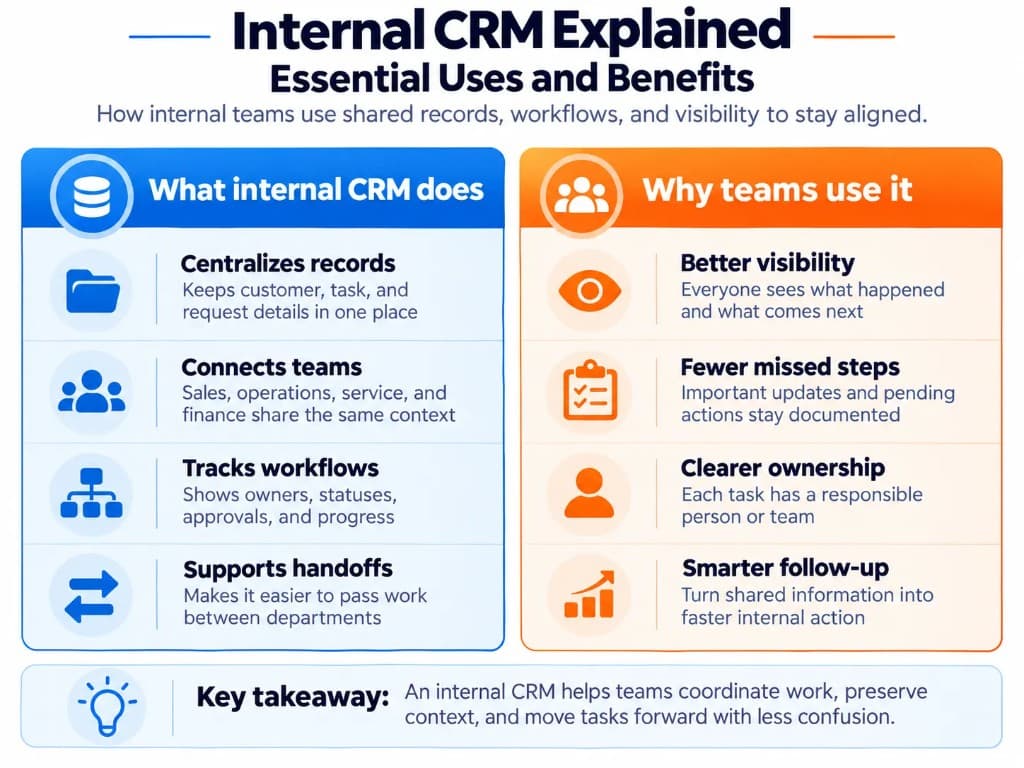
An internal CRM (customer relationship management) system is software used within an organization to manage relationship-related information and the internal processes connected to it.
For example, when a customer requests a service change, several employees may need to review information, assign responsibilities, obtain approvals, and confirm completion. An internal CRM keeps these activities connected to a shared record and supports clearer CRM data management across teams.
Depending on the organization's needs, it may manage customer accounts, internal requests, departmental responsibilities, or operational tasks that sit alongside a traditional CRM database.
The term internal customer relationship management can also describe how an organization manages relationships with its employees or other internal customers. That is a related but different concept. In the software context, internal CRM generally refers to a system that employees use to coordinate work and information.
An internal CRM does not necessarily need to be custom-built. Organizations can configure an existing CRM platform, use a specialized internal system, or pursue custom CRM development when standard tools cannot adequately support their workflows. Teams comparing vendors can also review the broader CRM vendor landscape before deciding whether configuration or a dedicated build is the better path.
How Does an Internal CRM Work?
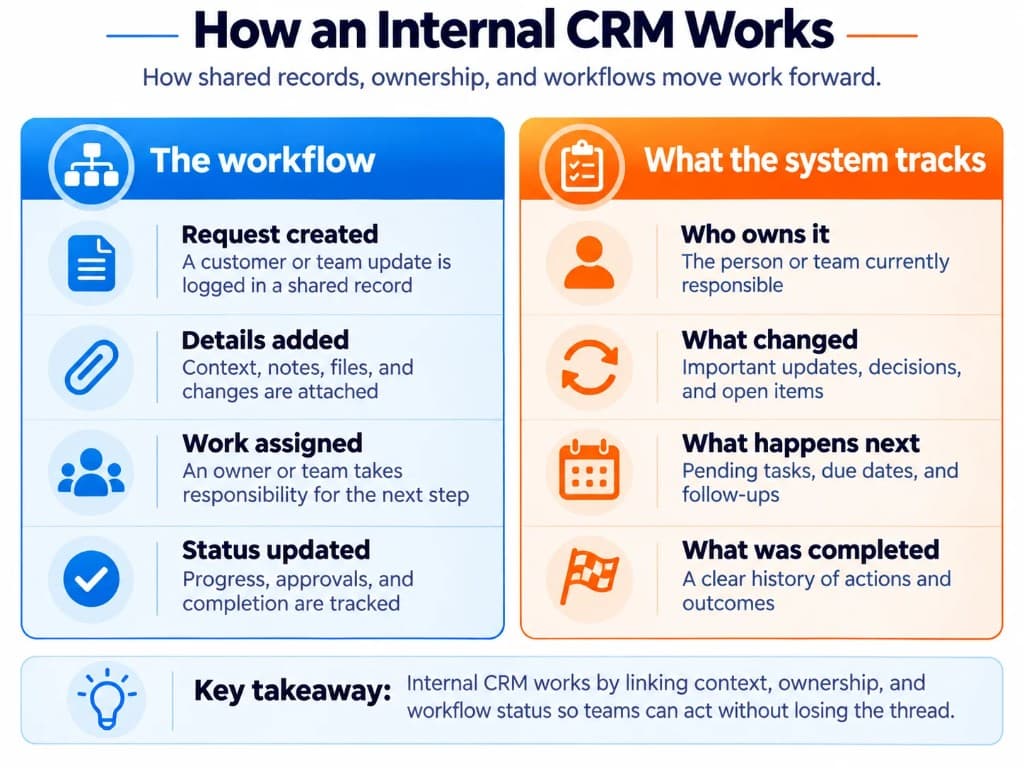
An internal CRM connects records, employees, and business processes so information remains available as work moves between teams.
Consider a company handling a customer's request to change an existing service agreement.
| Stage | Internal CRM activity | Responsible team |
|---|---|---|
| Request received | Creates a request linked to the customer's account | Account management |
| Review | Records requirements, documents, and requested changes | Operations |
| Approval | Assigns the request to an authorized reviewer | Management |
| Processing | Tracks approved changes and outstanding actions | Operations and finance |
| Completion | Updates the request status and saves the activity history | Account management |
Instead of sharing disconnected email threads, each authorized team member can review the relevant information, see who is responsible, and identify what needs to happen next.
Notifications or automatic task assignments can move the request forward when its status changes. However, employees remain responsible for making decisions, maintaining accurate information, and completing assigned work—similar to disciplined CRM data entry practices.
This illustrates the central purpose of an internal CRM: connecting relationship context with internal execution, whether the platform is a cloud-based CRM or an on-premises system.
A real example of internal CRM in practice
Zoho has documented how it uses its own CRM platform to coordinate customer information across internal departments.
The company created a dedicated teamspace and custom module for customer use cases, connecting account information, onboarding details, internal stakeholders, documentation, and workflow status.
Employees across departments can access relevant context, while profile-based permissions control access. The implementation demonstrates that an existing CRM can support internal operational needs without requiring an entirely separate custom-built platform, and a CRM system administrator often owns those permission and module decisions.
Source: Zoho CRM — Transforming Customer Engagement Across Teams
What Is an Internal CRM Used For?
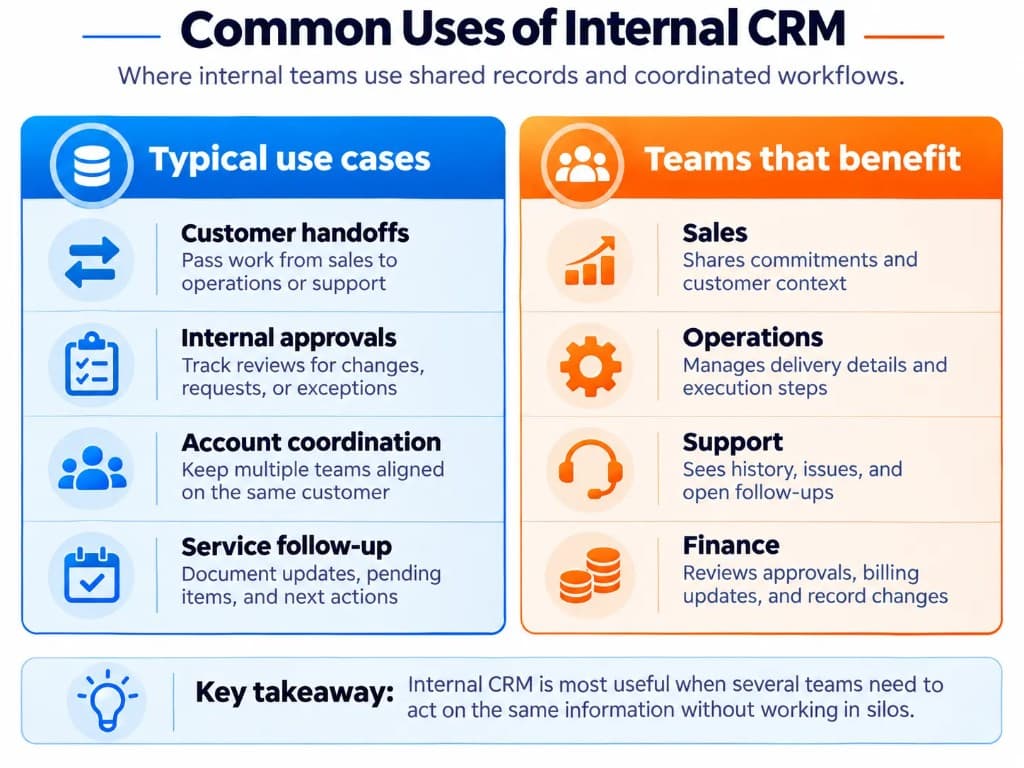
Internal CRM systems are useful when several employees or departments need to manage the same information or contribute to a shared business process.
Coordinating customer-related work across teams
Customer information often moves between sales, onboarding, operations, and support.
An internal CRM helps employees see relevant account details, previous interactions, outstanding requests, and assigned responsibilities—especially when CRM notes and conversation history travel with the account. That shared history also complements a communications CRM setup when customer emails, calls, and chats need to stay tied to the same operational record.
For instance, after a sales agreement is approved, the operations team can access the agreed requirements and delivery responsibilities without repeatedly requesting information from the salesperson.
This reduces dependence on individual employees to communicate every detail manually and complements CRM for service businesses and CRM for digital marketing workflows where handoffs are frequent.
Managing internal requests and approvals
Internal CRMs can organize requests that require input or authorization from different departments.
Examples include a contract change requiring management approval, a customer account update requiring finance review, or an operational request involving several employees.
The system records the request, assigned reviewer, approval status, supporting information, and final decision.
This makes it easier to distinguish pending requests from completed work and identify delays—areas where CRM consulting often helps teams design cleaner approval paths.
Tracking responsibilities and operational progress
Managers and employees need to know which tasks are active, who owns them, and whether action is overdue.
An internal CRM can connect responsibilities to customers, projects, requests, or other operational records.
For example, when an account manager transfers responsibility to an onboarding specialist, the receiving employee can see the required next steps and relevant activity history.
The benefit is not simply task tracking. It is maintaining the relationship between the task, the information behind it, and the people responsible for completing it—something project tools alone may miss when teams compare CRM vs project management approaches.
Essential Features of an Internal CRM System
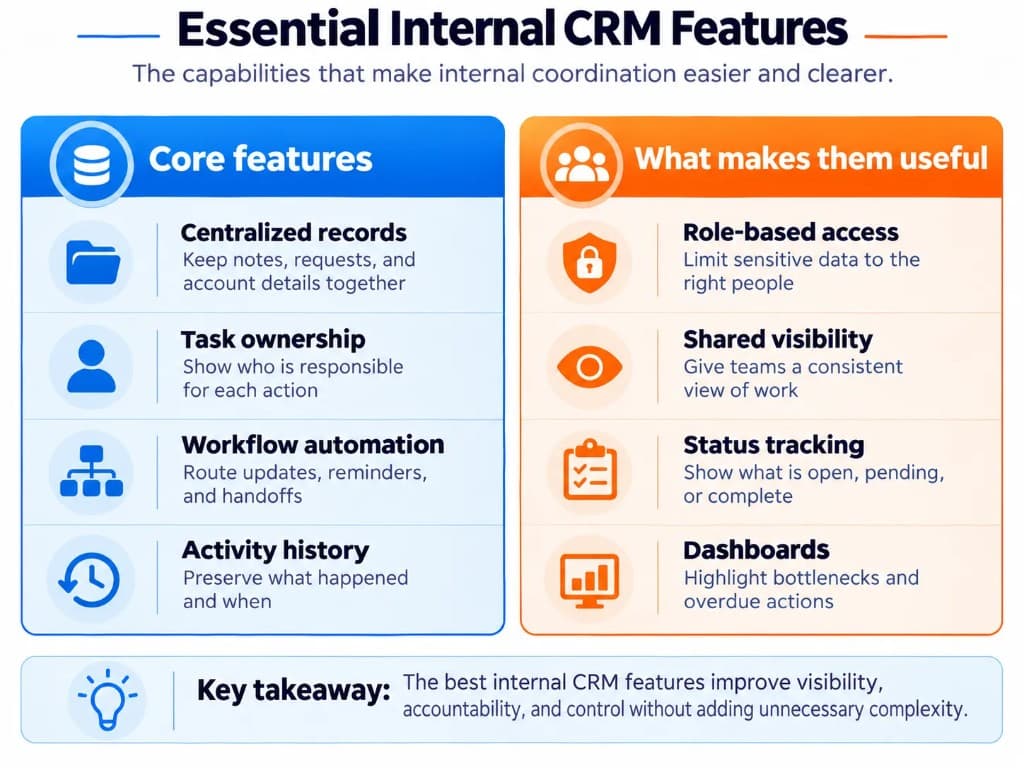
The most useful internal CRM features depend on the team's workflows. However, several capabilities are especially relevant to systems supporting cross-department work.
| Feature | Why it matters |
|---|---|
| Centralized records | Keeps related account details, requests, notes, and documents accessible from a shared location |
| Task ownership and status tracking | Shows who is responsible for each action and its current progress |
| Workflow automation | Supports reminders, assignments, notifications, and routine status changes |
Role-based access controls
Restricts information and actions according to employee responsibilities
Activity history
Records relevant updates, decisions, and changes for accountability
Shared views and dashboards
Helps employees and managers identify pending work, assigned requests, and bottlenecks
These capabilities should work together rather than operate as unrelated modules, which is why teams often start with essential CRM software features before adding complexity.
For example, an approval workflow is more useful when it identifies the responsible reviewer, connects to the original request, records the decision, and updates the request status.
Access control is particularly important. A shared system should not automatically give every employee access to confidential contracts, financial information, or employee records.
Microsoft's Dataverse security documentation illustrates how enterprise applications can use security roles and permissions to control access to data and system functions.
Not every internal CRM needs advanced automation, extensive dashboards, or complex customization. The essential features are those required to support the organization's actual work, including how to connect a CRM to other systems when records live outside one platform.
Benefits of Internal CRM for Internal Teams
An internal CRM can improve how employees access information, coordinate activities, and manage responsibilities. Its effectiveness depends on the system's design and how consistently teams use it.
Better visibility across departments
When information is stored in separate applications or personal files, employees may not know which actions have already been completed.
A shared CRM record can show the current status, responsible team, and relevant history.
This helps employees understand the context of ongoing work without repeatedly contacting other departments and pairs well with CRM metrics that highlight overdue handoffs.
Clearer ownership and accountability
Requests can become delayed when no one is explicitly responsible for the next action.
Assigning owners, statuses, and deadlines helps teams identify who needs to act.
An activity history can also clarify when decisions were made and which changes occurred, provided the relevant tracking is enabled and CRM system proficiency is strong enough for staff to keep records current.
Less repetitive communication and manual work
Employees often spend time requesting updates, searching for documents, or copying information between systems.
An internal CRM can reduce this work by keeping relevant information together and automating appropriate routine steps.
For example, an approved request can trigger an assignment to the next team rather than requiring someone to send a separate notification.
These improvements are potential operational benefits, not guaranteed time or cost savings.
More consistent internal processes
Without a shared system, different teams may follow different procedures for similar requests.
An internal CRM can establish consistent fields, statuses, approval steps, and responsibilities.
This makes it easier to identify missing information before work proceeds and reduces reliance on employees remembering each procedural step.
Organizations can assess these benefits by reviewing indicators such as overdue handoffs, request completion times, duplicate records, and the proportion of tasks with clearly assigned owners.
Internal CRM vs Traditional CRM and Other Internal Tools
An internal CRM is not a completely separate technology category with one universal definition. Its distinction often comes from how the organization uses and configures the software.
| System | Primary purpose | Key distinction |
|---|---|---|
| Internal CRM | Coordinate relationship-related information and work between internal teams | Emphasizes shared operational context, responsibilities, and handoffs |
| Traditional CRM | Manage customer and prospect relationships, sales, and related interactions | Usually organized around external customer-facing activities |
| Project management software | Organize project tasks, schedules, and deliverables | May not provide the relationship and account context required across workflows |
| IT service management software | Manage IT requests, incidents, and service processes | Better suited to specialized IT service operations |
| HR management system (HRIS) | Manage employee information and HR processes | Designed for HR records and employment-related administration |
These systems can overlap.
A conventional CRM may already provide the internal workflows a company needs. Similarly, a project management or service management platform may be sufficient when the work does not require CRM-style relationship records.
The most useful distinction is therefore not the software's label, but the information it manages and the workflows it supports—similar to how teams evaluate CRM vs CXM or CMS vs CRM differences before buying another tool.
When Does an Internal CRM Make Sense?
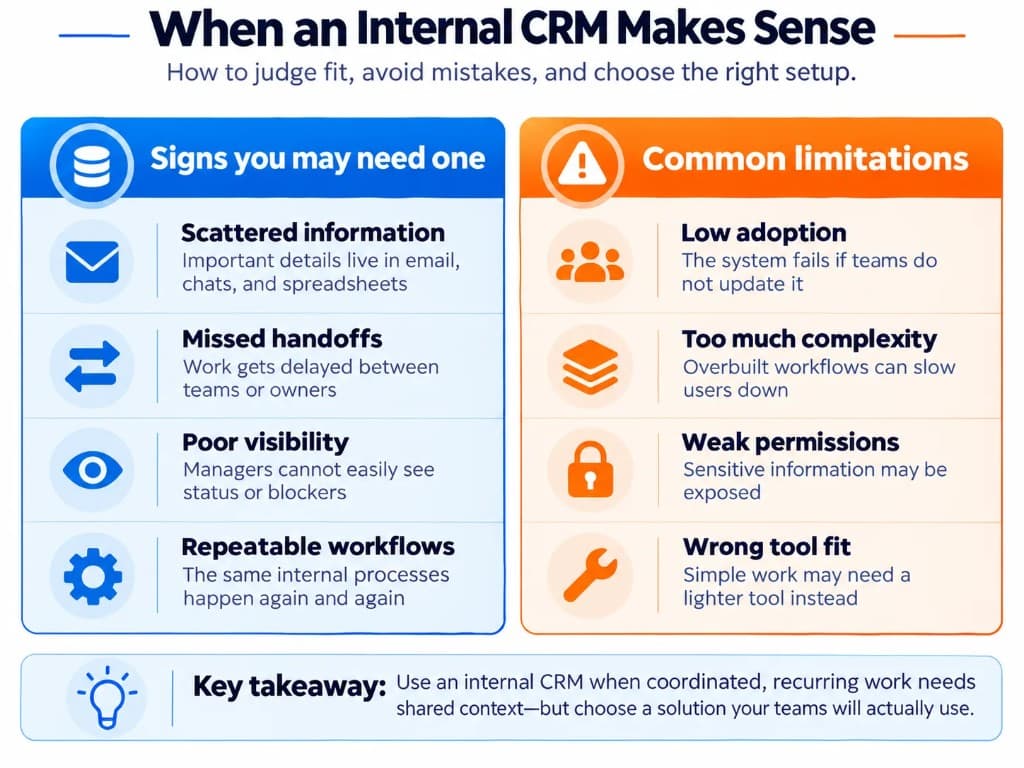
An internal CRM is most useful when an organization has recurring work that crosses departments and depends on shared relationship information.
Signs that it may be helpful include:
- Employees regularly request information already held by another team.
- Requests become delayed because responsibilities are unclear.
- Customer-related operational details are scattered across applications.
- Managers cannot easily see the status of shared work.
- Approvals, changes, or handoffs are difficult to trace.
However, not every team needs a dedicated internal CRM.
If employees only need to manage a straightforward list of tasks, project management software may be simpler. If the main requirement is handling IT incidents or employee HR requests, specialized service or HR software may be more appropriate.
Should you use an existing CRM or build a custom one?
Start by examining whether an existing platform can support the required records, ownership rules, workflows, and permissions.
Configuring an established CRM may be more practical when the organization needs standard capabilities with limited customization.
A custom internal CRM may make sense when workflows are unusually specialized, multiple existing systems cannot support the required process adequately, or a separate interface is necessary for employees.
Custom development also creates responsibilities for maintenance, security, updates, integrations, and ongoing support. Its value should be assessed against those costs rather than assuming custom software is automatically better.
For a more detailed evaluation, see related guidance on CRM development and CRM implementation requirements.
What are the limitations of an internal CRM?
An internal CRM does not automatically solve poor communication, unclear responsibilities, or inaccurate data.
If employees do not update records, the shared information can become unreliable. If workflows are too complicated, staff may avoid the system. Poorly configured permissions can also expose sensitive information.
Duplicating the same records across an internal CRM and other business applications may create conflicting information unless ownership and synchronization are clearly defined.
Before adopting one, identify a recurring workflow, define who owns each stage, determine what information each role requires, and check whether existing tools can already meet those needs.
An effective internal CRM is not the one with the most features. It is the one that gives employees the information, responsibility, and process visibility they need to complete shared work reliably.
Frequently Asked Questions
Is an internal CRM different from a traditional CRM?
Yes. A traditional CRM focuses on external customer and prospect relationships, while an internal CRM emphasizes shared records, ownership, approvals, and handoffs between employees. Many organizations meet internal needs by configuring the same platform rather than buying a separate product.
Do we need to build a custom internal CRM?
Not always. Start by checking whether an existing CRM platform can support the required records, workflows, and permissions. Custom CRM development makes more sense when processes are unusually specialized or standard tools cannot support the work without fragile workarounds.
When does an internal CRM make sense for a growing team?
It is most useful when recurring work crosses departments and depends on shared relationship context. Signs include frequent information requests between teams, unclear ownership, scattered customer operational details, and approvals that are hard to trace.
What features matter most in an internal CRM?
Prioritize centralized records, task ownership, status tracking, workflow automation, role-based access, activity history, and shared dashboards. These CRM software features should work together so approvals, handoffs, and updates stay connected to the same record.
How is an internal CRM different from project management software?
Project management tools organize tasks and timelines, but they may not preserve the account and relationship context teams need. When work depends on customer history, approvals, and multi-team handoffs, CRM vs project management comparisons usually favor a CRM-centered record.
What are the biggest limitations of an internal CRM?
Low adoption, outdated records, overly complex workflows, weak permissions, and duplicated data across systems can undermine results. An internal CRM only works when people update it consistently and access controls match real responsibilities.